Layered Pyramid Charts Keynote Template - Fully Editable | Instant Download | ImagineLayout


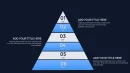







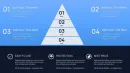








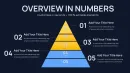

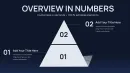
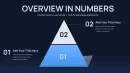
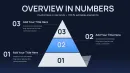







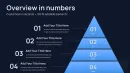
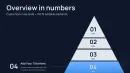

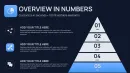
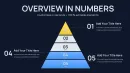

Type: Keynote Charts template
Category: Pyramids
Sources Available: .key
Product ID: KC01093
Template incl.: 36 editable slides
Download the Layered Pyramid Charts Keynote Template with 36 fully editable slides. Visualize hierarchies, priorities, and multi-level processes in professional Apple Keynote presentations. Instant .key download for business and consulting use.
What's Included
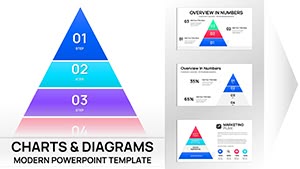
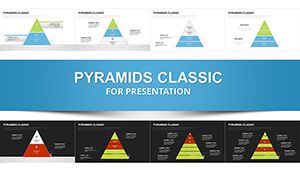
The Layered Pyramid Keynote Charts Template Presentation delivers a complete .key file containing exactly 36 editable slides focused on layered pyramid chart designs. This template belongs to the Keynote Charts category under the Pyramids sub-category and provides targeted variations for hierarchical data visualization. Every slide features multi-level pyramid structures that users can adapt to represent priorities, processes, or tiered strategies. The instant download process gives immediate access after purchase at $20.00 without any additional setup steps required.
Unlike the related Pyramid Chart Keynote Template that offers 37 slides or the 57-slide Pyramid Charts version also listed on the site, this package concentrates solely on layered pyramid configurations for deeper level representation. The file format ensures direct compatibility with Apple Keynote on Mac devices. All 36 slides maintain consistent styling across the deck for professional output.
You receive vector-based pyramid elements ready for scaling, along with integrated text areas and data placeholders. This setup supports presentations of any length while keeping the focus on layered pyramid visuals only.
Key Features
This Layered Pyramid Keynote Charts Template stands out through its 36 dedicated slides built exclusively around layered pyramid diagrams. Each slide allows full control over individual tiers to display relationships in business or analytical data. The designs support clear progression from base layers to top levels, making complex information easier to communicate during meetings.
| Feature | Details |
|---|---|
| Slide Count | 36 fully editable layered pyramid slides |
| File Format | .key for Apple Keynote |
| Layer Customization | Adjust heights, fills, and tiers per pyramid |
| Text Integration | Placeholders for titles, labels, and metrics |
| Category Focus | Pyramids within Keynote Charts |
| Differentiation | Layered-only vs 37-slide or 57-slide general pyramids |
These features enable precise matching to specific datasets while keeping the overall deck cohesive. The layered structure specifically helps when standard flat charts fall short for multi-dimensional comparisons.
Editable Elements
Users can modify each pyramid layer independently using Keynote shape tools. Change fill colors to align with brand palettes, resize tiers for emphasis, and update numerical data in associated text boxes. This flexibility extends across all 36 slides without losing alignment or professional appearance.
Professional Use Cases
A strategy consultant at a global management consulting firm used the layered pyramid slides in this template to map client organizational priorities for an executive board meeting. Selecting variations with 4-layer and 5-layer pyramids, the consultant illustrated how foundational capabilities support higher strategic goals. The clear visual hierarchy led to immediate stakeholder alignment and approval of the recommended roadmap within the same session.
Marketing managers in consumer goods companies apply these layered pyramid charts to demonstrate customer value progression. One product marketing lead customized the slides to show how basic product features build toward premium loyalty tiers, helping the sales team prioritize messaging and resulting in improved campaign focus.
Business analysts in logistics firms leverage the template for supply chain priority presentations. The multi-layer designs helped highlight risk levels from base operations up to executive oversight, enabling faster decision-making during quarterly reviews.
How to Customize
Begin by downloading the .key file instantly after purchase. Open it directly in Apple Keynote on your Mac. Navigate to any of the 36 layered pyramid slides and select the pyramid shapes. Use the format panel to adjust layer colors, heights, and text content in the placeholders. Duplicate slides as needed to build your full deck while preserving the layered structure.
For advanced tweaks, resize individual tiers or add subtle animations to layer reveals. The entire process typically completes in minutes because the base designs already align professionally. Export the finished presentation as PDF or Keynote format for sharing.
Compared to building layered pyramids from scratch in Keynote, this template eliminates hours of manual shape alignment and consistent styling work. Users gain polished results immediately rather than spending time on basic layout construction.
Why Choose This Template
The Layered Pyramid Keynote Charts Template delivers specialized value through its exclusive focus on layered pyramid diagrams across 36 slides. This targeted approach outperforms broader chart collections or the related templates on the site that mix pyramid styles or include higher slide counts without the same depth in layering. The design decisions prioritize clear tier progression that benefits viewers who need to grasp multi-level relationships quickly.
Choosing this option ensures your presentations maintain visual consistency while addressing specific hierarchy visualization needs common in strategy and analysis work. The 36-slide count provides sufficient variety for comprehensive decks without excess options that complicate selection.
FAQ
How do I edit the layered pyramid charts in this Keynote template?
Editing starts with opening the downloaded .key file in Apple Keynote. Select any pyramid shape on one of the 36 slides and use the shape formatting tools to change fill colors, adjust layer heights, or modify text in the placeholders. Each layer remains independent so you can update data points or resize tiers individually without affecting the overall structure. This process works across all slides for consistent results in your final presentation.
What software version of Keynote is required for this template?
The template is compatible with current and recent versions of Apple Keynote on Mac computers. The .key file opens directly and uses standard shape and text features available in Keynote 10 and above. No special add-ons are needed, ensuring the 36 layered pyramid slides function smoothly regardless of minor version differences. Test opening the file after download to confirm your setup matches the vector elements used in the designs.
How many layered pyramid variations does this 36-slide template include?
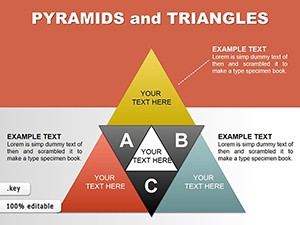
All 36 slides feature layered pyramid charts with differences in tier counts, orientations, and accompanying text layouts. You can choose configurations ranging from basic 3-layer setups to more detailed 5-layer versions depending on the complexity of your data. This variety allows matching the right pyramid style to each section of your presentation while keeping the overall deck focused on pyramid visuals only.
Can I use this template for commercial client presentations?
Yes, the template supports commercial use after purchase. The 36 editable layered pyramid slides can be adapted and incorporated into client-facing decks or reports without additional licensing steps. Modify colors and content freely to match your branding while retaining the professional pyramid structure. This makes it suitable for consultants and agencies creating paid deliverables.
What is the download format and process for this product?
The download is provided as a single .key file containing all 36 slides immediately after completing the purchase. Access your account on the site to retrieve the file instantly without waiting for email delivery. Unzip if necessary and open directly in Keynote. The process ensures you can begin customizing the layered pyramid charts within minutes of buying.
Is there a limit to how much I can customize the pyramid layers?
There are no built-in limits on customization within the 36 slides. You can add or remove layers by duplicating shapes, change every fill color, edit all text, and resize elements using standard Keynote tools. The vector format preserves quality at any scale. This freedom allows complete tailoring of the layered pyramid designs to fit any dataset or branding requirement.