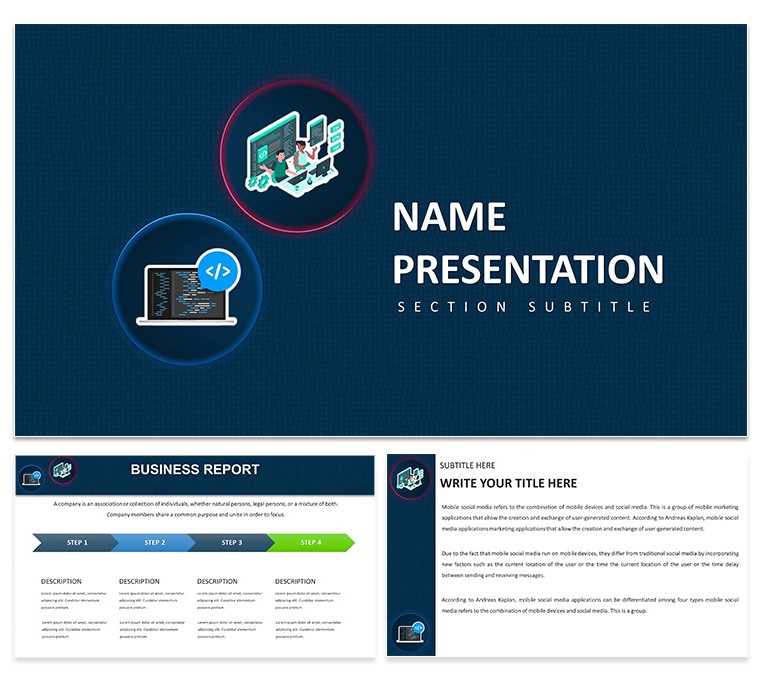
Technology Innovation Keynote Template: Fuel Your Next Big Idea
28 diagrams and 7 color schemes come packed in this Keynote template for investor updates on technology innovation.
You map pipelines fast.
For investor updates where breakthrough metrics and adoption curves must appear without rebuilding slides each quarter the diagrams solve the problem of turning abstract tech concepts into instantly readable visuals that speed funding decisions in practice.
Horizontal layout direction with minimalist icon style keeps every flow crisp on screen.
Technology analysts rely on it.
The KEY and KTH files follow standard formats compatible with current Keynote installations on macOS.
Color changes apply globally via the slide master so the entire deck updates in seconds which proves useful when reusing the same file across multiple investor reports.
This template is not ideal for text-heavy decks lacking any data visualization.
In most cases the vector elements resize independently while maintaining alignment.
Compare it to the Notebook and Network Keynote Template or explore the full Computer - IT Keynote Theme category.
Download the AI and Technology Keynote Presentation Template here for complementary options.
| Feature | Details |
|---|
| Slides / diagrams | 28 vector diagrams focused on innovation pipelines and tech stacks |
| File format | KEY and KTH |
| Software version | Keynote 10+ on macOS (standard KEY/KTH compatibility) |
| Color schemes | 7 schemes switched via slide master |
| Editable elements | Vector shapes resize and recolor independently with consistent stroke weights |
| Aspect ratio | 16:9 widescreen |
| Free vs Paid | Full package with 28 diagrams and 7 schemes; no separate free version listed on page |
| Masters / Backgrounds | Single master slide for global edits |
Download and start editing immediately
What Keynote version and macOS requirement?
The template files are KEY and KTH formats that work with Keynote 10 and later. They run on macOS Ventura or newer in most cases. Open the file in your version to confirm full compatibility.
How do I change colors via slide master?
Open Keynote and go to View then Slide Master. Select the master and adjust the color scheme there. This applies the change to all 28 diagrams automatically which saves time in practice.
Does the license allow client work?
The license allows you to use the template for client work. You can deliver presentations to clients but cannot resell the template files themselves. One license is for one user or team account under the terms.
What is the free vs paid difference?
The page does not specify separate free and paid versions. You get the full set of 28 diagrams and 7 color schemes in the downloaded package. This includes all editable elements without additional purchases.
What are the refund conditions?
Refunds are available if the template does not meet your needs within the standard policy period. Contact support with your order details for processing. This applies as long as the files have not been modified or distributed.