28 Slides, 7 Color Schemes: What You Get
What is an MRI Keynote template? An MRI Keynote template is a pre-built .key presentation file structured around magnetic resonance imaging diagnostics - with slide layouts, scientific visual language, and chart types suited to explaining MRI processes, scan results, and diagnostic workflows to clinical or academic audiences.
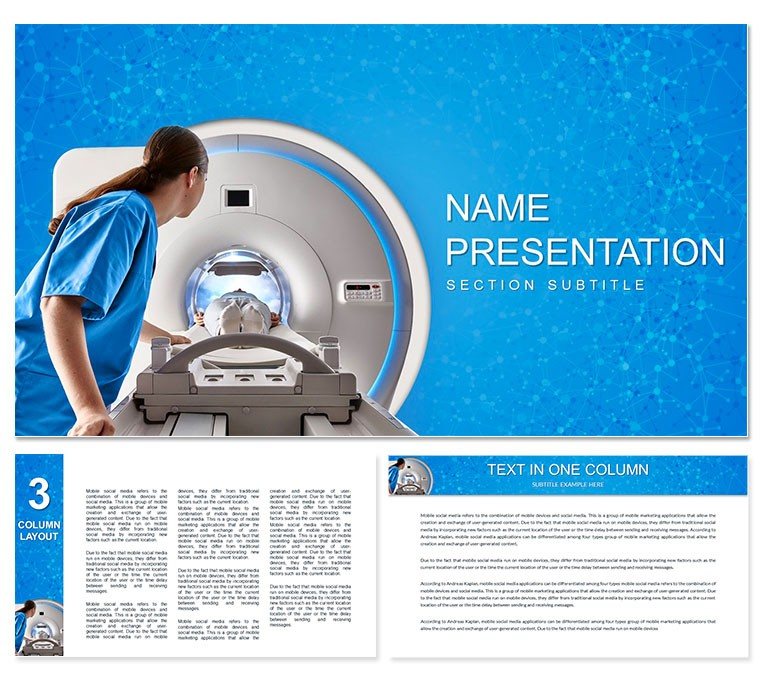
28 slides address the full scope of MRI education and research communication: opening hero layouts with full-bleed imaging equipment photography, diagnostic process flowcharts that trace the patient pathway from referral through scan acquisition to report delivery, data panels for comparing imaging modalities, and summary slides formatted for grand rounds or symposium contexts. Seven color schemes include dark technical variants suited to radiology conference rooms and light clinical palettes appropriate for teaching hospital lecture halls. Three master backgrounds and three additional background files cover the range from high-contrast scientific presentation to accessible patient-education formats.
The scientific visual language here is distinct from general clinical layouts: where a broad healthcare template uses generic cross-section icons or stethoscope imagery, this file is built around laboratory and diagnostic equipment contexts - scanner cross-sections, magnetic field indication, and procedural step sequencing tied to the specific MRI workflow rather than generic medical symbolism. Files are .key and .kth only - no .jpg tier, which means the visual assets are optimized for Keynote's rendering engine rather than static export.
Technical Specs
| Feature | Details |
|---|
| Slide count | 28 slides covering diagnostic flowcharts, modality comparison panels, data layouts, and summary formats |
| Color schemes | 7 schemes: dark radiology-context variants and light teaching-hospital palettes |
| Visual language | MRI-specific: scanner cross-sections, magnetic field indicators, procedural step sequences |
| Master slides and backgrounds | 3 masters + 3 backgrounds; no .jpg exports - .key and .kth only |
| Chart and data elements | Modality comparison tables, diagnostic data panels, editable bar and line chart placeholders |
| Keynote compatibility | Keynote 2016 and later on macOS; iPad Keynote supported for playback |
| File formats | .key (full editing), .kth (theme installation) |
| Free vs. paid difference | Base tier ($12): 3 masters + 3 backgrounds. Full version ($25): all 28 diagrams + 7 color schemes |
Three Situations Where This Pays Off
A radiologist preparing a grand rounds presentation on diffusion-weighted MRI sequences needs slide layouts that convey technical precision without starting from scratch in Keynote. The diagnostic flowchart slides here provide the structural scaffolding - the radiologist fills in protocol parameters, sequence names, and clinical case notes while the visual hierarchy of step-by-step panels is already set. Preparation time drops from 4 hours to under 90 minutes.
Medical physics lecturers at teaching hospitals use the modality comparison panels to walk students through MRI versus CT versus ultrasound trade-offs in a single lecture slot. One medical physics instructor reported reusing the same base file across three academic terms, swapping the color scheme between cohorts so returning students saw a visually distinct version of updated content.
Clinical researchers presenting trial results at internal medicine symposiums rely on the data panel layouts for displaying scan-protocol comparisons. A researcher in a neurology department used the summary slide format for five consecutive quarterly updates to the department's imaging committee - the consistent layout reduced the time committee members spent orienting to the slide structure and increased time spent on actual findings discussion.
Download and start editing immediately.
Edit, Brand, Present: The Workflow
Difficulty level: Moderate. Familiarity with Keynote's master slide system and the table inspector is useful for chart data editing.
- Step 1 - Open the .key file in Keynote 2016 or later (1 minute). The file defaults to a dark technical color scheme suited to radiology contexts.
- Step 2 - Select a color scheme via master slides (2 minutes). Navigate to View - Edit Master Slides; 7 color variants are stored as separate master sets. Apply a light palette for teaching contexts.
- Step 3 - Replace placeholder text in diagnostic flowcharts (5-8 minutes). Click any step label or process node and type; grouped connector arrows adjust automatically.
- Step 4 - Update data comparison tables (5-10 minutes). Double-click any table cell to enter edit mode; paste modality comparison data from a spreadsheet or type values directly.
- Step 5 - Adjust or remove specialist slides (2-3 minutes). Delete layouts not relevant to a specific lecture topic in the slide navigator without disrupting remaining content.
- Step 6 - Export as .key or PDF (1 minute). PDF output preserves layout integrity for handouts; .key output for live presenter mode with notes.
What You'd Need to Replicate This Yourself
Building a diagnostic flowchart in Keynote from blank requires manual creation of process node shapes, connector arrow routing, and label positioning - each connector must be manually attached to its node, and misalignment becomes visible at any zoom level above 100%. A clean 6-step diagnostic pathway diagram takes roughly 60 to 90 minutes to build from scratch in Keynote with no errors. The modality comparison table with alternating row shading and header formatting adds another 30 minutes.
The dark radiology-context color scheme serves a specific visual function: projection screens in radiology conference rooms typically have lower ambient light, and dark backgrounds with high-contrast white text and cool accent colors reduce eye strain during extended viewing. Light backgrounds in the same room read as washed-out above a certain lumen level. Having both variants in a single file eliminates the need to maintain two separate presentation files for different room conditions.
MRI-specific iconography matters more than it appears to. General scientific templates use beaker-and-test-tube iconography that creates a mismatch when presenting to an imaging-specialist audience. The scanner cross-sections and magnetic field indicators in this file signal subject familiarity without the presenter adding explanatory text. Browse the complete Medicine and Pharma Keynote theme collection for adjacent clinical specialties. The closely related Functional Magnetic Resonance Imaging Keynote template covers fMRI-specific workflows, and the MRI Scan Technologist Keynote Themes addresses operator-facing content for technical staff.
Download and start editing immediately.
Which Keynote versions are compatible with this file?
The .key file is compatible with Keynote 2016 and later on macOS, including current releases on macOS Sonoma and Ventura. Keynote for iPad opens the file for playback and basic text editing, though master slide editing is Mac-only. If you are running macOS Monterey or Big Sur with Keynote 2022 or 2021, the file opens without layout issues. The .kth file installs as a reusable Keynote theme accessible from the New Presentation dialog after installation.
How do I adjust the color scheme for a teaching hospital versus a conference context?
The file contains 7 color variants stored as master slide sets. For a bright lecture hall, select the light clinical palette - white background with cool blue accents. For a darker radiology conference room, apply the high-contrast dark variant with white text and teal or slate accent colors. To switch, select all slides (Command + A), right-click, and choose the target master. The entire deck updates in under 2 minutes. Custom hex colors from an institutional brand guide can be applied within the master slide editor by clicking any colored element and using the color picker.
Can this template be used for patient education or non-specialist audiences?
The layouts are designed for informed clinical and scientific audiences - radiologists, medical physics students, imaging researchers, and hospital procurement reviewers. The iconography and diagram language (scanner cross-sections, modality comparison tables) assumes some familiarity with imaging terminology. For patient education contexts, the simpler overview slides work well with appropriate text simplification, but the technical flowchart slides assume a baseline level of clinical literacy. The light-palette color schemes are the better choice for non-specialist audiences.
What is the difference between the base and full purchase tiers?
The base tier ($12) includes 3 master slide layouts and 3 background files - sufficient for building a basic themed presentation without pre-built diagrams. The full version ($25) adds all 28 diagnostic slides and all 7 color schemes. The diagnostic flowcharts and modality comparison panels are exclusively in the full version; they are not available in the base tier and would require building from scratch in Keynote without them. Most buyers with presentation deadlines purchase the full version to avoid that reconstruction time.
Are there animation effects, and can they be disabled?
Select slides include build animations on diagnostic flowchart steps - individual process nodes appear sequentially rather than all at once, which suits a step-by-step explanation during a live lecture. To remove animations, open the Animate panel in Keynote, click the build effect on the relevant slide, and press Delete. Removing all animations across the full file takes approximately 4 minutes. PDF exports do not carry animation data, so handout versions are unaffected regardless of the animation settings in the source file.
What is the refund policy for this download?
ImagineLayout processes refund requests when the downloaded .key file does not open in a supported Keynote version or when the file content does not match the product page. Submit a request via the ImagineLayout contact page with your order number and details of the issue. Because the product is a digital file, change-of-mind refunds are reviewed case by case. The full refund policy is available at imaginelayout.com/refund-policy.