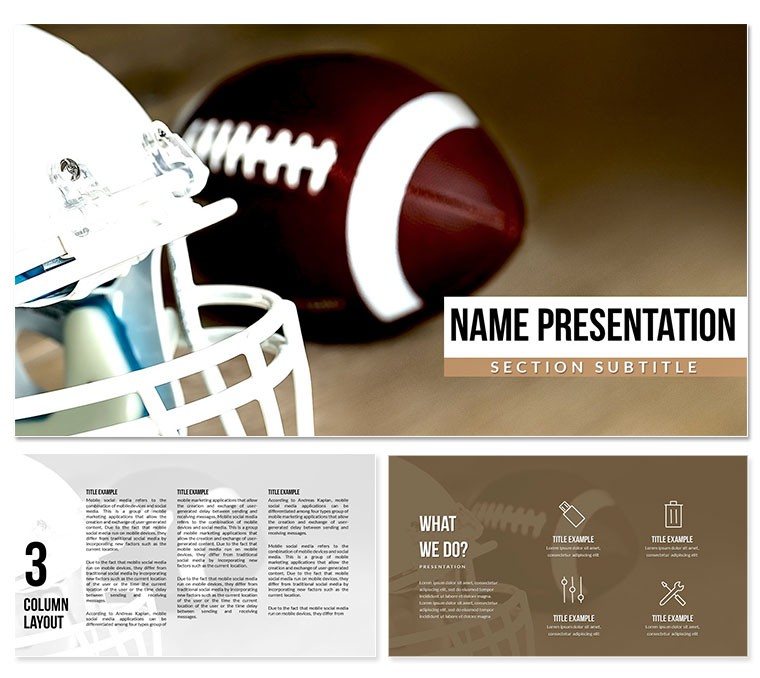
What is an American football diagram Keynote template? An American football diagram Keynote template is a .key file containing pre-built slide layouts that visualize player positions, formation structures, and tactical breakdowns - designed for coaches, analysts, and sports educators who need to communicate on-field strategy in a presentation format.
28 Diagrams Across 7 Layouts: Full Contents
28 diagram slides and 7 color schemes are included in the full package. Each of the seven schemes covers the complete set of 28 diagrams, so switching a color scheme to match a team's uniform palette affects the entire deck rather than requiring per-slide edits. The diagrams cover position mapping, formation diagrams showing offensive and defensive alignments, player role comparisons, and post-match analysis layouts that let a coaching staff annotate what happened on specific plays.
Three slide masters and three background variations form the structural layer. The masters define consistent zones for header, body, and diagram content - meaning diagram slides and text slides share a coherent visual grid without needing manual alignment between them. The three backgrounds provide a dark field-texture option suited to projection in a dark room, a mid-tone neutral for standard meeting room screens, and a lighter variant for print handouts or daytime projector use.
The positioning-specific design distinguishes this set from broader sports Keynote sets built around action photography or generic athlete imagery. Position diagrams use labeled zones with clean outlines - X and O notation adapted to a modern slide format - rather than decorative stadium imagery. That approach keeps the analytical reading of a formation unobstructed, which matters when a coaching staff is working through a play sequence at speed during a film session.
Format and Compatibility Details
| Feature | Details |
|---|
| Diagrams included | 28 in the paid package |
| Color schemes | 7 - each scheme covers all 28 layouts |
| Slide masters | 3 (intro, content, closing) |
| Backgrounds | 3 variants (dark, mid-tone, light) |
| File formats | .key (Keynote editing file), .kth (theme installer) |
| Keynote compatibility | Keynote 12 or later on macOS |
| Text placeholders | Editable without ungrouping diagram shapes |
| Color theme adjustments | Apply team colors via Keynote master slide palette |
| Free vs. paid | $12 tier: 3 masters + 3 backgrounds. $20 tier: full 28 diagrams + 7 color schemes |
How Consultants Use This in Client Work
A high school football coach preparing a pre-game film session for 45 players needs to communicate three formations and two defensive adjustments in under 30 minutes of screen time. Drawing those formations on a whiteboard works for a small room; on a projector for a full squad, the resolution and label readability of a clean slide diagram is significantly more effective. The position layout slides in this set support exactly that scenario - labeled zones scale to a 100-inch projection screen without losing readability.
A college football analyst building a recruiting presentation for prospective players and their families adapted the formation diagrams to show where each recruitable position sits within the offensive system - reusing the same base template across six consecutive visits by swapping the color scheme to reflect each recruit's high school team colors. The format consistency cut preparation time per visit from 2 hours to under 45 minutes.
Download the .key and .kth files and open a ready-to-edit presentation today.
From Download to Final Deck
How do I customize a football Keynote template with my team's colors? Open the .key file in Keynote 12, navigate to View - Edit Master Slides, and apply your team's primary and secondary hex colors to the master palette. The change propagates to all slides using that master.
- Step 1 - Open the .key file in Keynote 12 on macOS (1 minute)
- Step 2 - Navigate to View - Edit Master Slides and select the primary content master (2 minutes)
- Step 3 - Replace color fills with your team's primary and secondary colors via Format - Fill - Color Fill (3 minutes)
- Step 4 - Click into each diagram text placeholder and update position labels, player names, or formation names (4 minutes)
- Step 5 - Export as .key to continue editing or as PDF for print handouts before a game (1 minute)
Editing difficulty: Beginner. Position labels and diagram zone text sit in ungrouped placeholders - editing one label does not affect surrounding formation shapes. No design background is required to complete a full rebrand of the deck.
Why This Template, Not a Blank Slide
Building football formation diagrams from a blank Keynote file means constructing the field zone shapes, positioning the player markers, labeling each role, and then replicating that structure 27 more times with consistent spacing. A Keynote-experienced designer would take 5-7 hours for a full 28-slide set. A coach working without design experience typically produces inconsistent spacing between formation diagrams - a detail that becomes visible when the slides are projected side by side during a film session.
A design decision worth noting: the position markers in this set use outline shapes rather than filled circles. On a dark background, filled circles at small sizes blend into each other when viewed from the back of a room. Outline markers maintain legibility at smaller sizes and allow color-coding between offensive and defensive players without the colors becoming indistinct at 15 meters. That specific choice is not obvious when building formation slides manually and usually gets corrected after the first projection test - which adds an hour of revision to a tight pre-game schedule.
- DIY time estimate: 5-7 hours for a designer; longer for coaching staff
- Common DIY problem: player marker sizing that reads well on a laptop but disappears on a projector
- Reuse value: the same template works across an entire season by updating labels and swapping color schemes per opponent
Download the football diagram Keynote template and prepare your next film session today.
Which Keynote version is required to open this file?
Keynote 12 or later on macOS is required for full compatibility with this template's master slide and theme features. Keynote 12 was released with macOS Monterey in 2021. Users on macOS Ventura, Sonoma, or Sequoia run this file without compatibility issues. If you are on an older macOS version that does not support Keynote 12, check the App Store to determine whether your system can be updated. The .kth file installs as a reusable theme in Keynote's theme browser - useful for coaching departments that want to maintain a consistent slide style across multiple staff members' files.
What is the difference between the $12 and $20 packages?
The $12 package includes the 3 slide masters and 3 background variants - the visual foundation of the template without pre-built formation or position diagram slides. It suits a designer building custom slides who wants the sports-themed master structure as a starting point. The $20 package adds all 28 pre-built diagram slides across all 7 color schemes, covering formation maps, position comparison layouts, and analysis slides ready to populate with content. For coaches who need a working film-session deck quickly, the $20 package is the practical choice. There is no free tier for this product.
Can I use this for paid coaching clinics or client presentations?
Yes. The license covers internal team use and paid professional work - coaching clinics, recruiting presentations, paid analyst work, and sports media presentations all fall within permitted use. The restriction is on redistribution: you may not sell, sublicense, or distribute the .key or .kth files as a template product. A coach who charges for a clinic and uses these slides as part of the curriculum is within the license. A designer who packages these files into a sports template bundle for resale is not. Contact ImagineLayout if your planned use involves integrating the design into a white-label or resale product.
How do I apply my team's colors to the formation diagrams?
Open the .key file in Keynote 12 and navigate to View - Edit Master Slides. Select the content master slide. In the Format panel, click on any colored shape or background fill and replace it with your team's hex code. Changes at master level apply automatically to every slide using that master - you do not need to recolor each formation diagram individually. For individual diagram slides where colors need to differ from the master (for example, to distinguish offense from defense with different colors), click the specific shape, use Format - Fill - Color Fill, and enter the hex code directly. This approach takes 5-8 minutes for a full team rebrand of the deck.
Does the template support animations?
Animation support is not specified on the product page. If builds are present on any slides, they appear in Keynote's Animate panel on the right side. To remove a build from a specific element, select the element, open the Animate panel, and delete the existing build entry using the minus button. To clear all animations from the entire file, select all slides in the slide navigator and use Format - Remove All Animations. This is a non-destructive operation - all diagram shapes, labels, and layout zones remain intact. Coaches who prefer static slides for PDF export or screen sharing during game week will find the removal process takes under two minutes.
What is the refund policy?
ImagineLayout evaluates refund requests for digital products individually, typically in cases where the delivered file is technically defective or materially different from the product page description. Digital downloads are not refundable for change-of-mind purchases after the file has been accessed. If the .key file does not open in a compatible version of Keynote, or if the diagram layouts do not match the product preview, contact ImagineLayout support with your order reference and a description of the problem. Full refund terms are published at imaginelayout.com/refund-policy.
Coaching staffs building full-season presentation libraries often start with the Sports Keynote template category to find complementary sets for different sports contexts, or add depth with a player-specific set like the American football players Keynote template for roster and recruitment slides.