 Click to zoom
Computer Science Keynote Template - Fully Editable | Instant Download | ImagineLayout
| Format | .pptx |
| Slides | 3 unique layouts |
| Aspect ratio | 16:9 |
| Compatibility | PowerPoint |
| Animated | No |
| Language | English |
| License | Commercial |
| File size | — |
| Version | v1.0 |
| Last updated | September 2026 |
What's inside
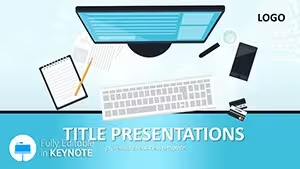
Get the fully editable Computer Science Keynote Template featuring 28 diagrams in 7 color schemes. Perfect for presenting recent IT innovations and technology advancements with professional visuals. Instant download for Keynote on Mac and iOS.
What's Included
The Keynote template package includes a main file with 4 slides. It features exactly 28 diagrams ready for customization. The corresponding theme file is included for consistent styling. Files are provided in native KEY and KTH formats for direct opening. The download is instant and contains everything needed for your computer science innovations presentation. This complete package eliminates the need for additional design assets. Professionals in the field value the ready-to-use nature.
The diagrams are arranged to support innovation topics effectively. You receive all components in one convenient download. The setup is designed for quick deployment in tech presentations.
Key Features
The template includes 28 diagrams optimized for computer science and IT innovation topics. There are 7 different color schemes to choose from. All elements including diagrams are fully editable. The layout is clean and professional for effective communication. It supports quick modifications to suit any audience. The design prioritizes clarity in presenting technical advancements. This makes it a valuable asset for busy IT professionals.
FeatureDescription28 DiagramsPre-designed visuals for CS and IT innovations7 Color SchemesFlexible styling options for brandingFully EditableChange every element to fit your message4 SlidesConcise structure for focused deliveryKEY FormatNative support for Keynote softwareInstant DownloadAccess immediately after purchaseTheme File IncludedConsistent design across slidesThe features combine to deliver targeted support for innovation content. Users can adapt it rapidly for conferences or lectures.
Professional Use Cases
A computer science professor at a leading university used this template to deliver a lecture on recent AI breakthroughs to 150 students, with diagrams illustrating neural network structures and resulting in higher student comprehension scores. An IT project manager at a fintech firm presented quarterly innovation updates to executives using the diagrams to map development pipelines and secured additional project funding within the meeting. A startup founder in software development pitched novel computing solutions to venture capitalists with the template and closed a seed round due to the clear visual support. A conference speaker at an IT summit workshop on cybersecurity trends customized the diagrams to show threat evolution timelines and received excellent attendee feedback. A software team lead conducted an internal review of new algorithm implementations and the professional visuals helped align the team on next steps faster than previous presentations.
How to Customize
Download the files and open the main .key file in Apple Keynote. Select one of the 7 color schemes via the theme menu to match your branding. Edit text and data directly inside any of the 28 diagrams to reflect your specific computer science content. Adjust shapes, lines, and fills using native Keynote tools for precise control. Insert your own images or charts into placeholders where needed. Review the full slideshow to check flow and timing. Export as PDF or video for distribution to your audience. The entire workflow is intuitive even for first-time Keynote users.
Why Choose This Template
This template is specifically crafted for computer science and IT innovation presentations. It differentiates from related templates on the site such as general computer technology or business success designs by emphasizing recent advancements with dedicated diagram layouts. The 28 diagrams and 7 color schemes deliver targeted flexibility for technical topics. The pre-built elements let you allocate more time to refining innovation details instead of graphic creation. The professional appearance boosts credibility when addressing academic or corporate audiences in the technology sector. Many IT professionals select it for the balance of simplicity and specialized impact it provides.
What software do I need to edit this template?This template is designed exclusively for Apple Keynote. You will need the Keynote application installed on your Mac or iOS device to open and edit the files. The .key and .kth formats ensure full functionality within the software. If you use other programs you can export the completed presentation to PDF or images for sharing. This compatibility focus makes it ideal for Apple ecosystem users who want native editing capabilities.
Are the diagrams fully editable and how many are there?The template includes exactly 28 diagrams that are fully editable. You can change text, colors, shapes, and positions as needed for your presentation. The diagrams are vector based to maintain quality at any scale. This allows complete customization to match your specific computer science innovation content. Users appreciate the flexibility this provides for professional results.
How do I apply the different color schemes?The 7 color schemes are built into the theme file. To switch simply apply the alternative theme in the Keynote menu. This updates all elements consistently across the 28 diagrams. You can preview each scheme to see what fits your innovation presentation best. The process takes only seconds and requires no manual color picking.
What licensing options are available for this template?The template comes with a standard license allowing personal and commercial use in presentations. You can use it for client work, internal meetings, or educational purposes. However you may not resell or redistribute the template files themselves. Full terms are included in the download package. This licensing supports most business and individual needs without restrictions on usage scenarios.
What file formats are included in the download?You receive the main presentation file in .key format and the theme file in .kth. Previews are provided as images for reference. The download is a single package for convenience. All files are optimized for quick access and editing. This format ensures compatibility with Apple Keynote.
What is your refund policy for this product?ImagineLayout offers a satisfaction guarantee with refunds available within 30 days of purchase if the template does not meet your expectations. Simply contact customer support with your order details. The policy is designed to give you confidence in your purchase. Most users find the template meets or exceeds their needs for computer science presentations. Refunds are processed promptly upon approval.
Good for
- Project roadmaps and sprint plans
- Product launch timelines
- Quarterly or annual review decks
- Company history and milestone summaries
Licence
reviews
I liked the clean chart layouts in this pack.
The title slides felt a little plain to me.
Still useful because everything was easy to rearrange.
Worked well for a university project.
The graphics looked fine during projection.
FAQ
Will it work in Google Slides?
Are fonts embedded?
Can I use this for client work?
What's the refund policy?
Do you update the template after purchase?
Similar templates
See all Keynote templates →


All 1 slides