 Click to zoom
E-Commerce Keynote Template - Fully Editable | ImagineLayout
| Format | .pptx |
| Slides | 3 unique layouts |
| Aspect ratio | 16:9 |
| Compatibility | PowerPoint |
| Animated | No |
| Language | English |
| License | Commercial |
| File size | — |
| Version | v1.0 |
| Last updated | September 2026 |
What's inside
What is an e-commerce Keynote template? An e-commerce Keynote template is an Apple Keynote file containing pre-built diagram layouts, infographic structures, and editable masters designed specifically for presenting online retail strategies, conversion funnels, sales channel analyses, and digital commerce business models.
Files and Formats: Full Package
28 diagram slides and 7 color schemes comprise the full $20 package. The $10 base tier provides 3 master slides and 3 backgrounds in .key and .kth formats. Both tiers use the same file types - .key for direct editing in Apple Keynote and .kth for applying the theme to an existing deck.
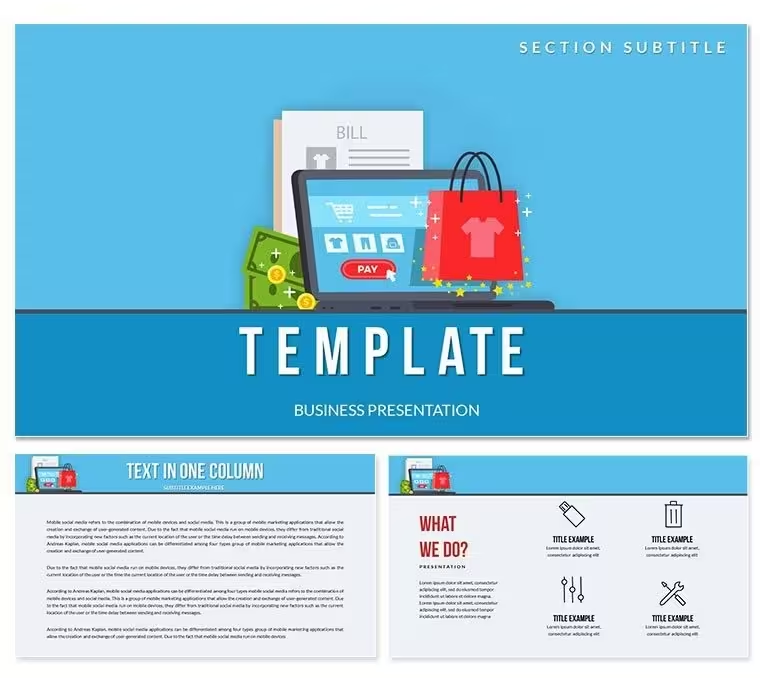
The diagram set covers the visual structures most commonly needed in e-commerce presentations: conversion funnel layouts, multi-channel comparison diagrams, customer journey maps, product category hierarchies, and performance metric summaries. The main preview shows a clean, light-background layout with structured grid diagrams and bold accent colors - a design approach that keeps data-heavy e-commerce content readable without requiring the audience to interpret complex visual encoding.
Where sets built for general business contexts offer abstract diagram structures that require significant adaptation for retail and commerce content, this package delivers layouts that already match e-commerce reporting conventions. The conversion funnel diagrams, for example, include stage-labeled sections aligned with standard acquisition-to-conversion terminology, reducing label setup time compared to adapting a generic stepped diagram.
Three Situations Where This Pays Off
A digital marketing manager at an online fashion retailer needed to present a quarterly channel performance review to the e-commerce director and a regional sales team. Building a custom multi-channel comparison chart from scratch would have taken 2 hours. Using the channel-comparison and metric summary diagrams from this set, she assembled a 10-slide performance review deck in under 40 minutes - including brand color updates via the slide master.
A consultant running an e-commerce strategy workshop for a mid-size manufacturer entering direct-to-consumer sales used the customer journey map layouts to illustrate the proposed purchase path from awareness to checkout. The visual structure communicated the four-stage journey in a single slide - something that had required three separate text slides in a previous workshop. The same file was adapted for two follow-up client sessions by updating stage labels and switching to a different color scheme.
Sales teams presenting e-commerce platform proposals to retail buyers also find the product category hierarchy and comparison layouts effective. One sales director used the side-by-side channel comparison diagrams to show conversion rate differences between marketplace and owned-channel sales - a data point that landed more clearly as a visual structure than as a table of numbers. Deck preparation for that meeting took 25 minutes.
Download and start editing immediately.
Customization in 5 Steps
How do I adapt this e-commerce template to my brand? Open the .key file, update the slide master color palette with your brand colors, replace funnel and journey-map labels with your actual stage names, then export. The full workflow takes under 20 minutes for a standard e-commerce reporting deck.
- Step 1 - Open the .key file in Keynote 12 or later (1 minute). Verify funnel and channel diagram shapes render correctly before editing.
- Step 2 - Apply brand colors via slide master (2 minutes). View - Edit Master Slides - update palette. All 28 diagrams update in one step.
- Step 3 - Replace stage labels and metric placeholders (4 minutes). Text fields are independent - updating one field does not shift adjacent layout elements.
- Step 4 - Adjust funnel stage proportions if needed (2 minutes). Funnel segments resize individually to reflect actual conversion data.
- Step 5 - Export as .key or PDF (1 minute). PDF for sharing with stakeholders who don't have Keynote; .key for continued editing.
Editing difficulty: Beginner. No design background required. The master-based system handles global color changes automatically.
What You'd Need to Replicate This Yourself
Constructing a multi-stage conversion funnel in Keynote from a blank slide requires building each tapered segment individually, aligning them vertically, and ensuring the proportional sizing remains visually coherent as label text changes length. For a 5-stage funnel, that process typically runs 45-70 minutes for someone with intermediate Keynote skills - and that is before adding the surrounding metric summary blocks that contextualize each stage.
A specific design observation: many e-commerce presenters build funnel diagrams with equal-height stages, which creates a visually misleading impression that each stage carries the same volume weight. The funnel layouts in this set use narrowing proportional geometry - each stage is visually smaller than the one above it - which communicates drop-off intuitively without requiring the audience to read the numbers first. The visual structure carries the data logic before any text is processed.
- 28 e-commerce-specific diagram layouts replace manual construction across all standard reporting formats
- Proportional funnel geometry communicates conversion drop-off without requiring number processing
- Customer journey map structures built around standard acquisition-to-retention stage naming
- 7-color master system covers global brand palette changes in under 2 minutes
Download and start editing immediately.
Frequently Asked Questions
Which version of Keynote is required?Keynote 12 or later on macOS is required for this template. Keynote 12 is available as a free update from the Mac App Store and runs on macOS Monterey and all later releases. It is the version required for the slide master color system and layered shape structure in these e-commerce diagrams to render correctly. Older Keynote versions may open the file but could display font substitutions and shape layer misalignment that affect the funnel and channel diagram layouts.
How do I switch the color scheme to match my brand?The 7 color presets are embedded in the slide master. To switch, open the .key file, go to View - Edit Master Slides, select the primary master, and either choose one of the 7 built-in presets or apply your own brand hex values manually. The change propagates to all 28 diagram slides simultaneously - funnel fill colors, channel comparison blocks, and background tones all update in one step without touching individual slides.
What does the $20 full package include versus the $10 base tier?The $10 base package provides 3 master slides and 3 background variations in .key and .kth formats - the visual theme without the diagram library. The $20 full package adds all 28 e-commerce diagram slides and all 7 color scheme presets. For marketing managers, sales teams, and consultants who need ready-built conversion funnel, channel comparison, and customer journey map layouts, the $20 full package is the relevant purchase. The base tier alone does not include the diagram slides.
Is this template licensed for client-facing and commercial presentations?The license permits use in presentations created for paying clients, internal business reporting, and commercial sales decks where the template provides the visual design foundation. The .key and .kth files themselves may not be resold, sublicensed, or redistributed as standalone assets. Using the completed presentation deck in a client deliverable or investor pitch is covered under the standard license. Review the Terms of Use on ImagineLayout's website for the current and full license conditions before commercial use.
Does this template include preset animations?No animations are included in the download. All diagrams are delivered as static layouts to ensure consistent rendering across macOS and Keynote 12 configurations. Keynote's native Animate panel can be used to add build-in and build-out transitions to any shape, funnel segment, or text element after opening the file. Static layouts also export as clean PDFs - important for e-commerce reporting decks shared with stakeholders who may not have Keynote installed on their systems.
What is the refund policy?ImagineLayout evaluates refund requests for digital downloads on a case-by-case basis. If the downloaded file does not open correctly in Keynote 12, or if the delivered content does not match the specifications on the product page, contact the support team with your order number and a description of the issue. The full and current refund conditions are published on the Refund Policy page at imaginelayout.com.
Good for
- Project roadmaps and sprint plans
- Product launch timelines
- Quarterly or annual review decks
- Company history and milestone summaries
Licence
reviews
The charts in this template were easy to replace with my own data.
I used it for a sales update meeting.
A few title slides looked too empty.
Still helped me finish faster.
FAQ
Will it work in Google Slides?
Are fonts embedded?
Can I use this for client work?
What's the refund policy?
Do you update the template after purchase?
Similar templates
See all Keynote templates →


All 1 slides