 Click to zoom
Blockchain Benefits Keynote Template - Fully Editable | ImagineLayout
| Format | .pptx |
| Slides | 3 unique layouts |
| Aspect ratio | 16:9 |
| Compatibility | PowerPoint |
| Animated | No |
| Language | English |
| License | Commercial |
| File size | — |
| Version | v1.0 |
| Last updated | September 2026 |
What's inside
What is a blockchain Keynote diagram template? A blockchain Keynote diagram template is an Apple Keynote file containing pre-built diagram layouts specifically designed for explaining blockchain technology concepts, distributed ledger structures, and cryptocurrency ecosystem relationships in business and investor presentations.
28 Diagrams, 7 Color Schemes: What You Get
28 diagram slides and 7 color schemes are included in the full $18 package. The $8 base tier delivers 3 masters and 3 backgrounds in .key and .kth formats. The full package adds the entire 28-diagram library - the primary reason to purchase for anyone presenting blockchain topics professionally.
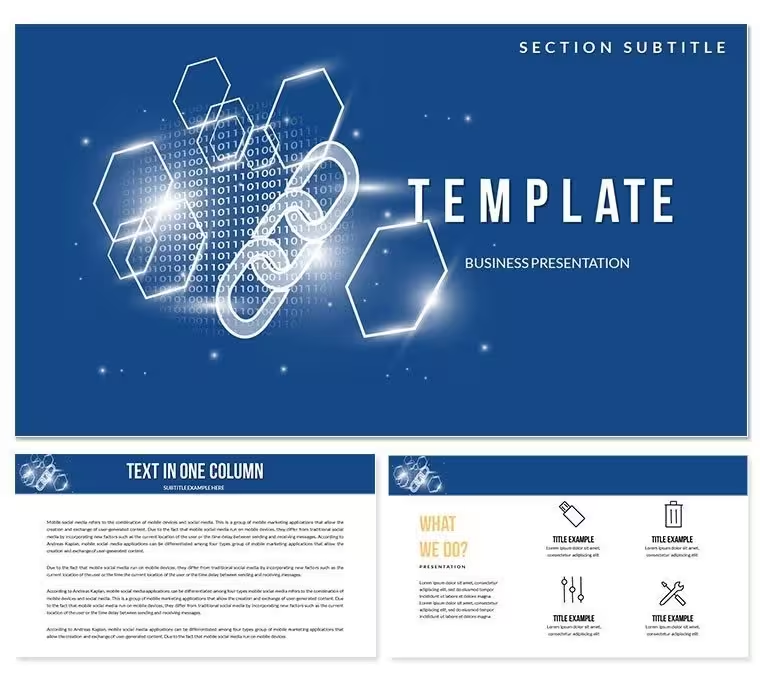
The diagram set covers the core visual structures needed for blockchain communication: chain-link flow diagrams showing block sequencing, node-network layouts mapping distributed architecture, benefit-comparison structures, and transaction-flow sequences. The main preview image shows a dark-background layout with gold and green accent colors - a deliberate color contrast choice that reads clearly on projection screens and reinforces the financial and technology register typical of fintech presentations.
Where general internet-technology sets require adapting abstract diagrams to blockchain contexts, this package delivers purpose-specific layouts. The node-network structures already visualize peer-to-peer distribution without requiring manual shape construction. The transaction-flow diagrams trace data movement from origination to confirmation across the chain - a specific visualization task that generic flowcharts handle poorly because they lack directional clarity at the chain level.
Typical Use Cases by Role
A fintech product manager at a blockchain startup needed to present the platform's distributed ledger architecture to a group of institutional investors with limited technical backgrounds. The node-network and chain-link flow diagrams allowed her to explain the peer-to-peer structure visually in under two slides - a task that a text-heavy deck had failed to accomplish in a previous meeting. She updated the diagram labels with the platform's actual node naming conventions and switched to the dark-gold color scheme in under 20 minutes.
A technology consultant preparing a blockchain adoption proposal for a logistics company used the benefit-comparison diagrams to contrast traditional centralized data management against distributed ledger alternatives. The side-by-side comparison structure made the operational advantages visible without requiring the client to understand the underlying cryptographic mechanics. The same diagram was reused across three separate client proposals that month by swapping labels and color schemes.
Corporate trainers running blockchain literacy workshops for financial services teams also find the transaction-flow sequences effective. One trainer used the step-by-step transaction diagrams to walk a group of compliance officers through the verification process - replacing technical block identifiers with process-stage labels that matched the firm's internal terminology. Preparation time for that session was under 45 minutes.
Download and start editing immediately.
How to Make It Yours in Under 20 Minutes
How do I customize this blockchain template for an investor presentation? Open the .key file, apply your firm's brand color from the slide master, replace placeholder node and transaction labels with your platform's terminology, and swap any currency icons for your specific asset type. The full workflow runs 15-20 minutes for a standard 8-10 slide investor brief.
- Step 1 - Open the .key file in Keynote 12 or later (1 minute). Check that chain-link shapes and node layers render correctly.
- Step 2 - Select a color scheme or apply brand colors via slide master (2 minutes). The 7 presets are already structured - pick the closest to your brand or set custom hex values.
- Step 3 - Replace diagram labels with your platform's terminology (5 minutes). Text fields inside node and block shapes update without breaking diagram structure.
- Step 4 - Swap currency or technology icons if needed (3 minutes). Icons are on independent layers and replaceable without affecting surrounding connector lines.
- Step 5 - Export as .key or PDF (1 minute). PDF is recommended for investor distribution where Keynote may not be available.
Editing difficulty: Beginner to Moderate. Replacing icon layers requires one extra step but is straightforward in Keynote's layer panel.
What You'd Need to Replicate This Yourself
Building a node-network diagram in Keynote from a blank slide requires constructing each circular node individually, drawing connector lines between them, setting directional arrows, and ensuring the network layout remains balanced visually when more than four nodes are present. For a six-node distributed architecture diagram, that construction process typically runs 60-90 minutes, not including color calibration across the full presentation.
One design reasoning detail specific to this category: blockchain diagrams that place all node labels inside the circles create a readability problem when the circles shrink on a projection screen. Labels become too small to read from the third row of a conference room. The node layouts in this set place labels adjacent to each circle, connected by a thin line - maintaining readability at standard projection distances without requiring the presenter to increase font size or restructure the diagram.
- 28 pre-built blockchain-specific diagrams eliminate individual shape construction
- Dark-background layouts with high-contrast accents maintain legibility under projection
- Node-adjacent labeling keeps text readable at conference room projection distances
- Transaction-flow directional sequences communicate chain logic without technical vocabulary
Download and start editing immediately.
Frequently Asked Questions
Which Keynote version is required for this template?Keynote 12 or later on macOS is required. The product page specifies compatibility with iWork Keynote, and Keynote 12 is the current generation of that application, available free from the Mac App Store on macOS Monterey and later. The .key format is the live-editing file and the .kth format applies the visual theme to an existing presentation. Both require Keynote 12 for accurate rendering of node layers, connector geometry, and the slide master color system.
How do I switch between the 7 color schemes?All 7 color presets are stored in the slide master. Open the file, go to View → Edit Master Slides, select the primary master, and switch to a different color preset from the 7 available options. The change applies to all 28 diagram slides simultaneously - chain-link colors, node fills, connector lines, and background tones all update in one step. No slide-by-slide manual recoloring is required.
What is included in the $18 package versus the $8 base tier?The $8 base package includes 3 master slides and 3 backgrounds in .key and .kth formats - the visual theme and layout structure only. The $18 full package adds all 28 blockchain diagram slides and all 7 color scheme presets. For fintech professionals, consultants, and trainers who need ready-built visual structures for blockchain topics - node networks, transaction flows, benefit comparisons - the $18 full package is the relevant choice.
Can this template be used in investor decks and paid client work?The license covers use in investor presentations, client-facing briefings, and internal business communications where the template provides the visual design foundation for your own content. The .key and .kth files may not be resold or redistributed as standalone design assets. Delivering a completed presentation deck to a paying client or investor audience is permitted under the standard license. See ImagineLayout's Terms of Use for the full and current license conditions.
Are there preset animations in the download?No preset animations are included. All 28 diagrams are static layouts delivered without build-in or build-out transitions. This keeps the files compatible across all Keynote 12 configurations and avoids animation rendering differences between machines. Keynote's native animation tools - accessible via the Animate panel - can be applied to any element after opening the file, giving full control over which parts of a node network or transaction flow animate during a live presentation.
What is the refund policy?Refund eligibility for digital downloads is evaluated case by case by ImagineLayout's support team. If the downloaded file does not open in Keynote 12 as described, or if the diagram content does not match the product page specifications, contact support with your order number and a description of the issue. The current refund conditions are published on the Refund Policy page at imaginelayout.com - review those terms before purchase if this is a relevant consideration.
Good for
- Project roadmaps and sprint plans
- Product launch timelines
- Quarterly or annual review decks
- Company history and milestone summaries
Licence
reviews
The chart pages saved me from making graphs manually.
Some decorative icons looked unnecessary.
Worked fine for my office presentation.
Easy enough to edit quickly.
I liked how organized the layouts felt.
FAQ
Will it work in Google Slides?
Are fonts embedded?
Can I use this for client work?
What's the refund policy?
Do you update the template after purchase?
Similar templates
See all Keynote templates →
All 1 slides