Web Programming Tri-Fold Brochure - .ait .dotx .indt | ImagineLayout
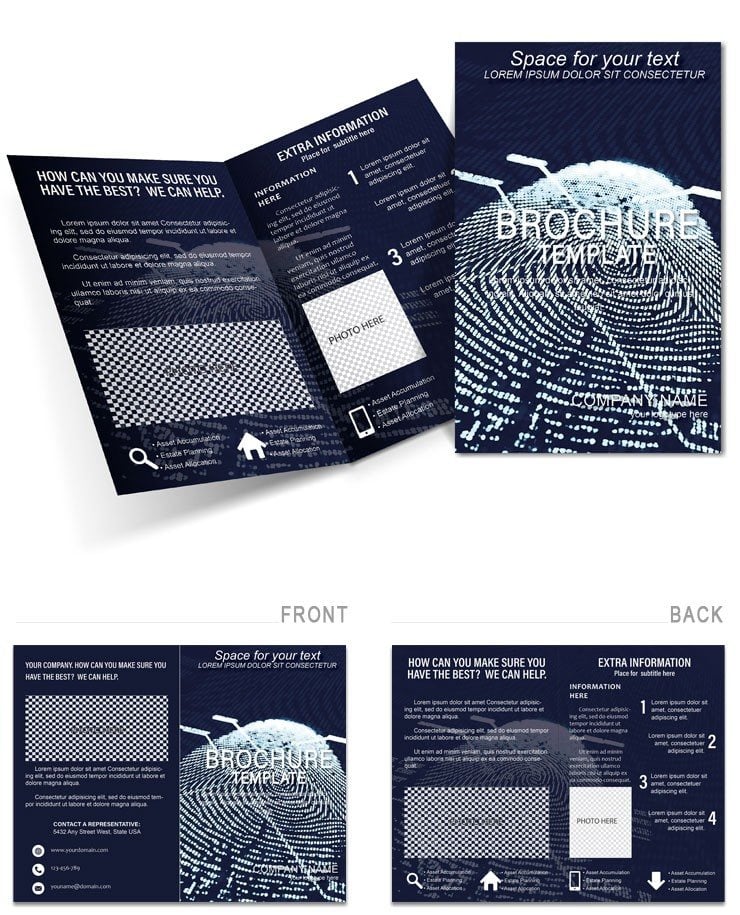
Type: Brochures template
Category: Computer - IT, Justice - Law
Sources Available: .ait, .dotx, .indt
Product ID: BT01580
What's Inside the Download: 6 Panels, 3 Formats, One Production File
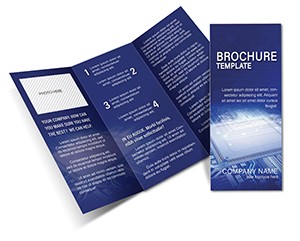
Three source files - .ait for Illustrator CC 2018+, .indt for InDesign CS6+, and .dotx for Word 2016+ - arrive in a single purchase at $14.00. The tri-fold structure delivers six panels: a front cover, a back contact panel, and four interior sections. Six panels is the minimum viable structure for technical service communication - enough space to separate a capability overview, a portfolio section, a process or service breakdown, and a call to action without compressing any section to illegibility.
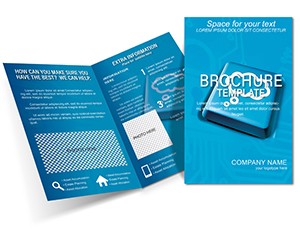
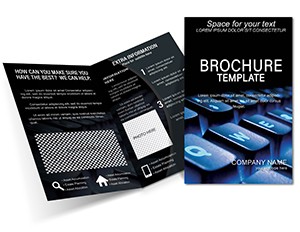
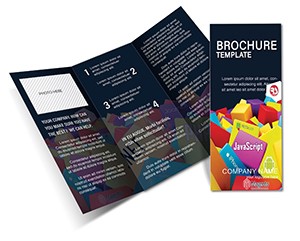
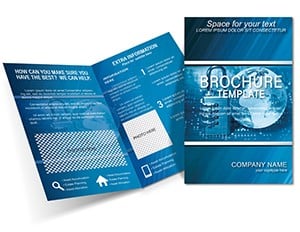
The interior panel layout makes a specific structural decision: a modular block system where each panel functions as a self-contained content unit. That modularity means a web developer can populate the API integrations panel without affecting the layout structure of the UI/Ux panel next to it. The default typography draws from sans-serif families - a deliberate choice for technical audiences, where serif fonts read as legal or financial rather than tech-forward. Cool blues and sharp grays in the color scheme reinforce the reliability positioning that enterprise IT clients expect from vendor materials.
The download includes the three editable source files. Page size, DPI, bleed, and color mode are not individually stated on the product page. Before submitting to professional printing, open the file in Illustrator or InDesign and run a preflight check to confirm CMYK mode and bleed configuration. The template is categorized under Computer - IT and Justice - Law at $14.00 (product ID: BT01580). Tags include digital, legal, print, service, and creative writing.
Technical Specifications
| Specification | Details |
|---|---|
| Product ID | BT01580 - reference this when contacting support. |
| Fold Type | Tri-Fold - six panels; supports modular content sections for service-area separation. |
| File Formats | .ait, .dotx, .indt - one format per editing application. |
| Color Mode | Not specified on the product page - verify CMYK mode in document setup before export. |
| Bleed / Trim Guides | Not specified on the product page - confirm bleed settings with your print provider. |
| Resolution / DPI | Not specified on the product page - 300 DPI minimum is standard for offset and digital print. |
| Price | $14.00 - single purchase, no recurring fee. |
| Categories | Computer - IT; Justice - Law - covers web agencies, freelance developers, and legal-tech firms. |
From Download to Print-Ready File
The .ait and .indt files support production editing in Illustrator CC 2018+ and InDesign CS6+ respectively. Editing difficulty: intermediate. The .dotx file suits Word 2016+ users at a beginner level.
Illustrator Workflow (.ait - Illustrator CC 2018+)
- Open the .ait file and inspect the Layers panel. Text frames and graphic elements should occupy separate layers - confirm this before making any edits to avoid accidentally moving structural elements.
- Import your logo by placing the file into the header layer's logo frame. Use the Direct Selection tool to reposition within the frame if needed, and constrain scale proportions when resizing.
- Open the Swatches panel and update global color definitions to your brand's CMYK values. The cool blue default can be replaced by double-clicking the swatch and entering precise C, M, Y, K percentages - the Global flag propagates the change across all six panels.
- Populate text frames starting with service headings, then add body copy. Aim for no more than 60 words per interior panel to maintain visual hierarchy and prevent text-heavy panels that reduce scannability.
- Place portfolio screenshots into the framed image slots at 300 DPI minimum to match print standards. The frames auto-crop; adjust image position with the Direct Selection tool.
- Export as a Press Quality PDF via File > Export > Export As. Include crop marks and bleed in the export dialog. Proof in grayscale after export to verify contrast and text legibility for readers with accessibility needs.
Word Workflow (.dotx - Word 2016+)
- Open the .dotx file in Word 2016+ and click into each text placeholder to replace content. Do not change font families - substitutions alter line spacing across all six panels and can collapse panel layout structure.
- Insert your logo and portfolio images via Insert > Pictures. Resize using corner handles only. Never drag from side handles - this stretches images horizontally and breaks the modular panel proportions.
- Adjust text and graphic colors using the Font Color tool and Shape Fill option in the Home ribbon. Enter hex or RGB values for brand accuracy. Note that Word outputs RGB by default - submit the .ait or .indt file for any CMYK commercial print run.
- Print a single test sheet, fold into tri-fold configuration by hand, and verify that no service description runs behind a fold crease before printing your final distribution quantity.
Three Projects Where This Template Fits
A freelance full-stack developer pitching SaaS migration services to mid-market companies needs a printed leave-behind for in-person discovery meetings. The six-panel structure maps directly: cover for positioning statement, two interior panels for service descriptions with icon-driven breakdowns, one panel for a case study summary, and the back panel for contact details and a QR code linking to the live portfolio. The modular panel system means the developer updates the case study panel for each prospect segment without touching the rest of the layout.
A web development agency account director preparing materials for a technology trade conference needs a brochure that communicates the agency's capabilities to both technical evaluators and non-technical procurement managers within the same piece. The dual-audience layout structure supports this: visual hierarchy separates technical specifications (for engineers) from outcome summaries (for decision-makers) across adjacent panels. Exhibiting at a conference with five competitors on the same aisle, a professionally printed tri-fold on premium stock reads as a capability signal before a single word is read.
A legal technology product manager at a document automation startup needs printed materials for a bar association event targeting law firm partners. The Computer - IT and Justice - Law dual categorization of this template reflects exactly that hybrid audience. Interior panels accommodate a workflow diagram showing document processing steps, while the typography and color scheme avoid the visually aggressive aesthetic that alienates legal sector buyers who associate restraint with professionalism.
Download and start editing immediately - your first client-ready draft can be finished today.
Why This Template, Not a Blank Document
A tri-fold brochure built from scratch in Illustrator requires calculating six panel widths that account for paper thickness at each fold crease. Get that wrong and the interior panels misalign when physically folded - a defect that only appears during a test fold, not on screen. In addition to panel math, a blank-document build requires manual CMYK mode setup before any design work begins, margin and bleed configuration on all sides, a consistent grid across six columns, and a type hierarchy that distinguishes between four content levels - cover, subheading, body, and caption - without the visual system becoming cluttered.
Those setup tasks represent two to four hours for an experienced designer. For a developer or IT professional with limited layout experience, the same tasks can extend to a full workday with trial-and-error. At $14, the template removes every structural setup task and transfers that time to client deliverables, proposal writing, or project work that generates revenue. Print rejection risk drops significantly because the layout structure was built by someone with print production experience, not assembled from guesswork.
Pro Insight: The cool blue default palette in this template carries a specific print behavior worth noting. A typical mid-tone tech blue - approximately C70 M30 Y0 K5 - prints accurately on coated gloss stock because the coating prevents ink spread. On uncoated paper, that same CMYK build absorbs into the stock and shifts toward a grayer, desaturated tone. If your print provider uses uncoated paper, compensate by reducing the cyan channel by 8–10% and the black channel to 0, which produces a truer blue under uncoated print conditions. The sharp gray secondary color - approximately C0 M0 Y0 K30 - is safer on uncoated stock and requires less adjustment, but increase the K value by 5% if the gray appears too light in test prints. These adjustments are common knowledge in professional printing but rarely included in template documentation - their absence from most files is itself a sign that print production knowledge was not applied during creation.
The Computer - IT brochures category contains additional print-ready layouts for technology sector marketing and service communication. For a complementary print design covering CPU and hardware-level technical topics with the same format and file set, the CPU Chip Brochure Template serves adjacent technical audiences effectively. When a project requires a second brochure covering web programming services with a contrasting visual approach for the same distribution run, the Web Programming Brochure Template: Showcase Your Code with Style provides a coordinating design at a different price point.
Purchase now and have a print-ready file ready before your next client meeting or conference.
Which software versions are required to edit this template?
The .ait file requires Adobe Illustrator CC 2018 or later; earlier versions may not render all vector and layer elements correctly. The .indt file opens in Adobe InDesign CS6 or later, with InDesign CC providing the most stable performance for linked images, paragraph styles, and preflight checks. The .dotx file requires Microsoft Word 2016 or later on Windows or macOS; older Word versions handle template formatting inconsistently and may reflow text frames unpredictably. LibreOffice Writer can open .dotx files but is not officially supported - layout shifts requiring manual correction should be expected.
What is ImagineLayout's refund policy for this purchase?
This template is a digital download that becomes accessible immediately after purchase. ImagineLayout's refund policy generally restricts eligibility to cases where the file is technically defective and cannot be opened in the stated software version despite correct setup. Refunds based on change of mind after the download has been accessed are not typically available for digital products. Review the complete policy at imaginelayout.com/refund-policy before purchasing to confirm the terms align with your expectations.
Is this file ready for professional printing, including CMYK color, bleed, and trim guides?
The template is described as print-ready with a high-resolution vector build. Color mode, bleed dimensions, and DPI are not individually listed on the product page. After opening the file, run a preflight check in Illustrator or InDesign to confirm CMYK color mode is active and bleed margins are set to at least 0.125 in. on all sides - both are standard requirements for offset and digital commercial printing. Export as a Press Quality PDF with crop marks and bleed included in the export dialog for submission to a print provider.
What does the license permit and prohibit?
ImagineLayout licenses this template for creating finished printed or digital materials for the purchaser or their clients. Permitted uses include customization and distribution of the completed brochure. Prohibited uses include resale of the source files, redistribution to third parties outside the purchasing account, and submission to competing template marketplaces. Agency and studio use is generally permitted provided the source files are not delivered to end clients in unmodified form. Full terms are published at imaginelayout.com/terms - review before use in multi-client production pipelines.
How do you change brand colors across all six panels?
In Illustrator CC 2018+, access the Swatches panel via Window > Swatches. Double-click each global color swatch, enter your CMYK percentages, and confirm the Global checkbox is active - this propagates the change to every object in the document using that swatch across all six panels at once. In InDesign CS6+, the process is identical through the Swatches panel. In Word 2016+, text colors are updated using the Font Color tool in the Home ribbon, and colored shapes use the Shape Fill option; enter hex or RGB values in the custom color picker. Word applies color changes per element rather than globally - this makes the Illustrator or InDesign file significantly more efficient for complete brand color updates.
What is each file format used for, and how are fonts handled?
The .ait file is an Illustrator template best suited for vector graphics, precise typography, and high-resolution export. The .indt file is an InDesign template best suited for multi-panel editorial layout, paragraph style management, and commercial PDF generation. The .dotx file is a Word template best suited for users without Adobe software access who need text and image edits without advanced design tools. Font handling is not specified on the product page - after opening the file, check for missing font warnings in Illustrator's Type menu or InDesign's Preflight panel and install any required typefaces before beginning edits.