Dental Clinic Half-Fold Brochure - Print Ready | ImagineLayout
Type: Brochures template
Category: Medicine - Pharma, Health - Wellness
Fold type: Half Fold
Sources Available: .ait, .dotx, .indt, .jpg
Page size: 11x8.5
Product ID: BT00439
Package Contents
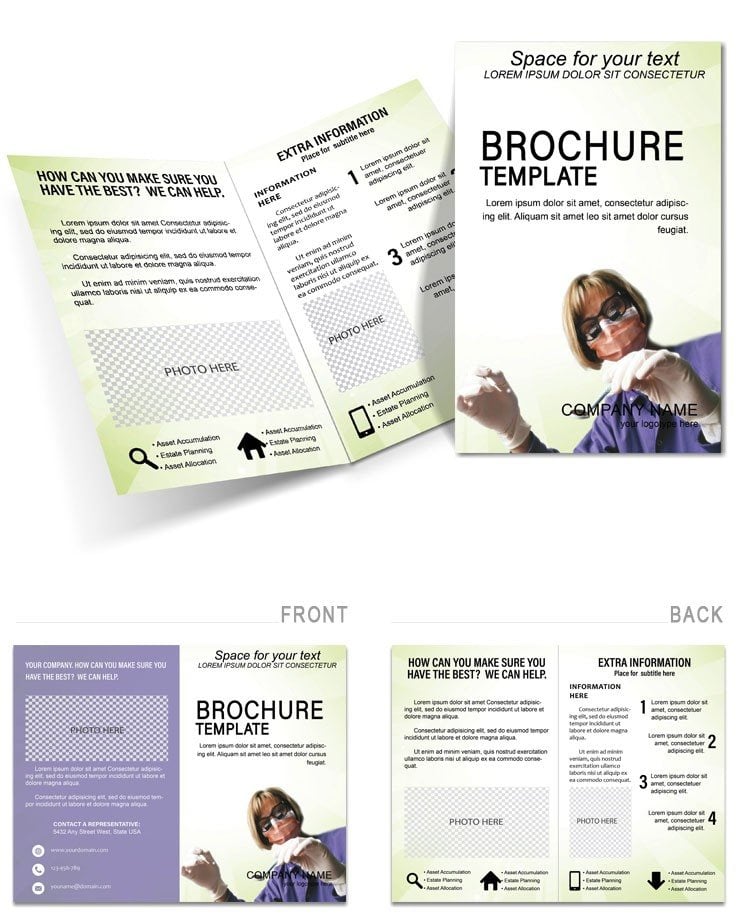
Four panels on an 11x8.5-inch half-fold layout are delivered in four file formats: .ait for Adobe Illustrator, .indt for Adobe InDesign, .dotx for Microsoft Word, and a .jpg preview image. All formats arrive in a single download. The document is set to CMYK color mode at 300 DPI, with trim guides and 3mm bleed included in the Illustrator and InDesign files - no print setup required before sending to a commercial printer.
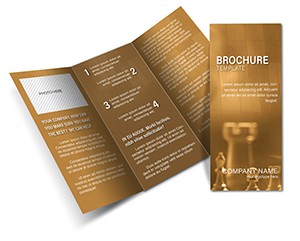
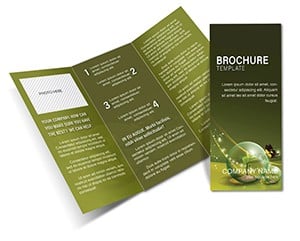
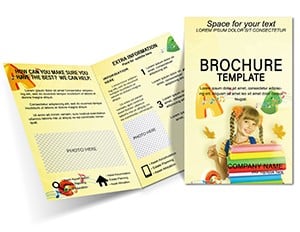
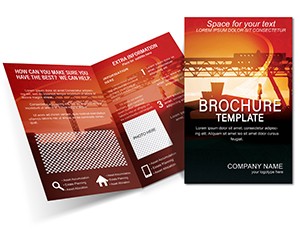
The half-fold panel sequence is structured for the patient communication workflow common to dental and healthcare practices. The exterior cover holds the clinic name, a headline treatment, and a primary image zone suited to a clean clinical photograph. The interior left panel carries service descriptions or procedure overviews with space for a secondary image; the interior right panel holds patient benefit statements or a call-to-action block; and the back panel provides contact details, address, and logo placement. That sequence requires no restructuring to fit standard patient literature or waiting-room display racks.
Where more densely laid-out medical brochure formats pack multiple columns into each interior panel, this file uses a two-zone layout per interior panel - one image zone and one text zone - which keeps the visual hierarchy readable without requiring a designer to rebalance type sizes or tighten leading after replacing placeholder content. The white space allocation is generous enough to accommodate clinic photography at common crop ratios without forcing awkward image scaling.
Production Details at a Glance
| Specification | Details |
|---|---|
| Fold type | Half Fold - unfolds to reveal 4 panels in reading sequence |
| Finished size | 11x8.5 inches folded; 22x8.5 inches unfolded |
| Color mode | CMYK - calibrated for professional offset and digital printing |
| Resolution | 300 DPI - print-ready without upscaling |
| Bleed and trim | Trim guides and 3mm bleed included in .ait and .indt files |
| Editable software | Adobe Illustrator CC 2018+, InDesign CS6+, Microsoft Word 2016+ |
| File formats | .ait (Illustrator), .indt (InDesign), .dotx (Word), .jpg (preview) |
| Font handling | Fonts embedded in .ait and .indt files; Word version uses system fonts |
| Price | $14.00 - single purchase, all formats included |
Who Reaches for This Design
A practice manager at a general dentistry clinic needed a patient handout explaining the clinic's preventive care programme ahead of a new patient intake month. The four-panel layout gave enough structured space to cover a service overview, a benefits statement, and booking contact details without the copy feeling compressed. The file was edited in Adobe InDesign CS6, the clinic's photography was placed via the Links panel, and the finished PDF was sent to a local print shop two days before the intake period opened.
An orthodontist running a solo practice adapted the same half-fold structure for three different treatment handouts - one for clear aligners, one for traditional braces, and one for retainer care - by swapping the cover image and the interior service text while keeping the grid alignment, color palette, and contact block identical across all three. The consistency of the panel structure across versions meant the print set looked coordinated without rebuilding from scratch each time. Each adaptation took under twenty minutes in Illustrator.
Healthcare clinic administrators distributing literature at community health fairs found the folded size practical for tabletop display and envelope mailing, without the bulk of a larger multi-panel format. Clinics working on coordinated patient education sets often pair this design with a Medicine & Pharma brochure category to cover multiple topic areas, and some also reference a complementary financial planning brochure when producing full new-patient welcome packs that include fee schedule information.
Download the Dental Clinic Half-Fold Brochure now
Customization in 6 Steps
Illustrator and InDesign Workflow (.ait / .indt)
- Open the .ait file in Adobe Illustrator CC 2018+ or the .indt file in InDesign CS6+ (1 minute)
- Replace placeholder text in the cover, interior panels, and back panel using the Type tool (5 minutes)
- Swap brand colors using the Swatches panel - global swatches update all panel elements at once (3 minutes)
- Replace placeholder images using the Links panel; re-link to clinic photography at 300 DPI or higher (4 minutes)
- Check bleed and trim marks in Print Preview before export (2 minutes)
- Export as PDF/X-1a for offset or digital print output (2 minutes)
Word Workflow (.dotx)
- Open the .dotx file in Microsoft Word 2016 or later (1 minute)
- Replace placeholder text in each text box (5 minutes)
- Swap the clinic logo and images using Insert > Picture (3 minutes)
- Adjust font colors via the Font Color tool in the Home ribbon (2 minutes)
- Export as PDF using File > Export for digital sharing or home printing (1 minute)
Word version suits home or office printing. For professional offset or digital print output, use the Illustrator or InDesign file.
Moderate difficulty. Under twenty minutes.
What You'd Need to Set This Up Yourself
Building a half-fold dental brochure from a blank document requires setting the artboard or document page to 22x8.5 inches unfolded, placing a centre fold guide at 11 inches, building a four-panel grid with consistent margins, setting bleed to 3mm on all edges, and confirming the document is in CMYK before placing any clinic photography. A designer doing this for the first time typically spends thirty to sixty minutes on document setup before touching a single piece of content.
Healthcare marketing materials carry an additional production risk that general brochures do not: image quality. Clinic photography is often supplied at 72 DPI from a smartphone or a website asset. Placing a low-resolution image into a 300 DPI document looks acceptable on screen but produces visible pixelation in print. The image zone placeholders in this file include visible dimension guides, which makes it straightforward to check whether the supplied photograph meets the required resolution before committing to a print run.
Color accuracy is a second area where self-built files frequently cause problems. A designer working on a healthcare brochure in RGB - the default color mode in most design applications - will see colors that appear clinical and clean on screen. The conversion to CMYK at the print provider often shifts blues toward teal and reduces contrast in photographs. This file's CMYK values are already calibrated for print, which removes that conversion step and the color shift that comes with it.
No bleed setup required.
Download the Dental Clinic Half-Fold Brochure now
Frequently Asked Questions
Which software versions are required to open and edit the files?
The .ait file requires Adobe Illustrator CC 2018 or later. The .indt file requires Adobe InDesign CS6 or later. The .dotx file requires Microsoft Word 2016 or later - earlier Word versions may not render all text boxes and image placeholders correctly, and some formatting may shift. Opening the professional formats in an older version than listed can result in missing layers, unembedded font warnings, or broken links before editing begins.
What is the refund policy and under what conditions does it apply?
Refunds are available within 14 days of purchase if the file does not match the specifications listed on the product page - for example, if the fold type, format list, or page dimensions differ from what is described. To initiate a refund, submit the order ID along with a screenshot of the issue through the contact form at ImagineLayout.com. Refunds do not apply once the file has been downloaded and opened, and they are not available for change-of-mind requests after the file has been accessed.
Is the file genuinely print-ready or does it require color and bleed configuration?
The .ait and .indt files are set to CMYK color mode at 300 DPI with 3mm bleed and trim guides already in place. Exporting as PDF/X-1a from Illustrator or InDesign produces a file that most commercial print providers will accept without preflight corrections. The .dotx Word version is configured for home or office printing and does not include bleed, so it is not suitable for professional offset or digital print production.
What does the license permit - including use for patient-facing client work?
The license allows unlimited commercial use, including production of materials for paying clients such as dental practices and healthcare clinics. A freelance designer may use the file across multiple client projects without purchasing additional licenses. The license prohibits resale of the original template file, redistribution of the source layers as a standalone asset, and inclusion of the unmodified file in another template product intended for sale. Print quantities for end clients are not restricted.
How do I change the color scheme to match a clinic's brand colors?
In Adobe Illustrator or InDesign, open the Swatches panel, double-click the swatch you want to replace, and enter the new CMYK values - global swatches will update all objects using that swatch across all four panels simultaneously. In Word, select the relevant text box or shape and use the Font Color or Shape Fill dropdown in the Home or Format ribbon. For brand accuracy in professional print output, always enter CMYK values rather than RGB or hex when working in Illustrator or InDesign.
Are fonts embedded, and will the layout shift if the fonts are not installed?
Fonts are embedded in the .ait and .indt files, so the layout will open with the correct typefaces in Illustrator and InDesign regardless of which fonts are installed on the user's machine. The .dotx Word version uses system fonts, meaning the fonts must be installed on the computer opening the file for the layout to render as designed - if a system font is not present, Word will substitute an alternative, which may alter line breaks and text fit within the panels.