Car Leasing Bi-Fold Brochure - Print Ready
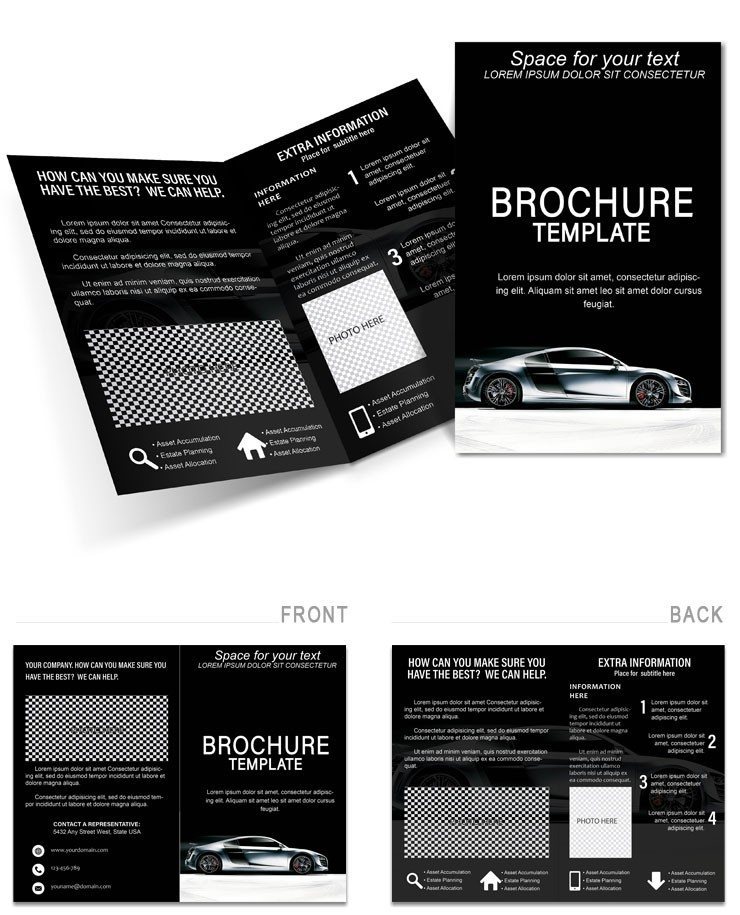
Type: Brochures template
Category: Cars - Transportation
Sources Available: .ait, .dotx, .indt
Product ID: BT01722
Package Contents
8 panels come in the download with three file formats .ait for Illustrator .indt for InDesign and .dotx for Word.
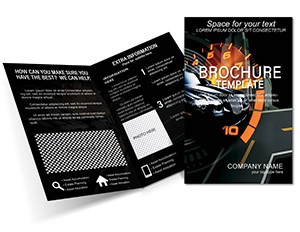
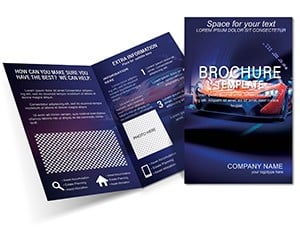
The bi-fold layout serves the buyer's communication goal by sequencing fleet highlights lease details and contact information across readable panels.
Unlike single-panel layouts common in transportation brochures this one uses chrome accents and speedway motifs with color contrast and visual hierarchy for dealership pitches over neighbors.
Production Details at a Glance
| Specification | Details |
|---|---|
| Fold type | Bi-fold - unfolds to reveal 8 panels in reading sequence |
| Finished size | Not specified on page - fits standard mailing and display racks |
| Color mode | CMYK - optimized for professional offset and digital printing |
| Resolution | 300 DPI - print-ready without upscaling |
| Bleed and trim | Full bleeds included in all file formats for clean edges on press |
| Editable software | Adobe Illustrator CC+ InDesign CS6+ Microsoft Word 2016+ |
| File formats | .ait .indt .dotx with replaceable images |
| Font handling | Fonts embedded in AI and INDT files Word version uses system fonts |
| Paper weight | 100-120 lb recommended for durability in direct mail campaigns |
Typical Use Cases by Project Type
Marketing coordinators in the automotive industry use this layout for leasing promotions swapping vehicle images then sending the file to print three days before the campaign launch.
Dealership managers adapt the same structure for seasonal offers by changing color swatches and reusing the file across four campaigns without rebuilding the grid alignment.
Automotive teams often combine this with a speed cars brochure for complete fleet packages.
Download the Car Leasing Brochure now
Customization in 6 Steps
Difficulty: Moderate.
- Open the .ait file in Adobe Illustrator CC (1 minute)
- Replace placeholder text using the Type tool (5 minutes)
- Swap colors using the Swatches panel (3 minutes)
- Replace placeholder images via the Links panel (4 minutes)
- Check bleed and trim marks in Print Preview (2 minutes)
- Export as PDF/X-1a for print (2 minutes)
Note Word version suits home printing while Illustrator or InDesign files deliver professional output.
Building From Scratch vs. Starting Here
Setting up a brochure from scratch takes hours to create panel composition and ensure grid alignment.
This file provides the ready structure with editable text replaceable images and layer structure saving the most time on visual hierarchy and typography balance.
Many designers set up brochures in RGB because it looks correct on screen.
When that file reaches an offset press the printer converts the colors automatically and the result often shifts noticeably especially in darker tones.
This file uses CMYK values calibrated for print output which removes one of the most common sources of color mismatch between screen preview and final print run.
For more options visit the cars transportation brochures.
Download the Car Leasing Brochure now
Which software versions are needed?
Adobe Illustrator CC 2018 or later InDesign CS6 or later and Microsoft Word 2016 or later open all files without compatibility issues. The .ait and .indt versions contain layer structure and linked images for advanced edits. Word version works with system fonts for quick changes on any office computer. Always verify the version before purchase to avoid conversion errors during export.
How do I change the colors to match my brand?
In Illustrator use the Swatches panel to select and replace the chrome accents in seconds. InDesign updates global swatches across all panels instantly. Word version adjusts font colors via the Font Color tool while keeping the background intact. Test the new palette in Print Preview to confirm contrast remains high for readability. Save a copy before final export to preserve the original.
Is the file print-ready for professional printers?
Yes the template ships with CMYK color mode 300 DPI elements and full bleeds in every format. Export as PDF/X-1a to lock in settings for offset presses or digital runs. The layout fits standard paper stocks without scaling. Professional printers accept the file directly avoiding common setup delays at the shop.
What does the commercial license allow?
The license permits use for client projects commercial print runs and personal marketing campaigns. You may edit and print as many copies as needed. Resale of the original file or distribution as a template is prohibited. Unlimited client work is allowed once purchased. Contact support for corporate licensing if multiple users require access.
Which file formats are included and their purposes?
The package contains .ait for vector editing in Illustrator .indt for multi-page layout in InDesign .dotx for quick text changes in Word and a high-res JPG preview. Use Illustrator for precise color swatches and image links. InDesign handles complex panel composition best. Word suits home or office printing. The JPG serves as a visual reference only.