
3D PowerPoint Shapes
This collection includes 3D shape PowerPoint templates used to build layered diagrams, cubes, and structured visual models. It`s not about decoration. It`s about showing depth, hierarchy, and relationships that flat slides struggle with.
Honestly, the first time I opened a 3D cube layout for a client strategy deck, I expected it to be messy. It wasn`t. The layers actually helped explain dependencies without extra slides.
If your presentation involves multi-step processes or stacked concepts, these layouts give you a visual hierarchy that`s hard to fake manually. Start with something that already holds together when edited.
 (1086)
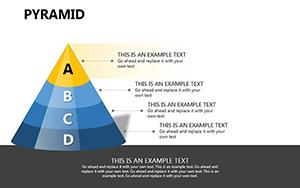
 3D Pyramid PowerPoint Shapes: Building Layers of Architectural PersuasionID: #PS00029$21.00
 (819)
(819) Creative Pencil Shapes: PowerPoint TemplateID: #PS00017$13.00
 (1012)
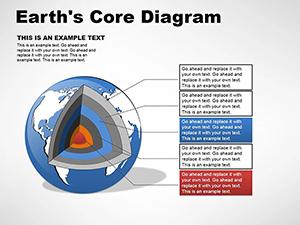
 3D Earth's Core PowerPoint Shapes CollectionID: #PS00016$20.00
 (312)
3D Sphere PowerPoint Shapes Template for PresentationsID: #PS00011$22.00
(312)
3D Sphere PowerPoint Shapes Template for PresentationsID: #PS00011$22.00 (468)
Fun Happy Birthday PowerPoint ShapesID: #PS00004$19.00
(468)
Fun Happy Birthday PowerPoint ShapesID: #PS00004$19.00
What 3D shapes solve that flat diagrams don`t
Flat diagrams are fine until you need to show layers. Not steps. Layers. That`s where 3D shapes come in.
They create depth. Not visual fluff. Actual structure. You can stack concepts, show progression, or separate levels of a system without adding more slides.
But in a real project, this matters because people understand depth faster than long explanations. That`s the difference.
Where these templates show up in real work
A product team explaining system architecture. Multiple layers, dependencies, interactions. When I last used a 3D layered model, it replaced four slides. Everything stayed on one page.
A consultant presenting a business model. Inputs, processes, outputs. A cube layout made relationships clearer than any flowchart.
A training deck breaking down stages of development. Each layer became a phase. Simple. Clear. Works as-is.
And sometimes, it`s just about making a dense idea easier to follow without rewriting everything.
When 3D shapes are the right choice
Use these when hierarchy matters. When layers interact. When one level depends on another.
If you`re just showing sequence, a timeline is cleaner. If you`re comparing values, charts win. But for structured models, this works better.
Basically, if your slide needs depth, not just order, you`re in the right place.
How these compare to other categories
If you need process flows, go to diagram templates. They`re simpler, more direct.
For data-heavy visuals, chart templates are better. Numbers first, structure second.
And if you want simpler shapes without depth, check shape templates.
This category sits in between. More structured than diagrams. More visual than charts.
Editing behavior you should know
3D shapes look complex, but most are grouped elements. That`s good and bad.
Good because you can move entire structures easily. Bad because ungrouping can break perspective alignment. I`ve seen this trip up even experienced users, but the fix is simple: duplicate before editing.
The first time you adjust angles or shadows, it feels a bit off. Then it clicks. And after that, it`s straightforward.
Also, resizing sometimes changes proportions slightly. Not a big deal. Just check spacing after scaling.
Why these layouts hold together
Many 3D templates fall apart when edited. Angles shift. Shadows misalign. It gets messy fast.
These hold better because perspective is consistent across elements. Not perfect, but usable without constant fixing.
From experience, that`s the difference between using a template once and using it again next week.
Oh, and they export cleanly to PDF as well.
FAQ
Can I change the colors of 3D shapes easily?
Yes, but it depends on how the shape is built. Most use gradient fills, so you`ll need to adjust multiple color stops. It takes a minute, but once done, the whole model updates consistently. Works fine after that.
Will editing break the 3D effect?
Honestly, sometimes yes if you ungroup everything. But if you keep core elements grouped, the perspective stays intact. From experience, duplicating before editing avoids most issues.
Are these compatible with Keynote?
Usually yes, but gradients and shadows may render slightly differently. If that happens, just reapply basic styling in Keynote. Structure stays intact in most cases.
Can I resize these shapes without distortion?
The short answer is yes, but check proportions after scaling. Some elements may need slight repositioning. It`s not a deal-breaker, just something to watch for.
Can I use these for commercial projects?
Yes. Standard usage applies - one license per project. Commercial use is included. Nothing unusual here. That`s basically it.


