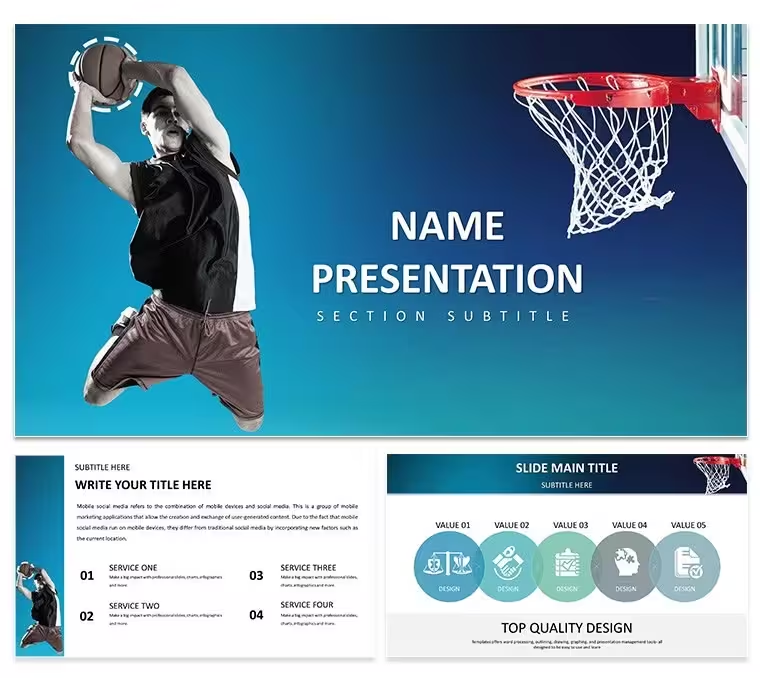
 Haz clic para ampliar
Plantilla de Keynote de Baloncesto Profesional: Presentación
| Formato | .pptx |
| Diapositivas | 3 diseños únicos |
| Relación de aspecto | 16:9 |
| Compatibilidad | PowerPoint |
| Animado | No |
| Idioma | English |
| Licencia | Commercial |
| Tamaño del archivo | — |
| Versión | v1.0 |
| Última actualización | agosto de 2026 |
Qué contiene
Imagine stepping into a team huddle where every play, every stat, and every player profile leaps off the screen with crystal‑clear precision. That's the power of our Professional Basketball Keynote Template, crafted specifically for coaches, analysts, sports commentators, and dedicated fans who need to break down games like never before. This isn't just a set of slides - it's your secret weapon for turning complex strategies into compelling stories that rally your audience, whether you're prepping for a crucial coaching session or dissecting a championship run.
With 28 meticulously designed diagrams spanning 7 vibrant color schemes, this template offers three master layouts and three background options to fit any presentation vibe, from high‑energy locker room talks to polished broadcast segments. Built for seamless Keynote integration, it supports drag‑and‑drop edits, data imports for real‑time stats, and even multimedia embeds for video highlights. Priced at just $22, it's an investment that pays off in sharper insights and stronger team dynamics. Ready to elevate your next breakdown? Let's dive into what makes this template a game‑changer.
Unlocking Court‑Side Insights: Core Features of the Template
At its heart, this template is about clarity amid the chaos of basketball's fast pace. Start with the team dynamics slides, where you can map out offensive formations against defensive setups using intuitive flowcharts that mirror the court's geometry. Swap in your own player photos and stats effortlessly - no design degree required.
- Versatile Diagrams: From scatter plots tracking shooting percentages to timeline visuals for season progressions, these 28 elements adapt to your data, ensuring every point lands with impact.
- Color‑Coded Schemes: Choose from seven schemes that evoke team loyalty - think bold reds for aggressive plays or cool blues for tactical retreats - making your slides as strategic as your game plan.
- Multimedia Magic: Embed slow‑motion clips of key moments or animated transitions that simulate ball movement, keeping viewers hooked from tip‑off to final buzzer.
- Master Layout Flexibility: Three masters mean you can toggle between minimalist stat sheets for quick reviews or detailed infographics for in‑depth analysis.
These features aren't flashy for flashy's sake; they're engineered to highlight patterns, like how a point guard's assists correlate with win rates, helping you spot opportunities others miss.
From Strategy Sessions to Spotlight Moments: Real‑World Applications
Picture a head coach like Gregg Popovich, known for his whiteboard wizardry, but now digitized and dynamic. Use this template to craft player development plans that trace a rookie's arc from summer league to starter status. Begin by selecting a timeline diagram: drag in milestones like draft day or first triple‑double, then layer on performance metrics with simple bar charts. Adjust colors to match your franchise palette, and voila - a roadmap that's as motivating as it is measurable.
For performance analysis, dive into the metrics‑focused slides. Import game logs via Keynote's data tools, and watch pie charts reveal foul disparities or heat maps expose weak zones on the floor. It's ideal for post‑game reports where you need to pinpoint what swung the momentum, turning raw numbers into narrative gold.
- Prep the Foundation: Open the template in Keynote and select your preferred master - say, the one with a subtle court overlay for that authentic feel.
- Layer in Data: Use the built‑in charts to pull from spreadsheets, auto‑updating as scores evolve during live commentary.
- Polish and Present: Add transitions that mimic a fast break, then rehearse with Keynote's presenter view to nail your delivery.
Whether it's fan engagement at a watch party or executive updates on scouting reports, this template bridges the gap between data dumps and decisive actions. Analysts have raved about how it streamlines workflows, letting you focus on the why behind the wins rather than wrestling with formatting.
Seamless Customization: Tailor It to Your Playbook
Customization here is as straightforward as a pick‑and‑roll. Keynote's native tools shine with this template's vector‑based graphics, which scale without losing edge whether you're projecting on a gym wall or sharing via screen record. Tweak fonts to echo your team's branding - bold sans‑serifs for headers that command attention - or swap icons for custom silhouettes of star players.
For advanced users, integrate live data links if you're pulling from analytics platforms, ensuring your championship history slide updates with the latest lore. And since it's compatible across Keynote versions from 2016 onward, your entire staff can collaborate without compatibility hiccups. The result? Presentations that feel bespoke, yet built in minutes.
Don't just analyze - animate your authority on the court. Download this Professional Basketball Keynote Template today for $22 and start scripting your next triumph.
Frequently Asked Questions
What file formats are included with the template?
The template comes in .key, .kth, and .jpg formats for easy Keynote import and preview.
Can I add my own videos to the slides?
Yes, Keynote's multimedia support allows seamless embedding of video clips directly into slides for dynamic playback.
How many color schemes are available?
There are 7 color schemes to match various team aesthetics and presentation moods.
Is this template suitable for beginners?
Absolutely - drag‑and‑drop functionality makes it accessible, with no advanced skills needed.
Does it work with older versions of Keynote?
It's optimized for Keynote 2016 and later, ensuring broad compatibility.
Ideal para
- Hojas de ruta de proyectos y planes de sprint
- Cronogramas de lanzamiento de productos
- Presentaciones de resultados trimestrales o anuales
- Historia de la empresa y resúmenes de hitos
Licencia
reseñas
The scatter plots for shooting percentages and player profile slides are very detailed.
Used the timeline to trace the rookie's arc from draft day to starter.
The heat maps exposing weak zones on the floor are a game-changer for analysis.
The animations that simulate ball movement are cool but can be distracting during a serious review.
Embedding slow-mo clips into the formation slides worked flawlessly.
Ayuda a otros compartiendo tu experiencia. Las reseñas solo se aceptan de usuarios registrados.
Preguntas frecuentes
¿Funciona en Google Slides?
¿Las fuentes están incluidas?
¿Puedo usarla en proyectos para clientes?
¿Cuál es la política de reembolso?
¿Se actualiza la plantilla después de la compra?
Plantillas similares
Ver todo Keynote templates →



Las 1 diapositivas