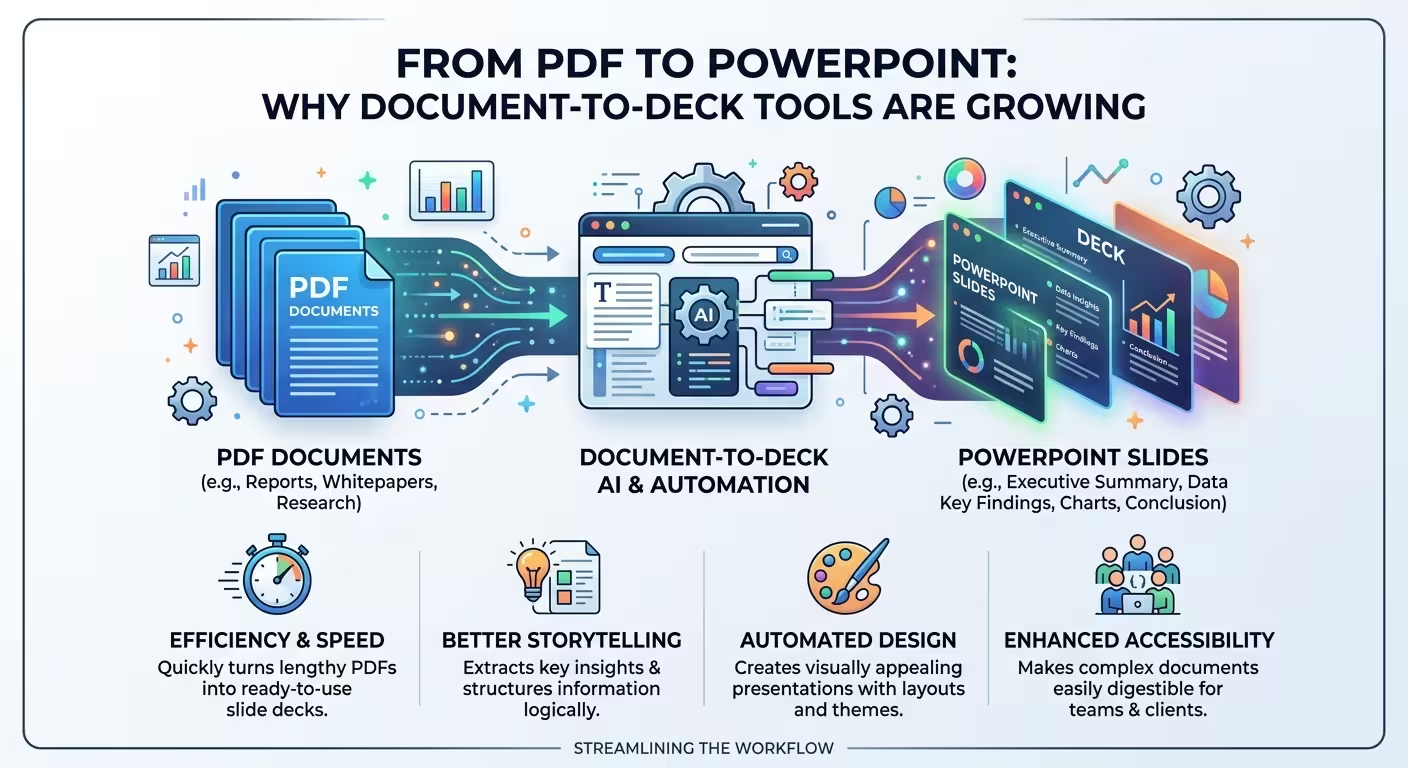
There is an odd detail in Microsoft's own guidance on turning a PDF into a deck: the conversion reads the text, and it currently can't process the images, charts or labelled diagrams inside the file. In a market report or a case study, those are often the pages people actually remember.
That gap sits underneath the growing use of PDF to PowerPoint tools. This article is for anyone who has to turn a finished report, whitepaper or proposal into a talk, and wants to know why these tools are spreading, what they really do with a PDF, and what to prepare so the deck doesn't end up looking complete while missing its proof.
Why the PDF became the place decks start
A PDF is the format finished work ends up in: the report that was signed off, the proposal that went to the client, the whitepaper someone else published. It is the format people receive and rarely the one they can edit. For years, turning one into a deck meant copying text out page by page.
What changed is that the tools now accept the file directly. Microsoft's support pages say that with a Microsoft 365 Copilot licence you can point PowerPoint at a Word or PDF file, one file at a time. Microsoft's PowerPoint blog also has a dedicated PDF walkthrough, dated May 2026. When a vendor writes that guide, the PDF has stopped being an edge case.
On size, The Business Research Company estimates that the AI presentation generation market grew from about $1.94 billion in 2025 to a projected $2.43 billion in 2026, roughly 25.6% a year. Treat that as a direction, not a fact. A vendor blog, 2Slides, puts 2026 at about $4.7 billion, and definitions clearly differ. Both figures cover AI slide generation as a whole. I couldn't find a checkable number for the share that starts from a PDF, so I won't guess one.
We covered the wider move from template-first to source-first work in why presentation creation is moving from templates to documents. This piece stays with the PDF, because a lot of PDFs carry far less explicit structure than a Word file. Microsoft advises using Word Styles precisely so the tool can tell a heading from body text.
Two different jobs under one search phrase
Hypothetical scenario. A 30-page market report lands on your desk on Monday. On Thursday you have twelve minutes in a leadership meeting. "Convert PDF to PowerPoint" can now mean two quite different things.
The first is export. Adobe's converter rebuilds the PDF as a PPTX and tries to keep the layout, text boxes and images. Adobe's own tips recommend OCR for scanned files and splitting large documents first. The result is a deck shaped like the PDF's pages. That is right when you must edit someone's pages, such as updating a figure or rebranding a page. It is wrong for your twelve minutes, because you would be presenting thirty dense report pages.
The second is generation. Copilot reads the text and proposes a new structure with grouped slides, titles and summarised content. That suits the talk, but the tool is now making editorial decisions for you. I wouldn't use it on a PDF where the exact wording matters, such as policy text or contract terms, because a summary reshapes the wording.
The slides that never get written
Suppose six figures in that 30-page report carry the argument. You might expect the tool to at least drop those chart images into the draft. According to Microsoft's FAQ, it currently doesn't process them. What you get is titles, tidy summaries and maybe speaker notes. Every claim is there and almost none of the proof.
So do a figure inventory before you convert. For each figure that carries the argument, note the page number, what it proves and where the underlying numbers come from. After the draft appears, each of those becomes a placeholder slide in the right order. You are building the evidence slides by hand either way, and this way you know which ones they are.
Two other limits from Microsoft's guidance are worth planning around. Scanned or image-based PDFs don't convert accurately, and files of one to ten pages give the cleanest structure. For longer files, I'd split by argument rather than by page count. Cutting a 60-page report at page 30 can slice a conclusion in half. The trade-off is that separate conversions can come back with mismatched styling, so apply one theme to every part afterward.
Rebuilding the evidence slides
The right tool depends on what the figure has to prove. If it carries exact values, such as a revenue table or a growth series, I'd build it as a native PowerPoint chart from the data, because you can check it against the source table. The PowerPoint chart templates on ImagineLayout are drawn as grouped shapes. The category page explains that bar heights and wedge angles are literal shape dimensions, so there is no Edit Data option. They fit illustrative or proportion-led visuals, and they suit exact values only if you size each shape from the numbers yourself.
Structural figures are simpler. A process flow, a cycle or a pyramid from the PDF, which the conversion can't read anyway, can be redrawn on a ready-made layout. The PowerPoint diagram templates are editable shape groups with text on separate objects. That means wording changes rarely disturb the geometry. The same page warns that ring and pyramid groups can shift alignment if you ungroup them, so edit the text first and ungroup only when you have to.
Check the draft against the PDF, not against itself
Hypothetical example. A report sentence says revenue grew 12% excluding one acquisition. The generated slide says revenue grew 12%. Nothing is invented and the slide is still wrong. Summaries drop qualifiers because qualifiers are what make a sentence long.
Run a dedicated numbers-and-qualifiers pass. Trace every figure on a slide back to a PDF page, and look hard at any "excluding", "estimated" or "subject to" that has disappeared. Microsoft's own advice is to review every slide for accuracy and tone. One practical note: Microsoft's pages describe which plans can upload files differently, so confirm access on your own account before promising this workflow to a team.
These tools are growing because they remove the copy-paste. They don't remove the question of which page of the PDF is the proof. Before you convert your next one, mark the three figures you would defend if someone challenged the deck. Those are the slides you will build yourself, and if the tool has handled everything else, that is a fair trade.
Comments (0)