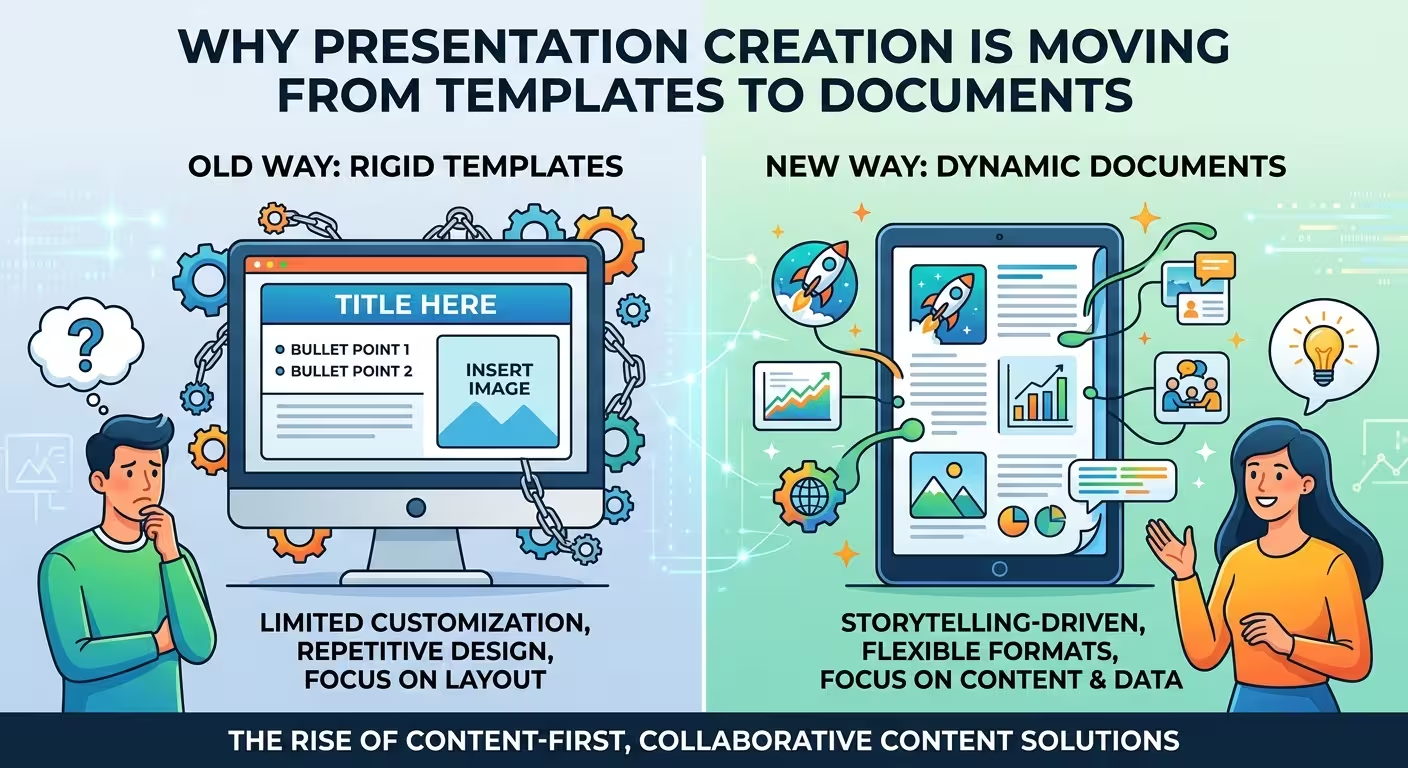
A presentation used to begin with a slide. Increasingly, it begins somewhere else: a report, a Word document, a spreadsheet, meeting notes, a PDF, or a rough brief.
That change matters because the hardest part of presentation creation is rarely drawing a rectangle or choosing a font. The difficult part is turning a large amount of source material into a sequence that an audience can understand. Newer presentation workflows are starting to treat the document or source material as the starting point and the slide deck as one possible output.
The template used to be the starting point
Open PowerPoint, choose a theme, select a title-and-content layout, and start filling the placeholders. For years, that was a sensible workflow because the software was primarily an editing environment.
Templates solved a real problem. They provided predefined proportions, typography, colors, diagrams, charts, and slide structures. A well-built template could turn an empty file into a usable visual system in minutes.
But the template-first workflow has a structural weakness: it asks the author to make layout decisions before the content is fully understood.
That is why a perfectly good template can still produce a poor business presentation. The author may force a five-point strategy into a three-column slide simply because that is the layout available. A long research finding gets reduced to a title and four bullets. A complex process gets squeezed into a generic timeline.
The problem is not that templates are badly designed. The problem is that a fixed layout has to make assumptions about content that does not exist yet.
Templates remain useful, especially when the content structure is already known. The more repeatable the communication task, the more valuable they become. Quarterly reporting, standard sales presentations, internal updates, training materials, and recurring dashboards can benefit enormously from a stable visual system.
The change is that the template no longer has to be the place where the presentation begins.
The document contains the reasoning that the template cannot
Consider a typical business situation. A team has a 30-page project report, several charts in Excel, meeting notes, and a short executive brief. Someone is asked to "make a presentation."
The traditional workflow often starts by opening a presentation template and deciding which slides to create.
A document-first workflow starts with a different question: What information exists, what does it mean, and what needs to be communicated to this audience?
That distinction is becoming more important as presentation software begins to work directly with source material. Google has added workflows in Gemini that can use files and other context when creating or editing presentations, while Microsoft describes converting Word documents such as reports, proposals, and project updates into editable PowerPoint presentation drafts. Adobe similarly positions its presentation tools around turning existing files and prompts into presentation drafts.
The important change is not simply "AI can make slides." It is that the source material can become the input to the presentation workflow.
That creates a useful separation:
- Source layer: facts, research, notes, numbers, recommendations, and supporting material.
- Story layer: what the audience needs to understand and in what order.
- Visual layer: slides, charts, diagrams, images, tables, and layouts.
A template mainly operates at the third layer. A document-first system can work across all three.
AI makes the document-first workflow practical
The shift would be less significant if someone still had to manually convert every paragraph, table, and chart into slides. What changes the economics is automation between the source and the visual output.
Microsoft now documents a workflow for converting Word documents into presentation drafts inside PowerPoint. Adobe offers a similar document-to-presentation path, while Google is extending Gemini's ability to create and edit presentation content from files and other context.
This changes the first question from "Which template should I use?" to something closer to "What material do I already have?"
That is a much more useful question in professional work.
A consultant may already have a research report. A product manager may have a specification and roadmap. A finance team may have a spreadsheet and quarterly commentary. An HR team may have a policy document. A researcher may have a paper containing tables and findings.
In each case, the presentation is not the original work. It is a communication format derived from the original work.
This also explains why prompt-only presentation generation has limitations. A prompt can describe the desired deck, but the underlying source material contains the details that prevent the result from becoming generic. The strongest workflows increasingly combine instructions with actual context.
Templates are becoming design systems rather than slide collections
There is another consequence that is easy to miss.
If content is no longer required to fit a predefined slide, the value of a template moves away from individual layouts and toward the rules behind those layouts.
Instead of thinking only in terms of "a title slide," "a two-column slide," or "a timeline slide," a modern presentation system can define:
- typography hierarchy and text behavior;
- brand colors and contrast rules;
- spacing and alignment logic;
- chart treatments;
- diagram styles;
- image treatments;
- rules for emphasis and secondary information;
- reusable visual components.
This distinction matters because a fixed slide is a finished composition, while a design system can generate many compositions.
For example, ImagineLayout currently offers presentation templates alongside separate collections for diagrams, charts, maps, and other editable visual assets. That structure already reflects two different needs: complete layouts for recurring presentation formats and individual visual components that can be assembled around specific content.
That second category becomes particularly important in a document-first workflow. If the source document contains an unusual comparison, the system should not have to search for a slide with exactly the right placeholder. It needs the ability to construct an appropriate visual from smaller components.
This is where the difference between a template library and a design system becomes practical rather than theoretical.
The slide becomes an output format, not the container for the whole project
One of the more interesting consequences is that the same source material can produce different deliverables.
A 20-page research document might become a detailed PDF report for one audience, a 12-slide executive presentation for another, and a short visual summary for a third.
The facts do not necessarily change. The level of compression, ordering, emphasis, and visual treatment changes.
That is difficult to achieve when the presentation file is treated as the primary container for the information. It becomes much more natural when the underlying content exists independently from its presentation format.
This is also visible in the direction of productivity software more broadly. Zoom's 2026 productivity suite connects meetings and other work artifacts with presentations, documents, spreadsheets, and related outputs. Anthropic's recent Claude updates similarly combine document and presentation creation inside a broader workspace rather than treating slides as an isolated application.
The emerging model is therefore less like "PowerPoint with an AI button" and more like a content workspace in which a presentation is one destination.
What this changes for presentation designers
This does not make presentation design less important. It changes where the designer adds value.
If software can automatically turn structured content into a reasonable first draft, manually producing standard layouts becomes less differentiated. The difficult work moves toward deciding what deserves emphasis, which information should be visualized, what should remain text, and how the narrative changes for a particular audience.
There is a practical distinction here.
If a slide contains a simple three-step process, an automated system can probably construct a usable diagram. But if the process contains two parallel paths, one conditional branch, a delayed dependency, and a critical exception, the designer still has to decide how the audience should perceive that structure.
The same applies to data. A chart generator can produce a technically valid bar chart. It does not automatically know whether the comparison should emphasize absolute value, growth, variance, ranking, or a particular threshold.
That is why the most useful future workflow is unlikely to be "AI replaces the designer." It is closer to AI handles repeatable construction while the designer controls communication decisions.
Where templates still win
The move toward documents should not be mistaken for the death of templates.
Templates remain particularly efficient when the same communication structure is repeated. If a company produces the same monthly management report, a fixed visual system can reduce unnecessary decisions and protect consistency.
Templates are also valuable when the user needs immediate control. A designer may deliberately choose a particular composition because it has already been tested for a specific type of content.
ImagineLayout's business-report and analytical-report collections illustrate this continuing role: predefined slide structures can provide ready-made frameworks for reporting, charts, timelines, and other recurring communication tasks.
The more accurate model, therefore, is not:
Templates → Documents
It is:
Templates become one layer inside a document-to-visual workflow.
A template can still provide the visual language. The difference is that the system can choose, adapt, or construct the composition according to the content rather than asking the content to conform to one predefined slide.
The next presentation workflow starts before PowerPoint
The most meaningful change may happen before the first slide is generated.
Instead of opening presentation software and staring at an empty canvas, a professional workflow can begin with the material that already exists: a document, dataset, transcript, report, research folder, spreadsheet, or brief.
From there, the system can identify the structure, propose a narrative, select the information that matters for the intended audience, and only then decide how that information should be visualized.
The presentation becomes the final expression of the reasoning rather than the place where the reasoning is assembled.
For designers, that creates a useful opportunity: build systems that understand both content and visual language. For template creators, it means that the most valuable asset may no longer be a folder containing hundreds of finished slides. It may be a coherent design system capable of producing many different slides without losing its identity.
That is the real shift behind document-first presentation creation. The template is not disappearing. It is moving one level deeper — from something the user fills in to something the system uses to interpret and visualize the content.
And once that happens, the question is no longer simply which template fits the presentation. The more useful question becomes: what should this information become?
Comments (0)