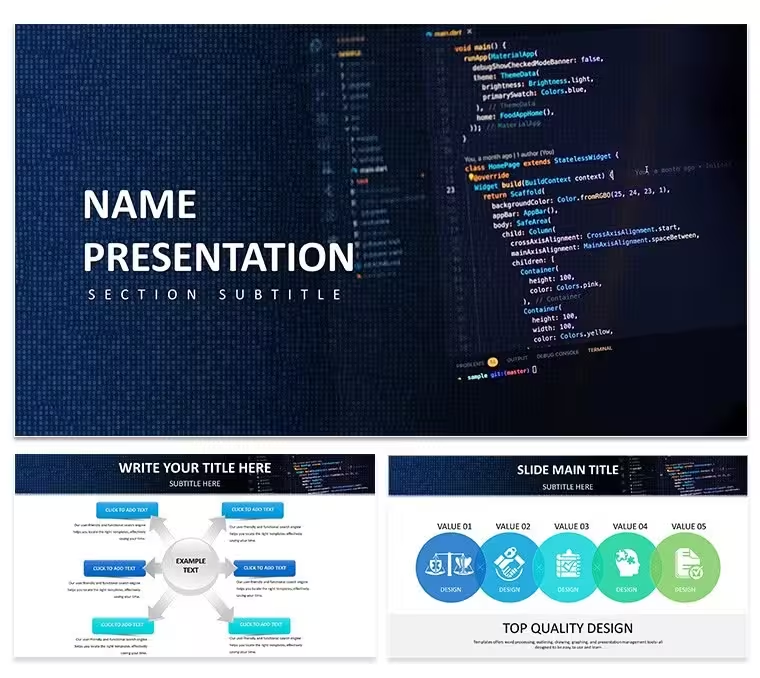
 Click to zoom
Software Development PowerPoint Template: Code Your Narrative with Precision
| Format | .pptx |
| Slides | 3 unique layouts |
| Aspect ratio | 16:9 |
| Compatibility | PowerPoint |
| Animated | No |
| Language | English |
| License | Commercial |
| File size | — |
| Version | v1.0 |
| Last updated | January 2025 |
What's inside
Software Development PowerPoint Template: Diagrams for Technical Presentations
This is a diagram-focused PowerPoint template built for developers, project managers, and IT leads who need to turn technical work into visuals a mixed audience can follow. It packs 28 diagrams across 7 color schemes into three master slide layouts, covering flowcharts, Gantt-style timelines, resource allocation grids, and UML-style structures. It's aimed at moments where code and roadmaps need to be explained out loud: an architecture walkthrough for a new app, a sprint retrospective, or a status update where non-technical stakeholders are in the room. Browse the wider PowerPoint diagram collection if you need more chart-heavy options beyond this set.
What You Can Edit
- Swap between 7 built-in color schemes or recolor individual diagram elements
- Edit flowchart nodes, timeline bars, and resource-matrix labels to match your own project data
- Add icons for builds, deployments, and integrations from the included icon set
- Resize vector diagrams without quality loss for zoomed-in code reviews or printed handouts
- Apply PowerPoint animations to diagram segments if you want sequential reveals
Best Suited For
Given its Computer-IT and Software tags, this template fits sprint plans, product launch timelines, and quarterly review decks for engineering and IT teams. The diagram set works for CI/CD pipeline walkthroughs in team standups, entity-relationship layouts for teaching database schemas, and prioritized feature roadmaps in client pitches. It's not built for live, date-driven scheduling - pair it with a dedicated tool like MS Project if you need that. The commercial licence covers unlimited internal and client presentations (no resale or redistribution), it imports into Google Slides with only minor animation touch-ups needed, and future updates to this template are free.
See also the Software Project PowerPoint Template for a related layout set.
Good for
- Project roadmaps and sprint plans
- Product launch timelines
- Quarterly or annual review decks
- Company history and milestone summaries
Licence
reviews
The column charts held alignment after swapping real data which rarely happens with custom builds and that saved me an hour of reformatting.
Had a last-minute board deck due and those stacked bars with movement indicators made the competitive shift obvious in seconds.
Good for static presentations but not ideal if you need live Excel links or highly custom calculations.
The aspect ratio is 16:9 by default and you can resize individual bars but avoid stretching the whole group too far or labels start to break.
Works fine for what I needed but next time I'll look for something with editable Excel integration because copying numbers manually took extra time.
FAQ
Will it work in Google Slides?
Are fonts embedded?
Can I use this for client work?
What's the refund policy?
Do you update the template after purchase?
Similar templates
See all PowerPoint Templates →



All 1 slides