Keynote templates
This collection of relationship diagrams in Keynote format gives you pre-built layouts for business connections so a management consultant never wastes the opening hour on box alignment before the real analysis begins. It serves professionals who present complex interdependencies to boards or cross-functional teams where the visual structure itself advances the argument.
Picture a strategy lead with 48 hours to deliver a supply-chain risk map to the C-suite: these templates let her import data, tweak connector weights, and keep the hierarchy intact instead of redrawing every arrow from scratch.
Open the file that matches your next meeting and begin editing.



















How These Keynote Templates Turn Abstract Connections Into Executive-Ready Arguments
Relationship diagrams succeed when the layout itself carries part of the message. These templates embed that logic: headline claim at top, supporting nodes in clear clusters, action steps anchored at the bottom. A private-equity associate mapping post-merger synergies no longer debates whether the org-chart arrows overlap; the structure is preset and the focus stays on the numbers.
Four Moments When a Ready Relationship Diagram Changed the Meeting Outcome
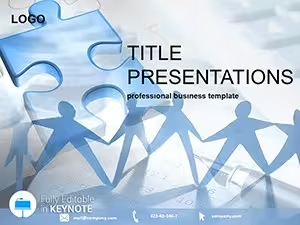
A management consultant arrives at the client offsite with raw stakeholder interview notes and two hours until the synthesis session. She opens the Business People Keynote Template, drops each contact into a node, draws influence lines, and the group immediately sees the power map instead of staring at bullet text. The conversation shifts from clarification to decision.
An HR director must present reporting-line changes to 150 employees in a town-hall deck. Using the Professional Legal Contract Keynote Template as base she builds a clean hierarchy slide, color-codes new versus old structures, and every employee leaves with a shared mental model instead of confusion.
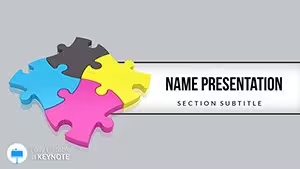
A product manager faces a steering-committee review on feature dependencies. The Process Improvement Keynote template provides a dependency matrix layout; she swaps icons for her roadmap items and the committee approves budget without asking for another version.
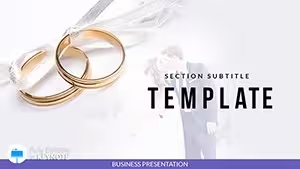
A risk officer compiles inter-departmental exposure for the audit committee. The Wedding Traditions Keynote Themes layout (reused for non-romantic clusters) visualizes overlapping risks; the committee spots concentration points in seconds and requests targeted mitigations on the spot.
The Concrete Decisions You Skip When You Stop Building From Blank Slides
Manual creation forces you to pick a font stack, decide slide-master spacing, choose connector styles that stay consistent across 25 slides, and test color contrast for accessibility. Those choices consume the exact cognitive budget you needed for the strategy itself. These files hand you the framework so the thinking time remains yours.
Workflow Logic for Teams That Repeat Relationship Mapping Quarterly
Once the slide master is locked, every new deck inherits the same arrow thickness, node padding, and label hierarchy. Finance and strategy teams share one master file; updates to the corporate palette propagate without rework. Large decks stay coherent even when six analysts contribute sections.
One Non-Obvious Keynote Trick That Preserves Layout Integrity
Group your connectors with their shapes before you apply any animation or transition. Keynote then treats the pair as a unit during slide-master edits or aspect-ratio changes, preventing the common drift that forces realignment at 2 a.m. before the client call.
What Makes This Collection Different for Corporate Use
Every shape is unlocked and vector-based with no decorative flourishes or forced animations. The intent is data storytelling, not decoration. You can drop your own branding, adjust text sizes, and still have a slide that reads instantly in a 60-slide board deck.
Choosing the Adjacent Collection That Matches Your Next Deliverable
If your next meeting needs hierarchical data instead of connections, the pyramid chart templates for PowerPoint and Keynote give progressive-stage layouts. For document work in regulated fields see the medical Word templates. When print collateral is required the automotive brochure templates handle tri-fold specs and calls-to-action.
If the relationship map in your current deck is the missing piece, download the full collection and drop the right diagram into place.
Are these templates compatible with the current version of Apple Keynote?
Yes, every file opens cleanly in Keynote 14 on macOS Ventura and later. They were also tested on Keynote 11 and 12; older versions may require regrouping connectors after opening but the slide master remains intact. If a connector style does not render, select the group, choose Format > Line, and reapply the weight - the hierarchy stays preserved without rebuilding.
Can I edit colors, text, and connector styles freely?
All shapes, text fields, and connectors are fully unlocked vectors. You can change the entire palette via the slide master in one step and the changes apply across every diagram. Text boxes reflow automatically when you adjust node sizes, so corporate font guidelines are respected without extra formatting passes.
What license terms apply to team sharing?
The license covers unlimited internal company use and client-facing presentations. You may distribute the .key files inside your organization and embed diagrams in shared decks. Resale or public redistribution of the original files is not permitted. Client deliverables that contain the diagrams are fully owned by you.
Do the templates include slide masters for consistent branding?
Yes, each file ships with a dedicated slide master that holds your logo placeholder, color palette, and default connector styles. Update once and every new slide you add inherits the settings. This eliminates the usual drift when multiple team members contribute to a 40-slide strategy deck.
How do I export to PDF without font substitution?
Keynote`s PDF export option Include embedded fonts is already enabled in the file settings. Choose File > Export To > PDF and select “Best quality. The connectors and text remain crisp on any device, matching exactly what you see on screen even when the recipient does not have your corporate font installed.