Medical instruments PowerPoint templates

Empower your clinical discussions with our medical instruments PowerPoint templates, where every slide is a canvas for surgical storytelling. Featuring crisp visuals of syringes, catheters, and monitors, these designs are tailored for healthcare presenters who value clarity and impact. Suited for Microsoft PowerPoint, they serve medical instructors, researchers, and conference speakers delivering data-driven narratives.

With built-in SmartArt for workflow diagrams and photo placeholders for real-device shots, customization is intuitive. Animate paths to trace instrument trajectories, captivating audiences during procedure overviews. This collection saves hours, letting you concentrate on content that advances patient care discussions.

From ward rounds to webinars, these templates amplify your voice. Peruse our options and gear up for presentations that inform and inspire.


View by: Last Added | Most Popular
  • like 4
    (143)
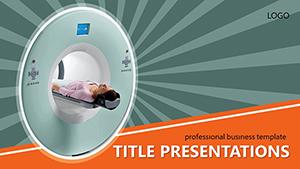
    Visualizing the Invisible: Tomography-Inspired PowerPoint Template
    ID: #PP01512
    $12.00
  • like 3
    (528)
    Medicine Phonendoscope PowerPoint Template
    ID: #PP01283
    $12.00
  • like 3
    (226)
    Free Grain Abstract PowerPoint
    ID: #PP00781
    free
  • like 3
    (626)
    Purple Ribbons PowerPoint Template
    ID: #PP00757
    $10.00
  • like 4
    (516)
    Heal Presentations with Medical PPT
    ID: #PP00220
    $10.00


Harnessing PowerPoint for Medical Excellence

PowerPoint shines in medical settings when infused with thematic relevance - our templates deliver that edge with integrated icons of hemostats, speculums, and ventilators. This specificity trumps generic slides, which often clutter with irrelevant clipart, by aligning visuals directly to topics like emergency response or diagnostic protocols.

Key users include ER physicians briefing teams, biomedical engineers pitching prototypes, and nursing educators simulating scenarios. Advantages encompass visual persuasion, audience retention, and professional polish. Feedback from a device innovator highlighted how our ventilator-themed deck secured funding through vivid simulations.

Versatile Applications in Clinical Contexts

  • Procedure Briefings: Sequence slides with incision tool progressions for step-by-step guidance.
  • Research Symposia: Embed charts beside imaging instruments to correlate findings.
  • Staff Orientations: Use modular layouts for onboarding with safety gear emphases.

Beyond Basic PowerPoint Frameworks

Standard PowerPoint templates provide structure but miss the medical nuance, leading to disjointed flows. Ours counter this with pre-set themes - hospital greens and metallic accents - that evoke trust. Morph transitions simulate instrument assembly, a leap from fade effects in defaults, enhancing narrative momentum.

Adapt freely: insert hyperlinks to protocols, resize embeds for balance, and apply master slides for consistent branding. Result? Decks that engage longer, outpacing uninspired alternatives in feedback scores.

Optimization Strategies for Impactful Decks

  1. Anchor slides with one instrument focal point to avoid overload.
  2. Leverage PowerPoint`s designer tool for auto-enhanced layouts post-edits.
  3. Incorporate polls via add-ins for interactive Q&A on tool efficacy.
  4. Export to video for asynchronous sharing in remote teams.

Standout Examples in Practice

Envision an ICU handover: slides morphing IV lines into monitoring setups, guiding shifts with precision. Or a pharma webinar featuring pipette arrays in data viz, simplifying lab validations. These innovations reach telemedicine, where zoomable instrument details aid virtual consults.

For global outreach, adaptable color variants suit diverse clinic palettes, promoting inclusivity. Creativity here turns data dumps into dialogues, memorable for all.

Scan our assortment and initiate your build. Forge presentations that equip and enlighten - download now.

Frequently Asked Questions

Do these templates work with PowerPoint Online?

Yes, fully optimized for web versions, with cloud sync for collaborative edits.

How to add 3D models of instruments?

Import via PowerPoint`s 3D viewer - rotate models interactively for deeper immersion.

Are animations customizable for slower devices?

Indeed, adjust durations and effects in the animation pane for optimal performance.

Can templates integrate with Teams for live sessions?

Seamlessly - present directly from PowerPoint within Teams for hybrid audiences.

What about accessibility compliance?

Templates adhere to WCAG with screen-reader friendly alt tags and color contrasts.

Transform routine talks into riveting reveals. Select and download your ideal template to advance your narrative.