Center Keynote Themes

Centered slide layouts help your message land fast and stay memorable. This collection of Keynote templates is built around visual balance clear hierarchy and confident alignment that feels professional on every screen.

These templates are ideal when clarity matters most from executive updates to educational lessons. Every slide is fully editable and designed to guide the viewer`s eye straight to the core idea without distraction.


View by: Last Added | Most Popular
  • like 2
    (1106)
    Miracle Keynote Template: Where Creativity Meets Waves
    ID: #KT03471
    $12.00
  • like 3
    (581)
    Pattern Flower Keynote Template: Download Presentation
    ID: #KT02914
    $9.00
  • like 3
    (377)
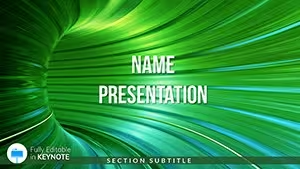
    Abstract Mystical Green Tunnel Keynote Templates for Presentation
    ID: #KT02819
    $10.00
  • like 3
    (860)
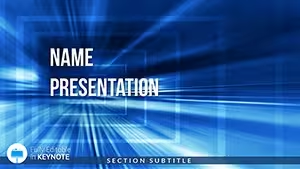
    Download Square Tunnel Keynote Template - Presentation
    ID: #KT02818
    $8.00
  • like 5
    (478)
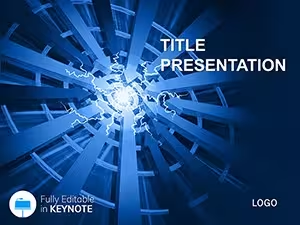
    Power Control and Embedded System Keynote Templates
    ID: #KT02757
    $12.00
  • like 3
    (103)
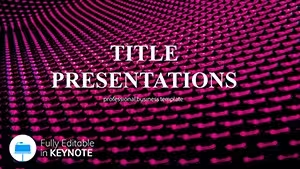
    Squares Keynote Themes - Presentation
    ID: #KT02287
    $12.00
  • like 5
    (1122)
    Expressionism - Abstract Keynote templates Presentation
    ID: #KT02286
    $12.00
  • like 2
    (623)
    Star-fall Fireworks Keynote template Presentation
    ID: #KT02210
    $12.00
  • like 3
    (154)
    Abstract Painting Keynote templates and Themes
    ID: #KT01802
    $12.00
  • like 2
    (1057)
    Community Centre Keynote Template: Foster Connections
    ID: #KT01149
    $10.00
  • like 2
    (1168)
    Fluid Blue Waves Keynote Theme
    ID: #KT00755
    $10.00
  • like 4
    (369)
    Fresh Green Keynote Background
    ID: #KT00754
    $10.00
  • like 4
    (247)
    Purple Background Keynote Template
    ID: #KT00753
    $10.00
  • like 3
    (601)
    Telephone Apparatus Keynote Template: Dial Up Engagement
    ID: #KT00316
    $10.00


Why Choose Centered Layout Keynote Templates

Centered layouts create instant focus. They reduce visual noise and help audiences process information faster. In professional presentations this balance signals confidence and structure which is why centered slides are widely used in boardrooms classrooms and product demos.

Compared to default Keynote themes these templates offer refined spacing consistent typography and visual rhythm across all slides. You save time while delivering a presentation that feels intentional and polished.

Real World Use Cases

  • Business reports with key metrics and summaries placed front and center
  • Startup pitch decks that highlight value propositions clearly
  • Educational slides where concepts need strong visual focus
  • Marketing presentations with bold headlines and visuals
  • Conference talks designed for large screens

Benefits Over Default Templates

Standard themes often lack consistency and depth. These centered Keynote templates are crafted by presentation designers who understand pacing alignment and visual flow. Slides are built to work together as a system rather than isolated layouts.

  • Balanced grids that keep content readable
  • Modern typography ready for professional use
  • Color styles that adapt easily to branding
  • Layouts optimized for charts images and text

Creative Tips and Best Practices

Use centered layouts to emphasize one key idea per slide. Keep headlines short and support them with a single visual or data point. White space is your ally since it helps content breathe and improves comprehension.

For longer presentations alternate between text focused slides and visual slides to maintain attention. Animations should be subtle and purposeful to guide focus rather than distract.

Designed for Speed and Flexibility

All templates are ready to use yet flexible enough for deep customization. Change colors fonts and layouts in minutes. This makes them perfect for tight deadlines and recurring presentations.

Download a centered Keynote template today and present with confidence clarity and balance.

Frequently Asked Questions

Are these templates fully editable in Keynote

Yes all elements including text colors shapes and charts can be edited directly in Keynote.

Can I use these templates for client presentations

Yes they are suitable for commercial and client facing projects.

Do centered layouts work for data heavy slides

They work best for key metrics summaries and focused insights rather than dense tables.