Beach PowerPoint templates

This category contains PowerPoint templates featuring beach themes with ocean elements and coastal layouts.

It targets travel agents, resort marketers, event planners, and corporate teams organizing coastal retreats or environmental presentations.

Choose these templates over blank slides when your message needs to convey relaxation and energy without spending hours on custom backgrounds and icons.

Imagine a tourism marketing manager preparing a Q3 performance review for investors: the templates allow quick insertion of destination photos and revenue charts while the wave patterns keep the deck visually engaging and on-brand.

Browse the collection below to find the layout that matches your next presentation.


View by: Last Added | Most Popular
  • like 4
    (899)
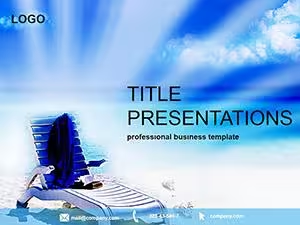
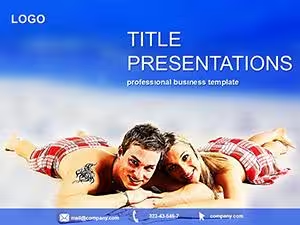
    Vacation Resort PowerPoint template
    ID: #PP02571
    $12.00
  • like 4
    (1184)
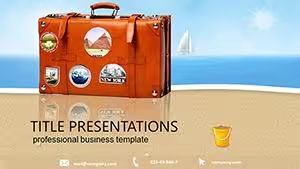
    Travel Agency PowerPoint Template: Map Out Memorable Journeys
    ID: #PP01480
    $12.00
  • like 2
    (404)
    Hot Deals PowerPoint Template: Ignite Wanderlust in Every Slide
    ID: #PP01451
    $12.00
  • like 3
    (772)
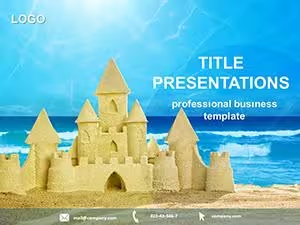
    Sand Castle PowerPoint Template: Sculpt Your Seaside Stories
    ID: #PP01309
    $12.00
  • like 4
    (915)
    Evoke Beach Bliss with Seashell PowerPoint Designs
    ID: #PP01090
    $11.00
  • like 2
    (193)
    Last Minute Travels: Adventure Presentation Kit
    ID: #PP00544
    $10.00
  • like 5
    (13)
    Splash into Summer Decks with Kids Vacation Template
    ID: #PP00513
    $10.00
  • like 4
    (842)
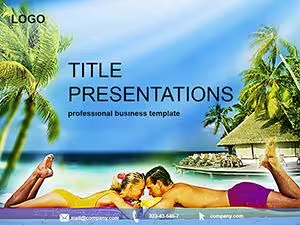
    Luxurious Exotic Resort PowerPoint Template
    ID: #PP00512
    $10.00
  • like 3
    (716)
    Summer Vacation PowerPoint Template Mastery
    ID: #PP00510
    $10.00
  • like 3
    (594)
    Beach and Sea PowerPoint Template Innovations
    ID: #PP00509
    $10.00
  • like 3
    (785)
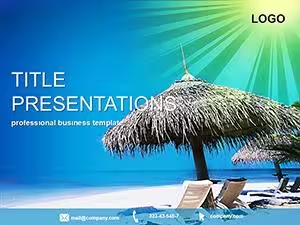
    Sea Resorts PowerPoint Template for Pros
    ID: #PP00507
    $10.00
  • like 3
    (73)
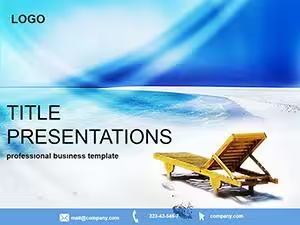
    Beach Vacation PowerPoint Template
    ID: #PP00361
    $8.00
  • like 2
    (6)
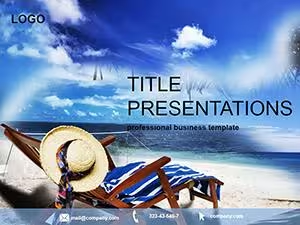
    Serene Relaxing Vacation PowerPoint Template
    ID: #PP00107
    $5.00


Use Cases

A resort chain executive uses the templates during board meetings to present occupancy rates with sand-textured charts and sunset color palettes. Travel agency owners prepare client pitches for group tours by layering destination images over palm silhouettes. Environmental nonprofits incorporate wave backgrounds for workshops on coastal conservation projects. Corporate HR teams deploy the designs for summer team-building retreat agendas shared with remote employees. Each case demonstrates how the templates support specific industry needs while keeping slide content clear and audience-focused.

These scenarios cover different roles and industries where beach visuals strengthen the overall message.

Comparison vs. default PowerPoint shapes or blank slides

Blank slides force users to draw rectangles for backgrounds and manually align icons, often resulting in uneven spacing. Default shapes provide basic circles and lines but lack the curved wave elements that evoke coastal movement. Templates deliver ready-to-use masters with consistent color schemes across all slides. Users skip repetitive alignment tasks that delay final delivery. The built-in photo placeholders maintain aspect ratios automatically unlike manual inserts that distort images. Overall, the structured files reduce preparation time from hours to minutes while maintaining visual coherence.

The difference becomes clear when deadlines approach and consistency matters most.

Best-practice advice for using the templates in this category

Start by updating the slide master with your company logo and primary brand colors before adding content. Keep text to three bullet points per slide to let the beach visuals breathe. Test the deck in presentation mode to confirm wave animations do not distract from key data. Export to PDF for client sharing to preserve exact layouts across different devices. Save a copy with speaker notes for internal rehearsals. These practices ensure the final presentation looks polished in every delivery setting.

Applying them consistently leads to decks that audiences remember for the right reasons.

One technical tip specific to this category type

In PowerPoint, select the background image on the slide master and choose Format Background then Picture or Texture Fill with the washout option set to 15 percent. This adjustment keeps the beach elements visible but prevents them from overpowering text. Apply the setting once and it propagates to every slide automatically. Combine with a semi-transparent rectangle shape over charts for better contrast. The technique takes seconds yet dramatically improves readability in brightly themed decks.

This tip solves the most frequent visibility issue in themed presentations.

Why ImagineLayout differs from competitors

Other marketplaces offer beach visuals that prioritize decoration over functional slide structure. Our templates include dedicated masters for data charts and timelines that maintain theme consistency without extra work. The designs account for common business use cases like investor updates rather than purely decorative holiday cards. Files load faster and edit more smoothly because unnecessary layers are removed. The result is a resource built for actual presentation demands instead of generic stock options.

This focus on practical application sets the collection apart for professional users.

How do I download these PowerPoint templates?

Once selected, the .pptx file is available directly from your account downloads section. The link appears immediately after confirmation and works on any device. No extra plugins or accounts are needed. Save the file locally and open it in PowerPoint to start editing right away. The entire process requires only a few clicks.

Do the templates work with Google Slides?

The files are native PowerPoint format and import cleanly into Google Slides with all layouts and placeholders intact. Some advanced animations may simplify but core visuals and text remain unchanged. Upload the file to Google Drive and open with Slides for cloud collaboration. Test key slides after import to confirm color accuracy.

Can I change the beach colors and icons?

Every template allows full editing of colors, icons, and backgrounds through standard PowerPoint tools. Use the Format pane to adjust hues or replace palm silhouettes with your own graphics. Master slides let you update the entire deck at once. Changes preserve layout integrity across all slides.

What license covers use of these templates?

The commercial license permits unlimited use within your organization for presentations and client work. You may not resell or distribute the template files themselves. The license is perpetual after download. Extended options are available for agencies serving multiple clients.