A new presentation collection should give you more than a different look
When a new collection of presentation templates arrives, the easiest thing to notice is the visual style. The more useful question is what the collection lets you do.
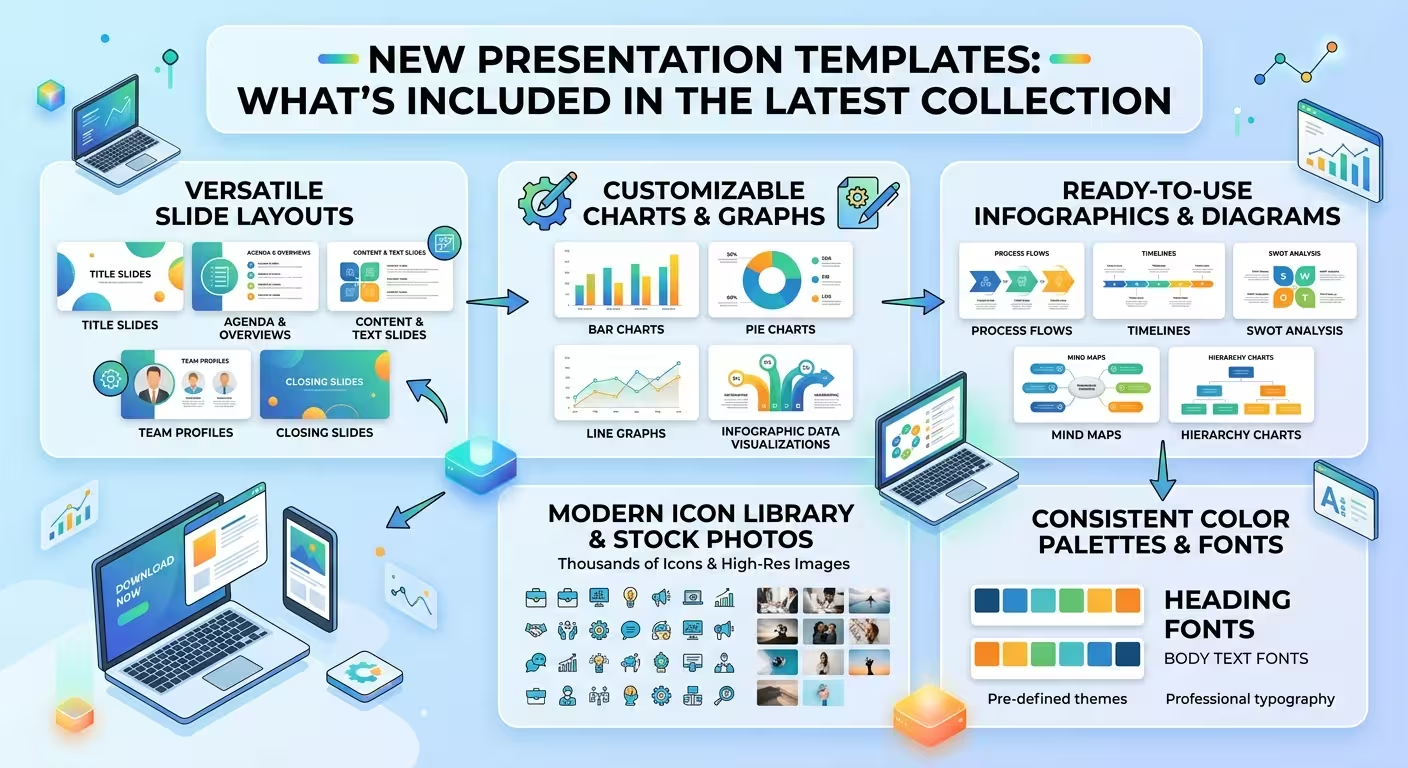
A strong set of new presentation templates should cover different communication problems: explaining an idea, presenting a strategy, showing data, making a business case, or turning a complicated process into something an audience can understand quickly.
That is why a collection is more useful when it combines different types of layouts rather than simply offering dozens of variations of the same slide.
Business templates for structured presentations
Business presentations often need to move between several types of information. A single deck may include an overview, objectives, strategy, financial information, timelines, and next steps.
New business-oriented templates can provide a starting structure for those different sections. Instead of designing every page independently, you can select layouts that already establish relationships between headings, supporting text, charts, and visual elements.
ImagineLayout currently has a large PowerPoint template collection covering business, consulting, finance, education, technology, marketing, and other presentation categories. The site's PowerPoint collection lists more than 4,000 templates and can be filtered by category and labels such as New, Popular, and Free. Browse the PowerPoint template collection.
Pitch deck layouts for ideas that need a clear story
A pitch deck has a different job from an internal report. The audience needs to understand the problem, the proposed solution, the opportunity, and why the idea deserves attention.
That makes narrative structure particularly important. A useful pitch template should give you places for the major arguments without forcing every slide into the same visual pattern.
For example, ImagineLayout's Modern Business Pitch Deck template is structured around common pitch sections including problem and solution, market opportunity, competitive positioning, financial information, team content, and a closing request. The page also lists multiple editable color themes and layouts designed for different parts of the story.
The value is not that every pitch should look identical. It is that the basic presentation architecture is already there, so the presenter can concentrate on the argument and supporting evidence.
Marketing templates built around visual communication
Marketing presentations often have to combine campaigns, audiences, positioning, results, product information, and visual examples. That requires a different balance from a conventional business report.
Templates designed for marketing work can provide layouts for presenting concepts visually while leaving enough flexibility for campaign-specific content.
A collection that includes dedicated marketing PowerPoint templates gives users another starting point instead of forcing them to adapt a generic corporate deck to every marketing project.
The practical advantage is speed. If the presentation already has a suitable structure for a campaign overview or marketing strategy, the designer can spend more time deciding what information deserves emphasis.
Diagrams and charts are part of the collection too
Not every presentation problem is solved with a traditional content slide. Sometimes the challenge is showing a process, relationship, hierarchy, timeline, comparison, or set of numbers.
This is where diagrams and charts become important parts of a modern template ecosystem.
A presentation collection can therefore be thought of as several layers:
- Complete presentation templates for starting an entire deck.
- Diagram layouts for processes, relationships, and structured ideas.
- Charts for presenting quantitative information visually.
- Maps and visual elements for geographic or location-based information.
- Reusable slide layouts for adapting an existing presentation without rebuilding its visual system.
This distinction matters when choosing a template. You may not need an entire 20-slide presentation. Sometimes you need one strong diagram or a better way to display a complicated comparison.
What to look for in the latest templates
A new release is not automatically useful simply because it is new. Before choosing a template, check whether its structure fits the actual presentation you need to create.
Look for:
- Editable elements so text, shapes, colors, and other content can be adapted.
- Multiple layout types rather than repeated slides with minor cosmetic changes.
- A clear visual hierarchy that helps distinguish titles, evidence, and supporting details.
- Useful data layouts if the presentation involves metrics, comparisons, or financial information.
- Compatible formats for the software you actually use.
- Enough structural flexibility to support your story without making every slide feel predetermined.
For example, a current ImagineLayout template page can specify format, aspect ratio, compatibility, editable elements, and included presentation assets. Checking those details before choosing a template is more useful than judging the thumbnail alone.
Choose the template according to the presentation's job
The fastest way to narrow down a large collection is to start with the presentation's purpose rather than its appearance.
If you are preparing an investor presentation, begin with pitch deck layouts. If you are explaining a strategy, look for strategy or business structures. If the presentation is campaign-focused, a marketing collection is likely to be a better starting point. For technical subjects, diagrams and data-heavy layouts may matter more than decorative elements.
This approach also prevents a common mistake: choosing a visually attractive template and then trying to force the entire presentation into it.
The better sequence is the opposite. Decide what the audience needs to understand, identify the slide structures required to communicate it, and then choose the visual system that supports those structures.
A new collection is most useful when it reduces decisions
The real benefit of new presentation templates is not simply having more designs to browse. It is reducing the number of decisions you have to make before the presentation starts taking shape.
A good collection gives you different starting points for different communication tasks: business planning, marketing, pitching, reporting, diagrams, charts, and visual storytelling. From there, the template becomes a framework rather than a finished presentation.
That is the useful way to approach the latest collection: don't ask which template looks best in isolation. Ask which one gives your particular presentation the strongest starting structure.
Comments (0)