 Click to zoom
Water Flow Counter PowerPoint Template - Fully Editable | Instant Download | ImagineLayout
| Format | .pptx |
| Slides | 3 unique layouts |
| Aspect ratio | 16:9 |
| Compatibility | PowerPoint |
| Animated | No |
| Language | English |
| License | Commercial |
| File size | — |
| Version | v1.0 |
| Last updated | August 2026 |
What's inside
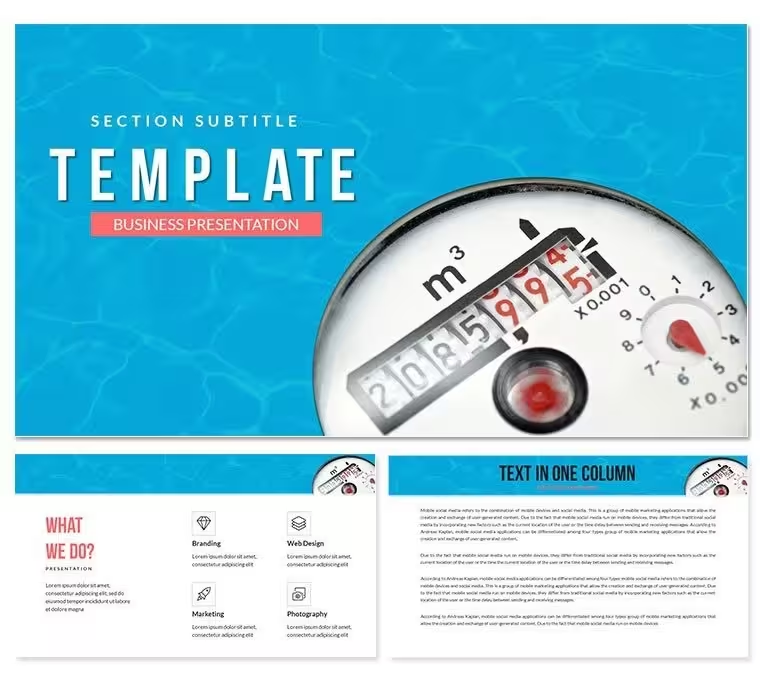
Download the Water Flow Counter PowerPoint Template with 28 editable diagrams and 7 color schemes. Perfect for energy, utilities, and process flow presentations in PowerPoint. Instant ZIP download with PPTX/POTX files for immediate customization of counter and flow elements.
What's Included
The Water Flow Counter PowerPoint Template package delivers 28 distinct diagram variations built around water-themed flow lines and numerical counters. You receive all diagrams in 7 pre-built color schemes that can be swapped instantly via PowerPoint's theme tools. Files include the main PPTX presentation file, a POTX template version for repeated use, and high-resolution JPG previews of every diagram. Product ID 8456 places this firmly in the Energy - Power category on ImagineLayout. No additional software or fonts required - everything uses standard PowerPoint shapes and SmartArt-compatible elements.
This set stands out from related flow templates like Bubbles Flow or Purple Wave because the counter mechanism allows direct numeric data input while the surrounding water flow graphics illustrate direction and volume. Related templates listed on the page focus on abstract light or wave effects; this one specifically combines metering counters with fluid motion visuals for measurable process tracking.
Key Features
Every diagram features fully vector-based water flow paths and counter boxes that remain crisp at any zoom level. The 7 color schemes include cool blues for water realism as well as neutral corporate palettes for boardroom use. Animation options are pre-set on key elements so counters can build in sequentially during slide transitions. All text placeholders use standard fonts and sizes that auto-adjust. Commercial licensing allows unlimited projects for both internal and client-facing presentations.
FeatureBenefit28 DiagramsCover linear flows, multi-stage counters, and branched pipelines7 Color SchemesInstant brand matching without manual recoloringFully Editable ShapesResize, recolor, or regroup water drops and arrowsPPTX & POTX FormatsCompatible with PowerPoint 2010 and newer on Windows/MacVector QualityScales perfectly for print or large screen projectionCommercial LicenseUse in client deliverables without extra feesProfessional Use Cases
A sustainability coordinator at a regional utility company opened the template and replaced the default counter values with actual Q3 water consumption figures. Using slide diagrams with multi-stage flow paths, the coordinator highlighted leakage reduction initiatives during the monthly operations review. The board immediately approved budget for new metering equipment because the water flow visuals made abstract percentages tangible and urgent. Another example: a manufacturing process engineer at an automotive supplier used the branched counter diagrams to map production line throughput during a lean-six-sigma workshop. Updating the numeric counters and flow arrows in under 10 minutes allowed the team to identify two bottlenecks and implement fixes that increased daily output by 12%.
How to Customize
Download the ZIP, extract, and open the PPTX file in PowerPoint. Select any water flow path shape, go to Format Shape to change line color or thickness. Click inside a counter box to type new numbers or percentages; font size auto-adjusts. To switch color schemes, go to Design > Variants and choose from the 7 included palettes. Group or ungroup elements via right-click to add your own icons or text callouts. Save as a new file and you're ready to present or export to PDF for handouts.
Why Choose This Template
Creating equivalent water flow counter visuals from scratch in PowerPoint typically takes 3-4 hours of aligning shapes, drawing bezier curves, and testing animations. This template delivers the same professional result in 15 minutes while guaranteeing visual consistency across all 28 diagrams. The water motif was chosen because it intuitively communicates movement and volume - concepts that generic arrows often fail to convey to non-technical audiences. Related templates on the page use electric arcs or light traces; none combine counters with fluid flow for metric-focused storytelling.
Is the template compatible with the latest PowerPoint versions?Yes, the Water Flow Counter PowerPoint Template is fully tested and optimized for Microsoft PowerPoint 2016, 2019, 2021, and Microsoft 365 on both Windows and Mac. All shapes use native PowerPoint objects with no third-party plugins required. You can open, edit, and present without any missing elements or formatting shifts even when transferring files between operating systems.
Can I change the water flow colors and counter numbers?Absolutely. Every flow line and counter box is a separate editable shape. Select the line, go to Shape Format to pick any color from the 7 schemes or your custom palette. Type directly into the counter boxes to update values - the text automatically resizes to fit. You can also delete or duplicate elements to create hybrid versions for your specific data sets.
What license is included with the purchase?The standard commercial use license permits unlimited personal and client projects. You may use the diagrams in presentations, reports, websites, and printed materials for your own company or paying clients. Reselling or redistributing the original files is not allowed. No attribution required in final deliverables.
How many slides or diagrams are actually included?The package contains 28 unique diagram layouts. Each can be copied into your own presentation as a single slide or combined. The 7 color schemes apply across all diagrams so you have 196 total visual options before further customization. The page also lists related energy-power templates if you need additional complementary designs.
Is there a refund policy if it doesn't meet my needs?ImagineLayout offers a 7-day money-back guarantee on all digital template purchases. If the Water Flow Counter diagrams do not work for your project after download, contact support within 7 days for a full refund. The policy applies because we want you to feel confident choosing the exact visual style for your energy or process presentation.
Can I print the diagrams for reports?Yes. All vector elements remain sharp when printed at A4, letter, or larger sizes. Export individual diagrams as PDF or high-resolution PNG directly from PowerPoint for inclusion in printed annual reports or technical documentation. The water flow lines and counters scale without pixelation.
Good for
- Project roadmaps and sprint plans
- Product launch timelines
- Quarterly or annual review decks
- Company history and milestone summaries
Licence
reviews
Used this for a SaaS churn analysis, the cohort retention line charts were perfect.
The MRR waterfall tables saved me from building them.
Really liked the expansion revenue slides, showed growth.
Had to adjust the subscription periods but minor.
Our CFO said it was the clearest churn deck he'd seen.
FAQ
Will it work in Google Slides?
Are fonts embedded?
Can I use this for client work?
What's the refund policy?
Do you update the template after purchase?
Similar templates
See all PowerPoint Templates →



All 1 slides