 Click to zoom
Ancient Sculptures PowerPoint Template - 28 Fully Editable Diagrams in 7 Color Schemes | Instant Download
| Format | .pptx |
| Slides | 3 unique layouts |
| Aspect ratio | 16:9 |
| Compatibility | PowerPoint |
| Animated | No |
| Language | English |
| License | Commercial |
| File size | — |
| Version | v1.0 |
| Last updated | September 2026 |
What's inside
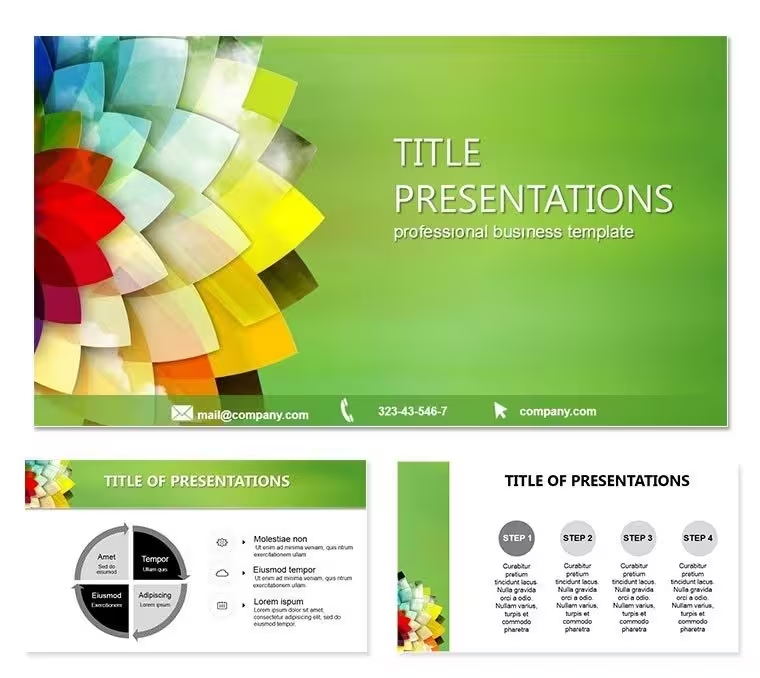
Bring timeless elegance to your slides with this ancient sculptures PowerPoint template. 28 editable diagrams and 7 color schemes perfect for art history, archaeology, museum and educational presentations. Fully customizable and ready to use. Instant download.
When and Why to Use This Ancient Sculptures PowerPoint Template
Teachers, museum curators and art historians need visuals that instantly transport audiences to classical eras without spending days on design. This PowerPoint template solves that by providing 28 professionally themed diagrams built around ancient sculptures.
Use it to illustrate Egyptian mysteries, Greek mythology or Roman history in a visually cohesive way. The 7 color schemes let you match any lecture hall lighting or brand palette in seconds. Every element remains fully editable so you keep full creative control.
Perfect for classroom lectures, conference talks, museum exhibitions or cultural event presentations where timeless aesthetics enhance storytelling.
Key Features
Includes 28 diagrams with ancient sculpture motifs and neutral-abstract layouts. Seven coordinated color schemes give immediate variety. All slides are vector-based and fully editable in Microsoft PowerPoint.
Formats include POT and POTX for easy opening on Windows and Mac. No missing fonts or broken images - everything is self-contained.
Professional Use Cases
Art history professors use the sculpture close-ups and timeline layouts to explain stylistic evolution. Museum guides create guided tour decks with comparison slides. Archaeologists present excavation findings with thematic backgrounds that reinforce the era.
Open the template, choose a color scheme, replace text and images, then deliver with confidence. The design supports both image-heavy and text-focused slides so you adapt to any audience.
Whether for a university seminar or a public lecture, the ancient sculptures theme keeps viewers engaged from the first slide to the last.
FAQ
Is this ancient sculptures PowerPoint template fully editable?Yes, all text, shapes, colors, diagrams and images can be modified directly in PowerPoint.
How many color schemes are included?Seven complete color schemes allow instant variation while maintaining visual harmony.
Can I use it for commercial projects?Yes, the license covers personal and commercial use including client presentations and educational materials.
What file formats are provided?POT and POTX files plus high-resolution JPG previews for easy previewing and editing.
Good for
- Project roadmaps and sprint plans
- Product launch timelines
- Quarterly or annual review decks
- Company history and milestone summaries
Licence
reviews
but the diagrams are a bit basic for advanced research.
Used the timeline layouts to explain stylistic evolution for an art history lecture. Very elegant.
The sculpture close-ups are high quality but the neutral-abstract layouts are a bit plain.
the comparison slides for guided tours are very useful.
I like the thematic backgrounds for reinforcing historical eras. Helped with an archaeology presentation.
The color schemes are nice
FAQ
Will it work in Google Slides?
Are fonts embedded?
Can I use this for client work?
What's the refund policy?
Do you update the template after purchase?
Similar templates
See all PowerPoint Templates →

All 1 slides