 Click to zoom
Solar and Wind Energy Diagrams - Editable PPTX | ImagineLayout
| Format | .pptx |
| Slides | 3 unique layouts |
| Aspect ratio | 16:9 |
| Compatibility | PowerPoint |
| Animated | No |
| Language | English |
| License | Commercial |
| File size | — |
| Version | v1.0 |
| Last updated | April 2026 |
What's inside
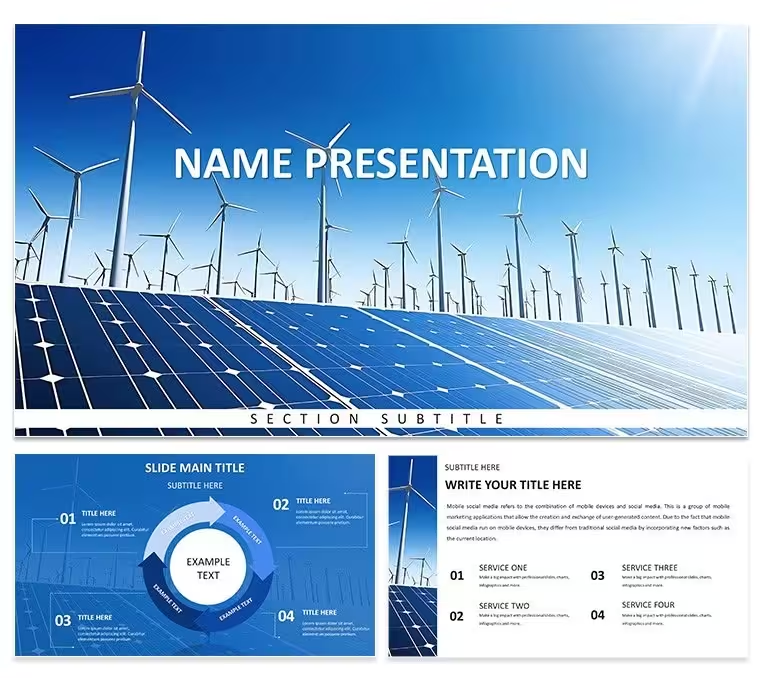
28 diagrams across 7 color schemes in .pptx, .potx, and .jpg format - $10 for the 3-master base theme, $20 for the full PowerPoint diagram template including every diagram and color variant. The subject focus is solar and wind energy specifically: solar panel system layouts and wind turbine flowcharts form the two primary diagram categories, with hybrid energy system diagrams and energy flow visualizations filling the remainder of the set.
Solar panel diagrams in the set use a top-down grid structure to map panel arrays, inverter connections, and grid tie-in points. Wind turbine flowcharts run left to right, tracing generation through transmission to end-use stages. Connector lines in both categories adjust direction and weight without requiring shape regrouping - relevant when iterating on system topology during a project scoping session where configuration options change between slides. Diagram labels sit outside chart elements as secondary annotations rather than inside shape boxes, which prevents text from competing visually with structural elements when multiple data points occupy a single layout.
Files open in PowerPoint 2016, 2019, 365, and the Mac PowerPoint version without conversion. The .potx file sets the theme globally when applied through File - New from Template. Color changes across all 28 diagrams route through View - Slide Master: select the top master slide, click the Colors dropdown, choose one of the seven built-in palettes, and all diagrams update at once. Brand hex values can replace any preset color without breaking the master. Per-slide shape overrides through Format - Shape Style apply locally and persist independently of the master setting.
Download and start editing immediately
Frequently Asked Questions
Which PowerPoint versions are compatible with this template?PowerPoint 2016, 2019, 365, and the Mac version of PowerPoint open all 28 diagrams without any file conversion. The slide master palette loads automatically when the file is opened, so color theme changes apply consistently from the first edit. Older PowerPoint versions may need a one-time font substitution that takes under one minute; after that step, all shapes and connector lines are fully editable.
How do I change the color scheme across all 28 diagrams globally?Go to View - Slide Master, select the top master slide, and click the Colors dropdown. Choose one of the seven built-in palettes, or enter custom brand hex values to replace any preset. Every diagram in the file updates at once - no per-slide editing needed. For slides where a local color override is required, use Format - Shape Style on that specific shape; local changes persist without resetting the master configuration.
Does the license permit use in client-facing and commercial presentations?The license covers unlimited internal company use and paid client work, including investor presentations, project proposals, and technical briefings delivered as part of a commercial engagement. The .pptx and .potx source files may not be resold as a design product or distributed independently. Multiple team members may access the same purchased file under one license; contact ImagineLayout support for enterprise multi-seat arrangements.
What is the difference between the $10 base version and the $20 full version?The $10 base version contains 3 masters and 3 backgrounds in .pptx and .potx format - no diagram slides are part of this package. The $20 full version adds all 28 diagrams across all seven color schemes with no watermarks and every shape layer unlocked for editing. The solar panel system layouts, wind turbine flowcharts, and hybrid energy flow diagrams are exclusively in the full version.
What are the refund conditions?Refund requests are accepted within 30 days if the file does not open in your stated version of PowerPoint. Send the order number and a brief description of the issue to ImagineLayout support. Approved refunds are processed within 48 hours. Refunds are not issued after the file has been successfully downloaded and edited.
Good for
- Project roadmaps and sprint plans
- Product launch timelines
- Quarterly or annual review decks
- Company history and milestone summaries
Licence
reviews
Pulled an all-nighter on a wind energy proposal and the turbine flowchart slid in perfectly after I adjusted the connector direction a couple times.
The top-down grid for solar panel arrays was exactly what I needed for our community solar project - saved me from drawing it all from scratch at 2 AM.
Labels sit outside the diagram shapes instead of inside, which sounds minor but actually makes the slides way more readable when you're presenting to a room of 50 people.
Could use more hybrid energy diagrams - there are only a couple in the set - but the ones that are there are solid and the vector icons scale nicely.
Good for engineers who need to show system configurations without spending hours on PowerPoint shapes.
FAQ
Will it work in Google Slides?
Are fonts embedded?
Can I use this for client work?
What's the refund policy?
Do you update the template after purchase?
Similar templates
See all PowerPoint Templates →



All 1 slides