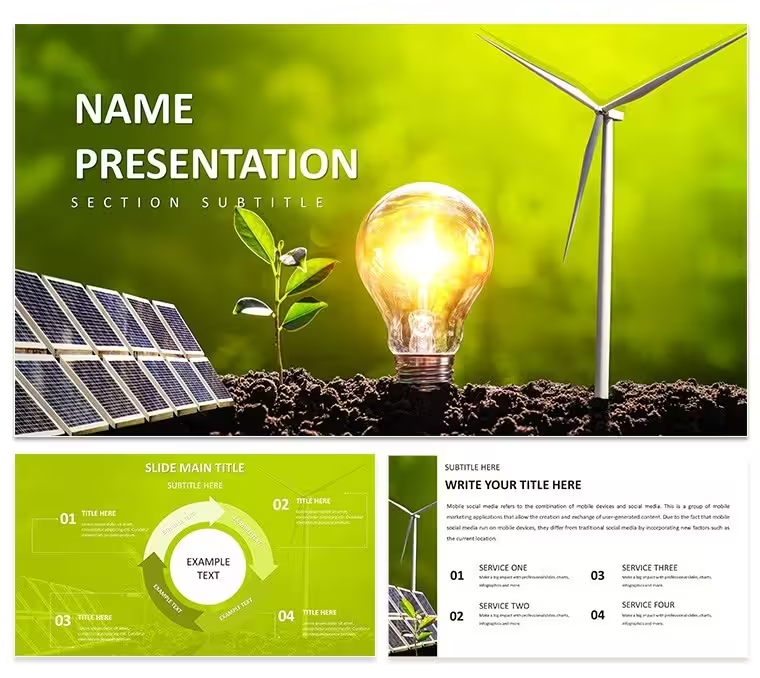
 Click to zoom
Green Technology Renewable Energy Diagrams - Editable PPTX | ImagineLayout
| Format | .pptx |
| Slides | 3 unique layouts |
| Aspect ratio | 16:9 |
| Compatibility | PowerPoint |
| Animated | No |
| Language | English |
| License | Commercial |
| File size | — |
| Version | v1.0 |
| Last updated | April 2026 |
What's inside
No photo placeholders, no decorative gradients - 28 vector diagrams across 7 color schemes in .pptx, .potx, and .jpg, priced at $10 for the base theme and $20 for the full PowerPoint diagram template. The subject matter is green technology and renewable energy: tech integration flows, sustainability metric layouts, and innovation process diagrams form the core of the 28-slide set.
The diagram categories break into three structural types. Technology integration diagrams map how green tech components connect within a system - grid interfaces, storage linkages, and distribution paths - using a left-to-right horizontal flow with connector lines that adjust weight and direction independently. Innovation process diagrams use a staged vertical or radial layout to show ideation-through-deployment sequences. Sustainability metric displays are the third type: these use comparison and progress-bar structures suited to reporting against emissions targets, energy efficiency benchmarks, or circular economy indicators.
Time estimates and secondary data labels in procedure diagrams sit outside step boxes as secondary annotations, not embedded inside them. This keeps the primary step label - the element audiences discuss in live meetings - visually dominant, while supporting data remains accessible without creating reading competition inside a single shape. The approach applies across all 28 diagrams in the set.
PowerPoint 2016, 2019, 365, and the Mac version open all files without conversion. Color changes apply globally through the slide master: View - Slide Master - top master slide - Colors dropdown. Choose any of the seven built-in palettes or enter a brand hex value to override a preset. All 28 diagrams update simultaneously. A per-slide override is always available through Format - Shape Style for any element requiring a local exception - that change persists without resetting the master. If only a single diagram needs a color adjustment rather than the full deck, clicking directly on that slide and editing through Format - Shape Style is faster than opening the master at all.
Frequently Asked Questions
Which PowerPoint versions open this template correctly?PowerPoint 2016, 2019, 365, and the Mac version of PowerPoint all open every diagram without file conversion. The slide master palette loads automatically on first open, so color scheme changes are available immediately. If a font substitution prompt appears on older PowerPoint builds, accepting the substitution takes under one minute and does not affect the editability of any shape or connector.
How do I apply a color scheme to all 28 diagrams at once?Color changes for the full deck go through the slide master. Open View - Slide Master, select the top master slide, and click the Colors dropdown. Choose one of the seven built-in palettes or type a custom hex value to match brand guidelines. All 28 diagrams update in one action. For individual slide exceptions, use Format - Shape Style on the specific element - that override is stored at the slide level and does not modify the master configuration. If only one diagram needs changing, editing directly on that slide through Format - Shape Style is faster than opening the master.
Does the license cover commercial and client use?The license permits unlimited internal company use and paid client work. Presentations built with this template can be delivered to external clients and used in commercial strategy or ESG reporting engagements. The .pptx and .potx source files may not be resold as a standalone design product or distributed independently. One purchased file can be accessed by multiple team members under a single license; contact ImagineLayout support for enterprise multi-seat options.
What does the $10 base version include versus the $20 full version?The $10 base version provides 3 masters and 3 backgrounds in .pptx and .potx format only. No diagram slides are part of the base package. The $20 full version adds all 28 diagrams across all seven color schemes, with every shape layer and text placeholder unlocked and no watermarks present. The tech integration flows, sustainability metric displays, and innovation process diagrams are available exclusively in the full version.
What are the refund conditions?Refund requests are accepted within 30 days of purchase if the file does not open in your stated version of PowerPoint. Send the order number and a description of the problem to ImagineLayout support. Approved refunds are processed within 48 hours. Refunds are not available once the file has been successfully downloaded and edited.
Good for
- Project roadmaps and sprint plans
- Product launch timelines
- Quarterly or annual review decks
- Company history and milestone summaries
Licence
reviews
The tech integration flows use left-to-right horizontal layout with connectors that you can adjust independently - big time saver for our grid modernization presentation.
Sustainability metric displays use progress bar structures that worked perfectly for our emissions targets report, though I had to tweak a few colors to match our brand.
The innovation process diagrams use staged vertical layouts which are fine, but I ended up using the radial version for most of my slides because it looked more dynamic.
Secondary data labels sit outside the step boxes which keeps the primary message clear during live meetings - my team actually noticed the difference.
Good for ESG teams doing internal strategy decks, but the $10 base version is just masters and backgrounds so spring for the $20 full set.
FAQ
Will it work in Google Slides?
Are fonts embedded?
Can I use this for client work?
What's the refund policy?
Do you update the template after purchase?
Similar templates
See all PowerPoint Templates →

All 1 slides