 Click to zoom
Sustainable Energy Diagrams - Editable PPTX | ImagineLayout
| Format | .pptx |
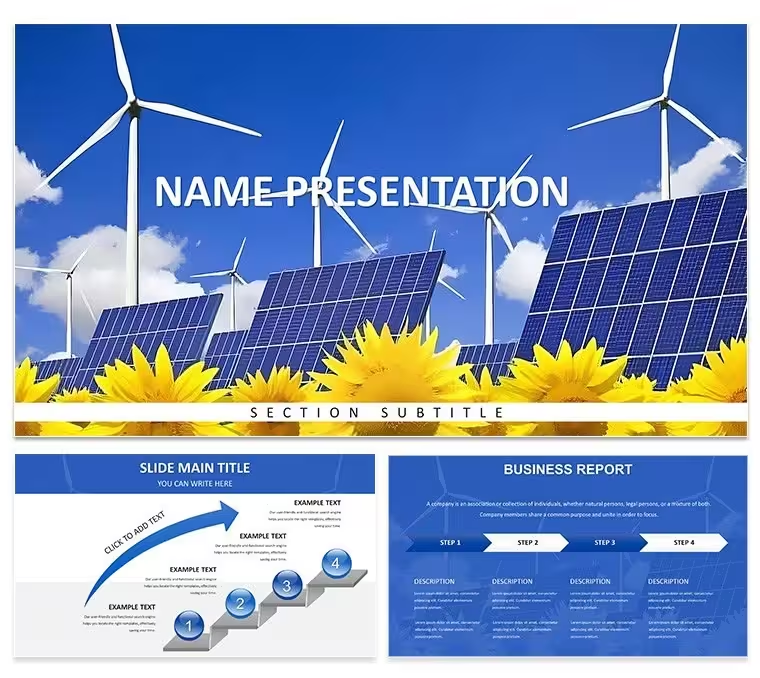
| Slides | 3 unique layouts |
| Aspect ratio | 16:9 |
| Compatibility | PowerPoint |
| Animated | No |
| Language | English |
| License | Commercial |
| File size | — |
| Version | v1.0 |
| Last updated | April 2026 |
What's inside
Sustainable Energy Diagrams - Editable PPTX
For quarterly board decks with no designer these 28 diagrams drop straight in.
Paid version costs exactly $10.00 and delivers the complete editable set while the page lists no free version.
Sustainability managers who update annual impact reports use this PowerPoint diagram template because the vector layouts save hours of manual chart building.
Color changes via slide master take under two minutes.
Open View choose Slide Master click the Colors dropdown pick any of the seven schemes and the entire deck updates in one click.
The design keeps a balanced grid with centered icons and data bars that never shift out of place when you resize the slide.
Thin 1.5 pt stroke weight on every connector and icon stays crisp at 16:9 scale or when exported to PDF.
This PowerPoint diagram template turns raw sustainability numbers into clear slides fast.
File opens directly in PowerPoint 2016+ with 28 fully editable diagrams that cover sustainable sources efficiency charts and reduction metrics.
Switching the seven color schemes updates all shapes icons and text at once through the single master slide while individual elements remain completely independent.
How do I change colors via slide master?Open the file in PowerPoint go to View and select Slide Master. Click the top master slide then Colors and choose any of the seven built-in schemes. Every one of the 28 diagrams updates instantly across the whole deck.
Can I use this for client work?Yes the license allows client work right after purchase. You can modify the diagrams for any paid presentation. Just do not resell or share the original template files themselves.
What is the free vs paid difference?The paid version at $10.00 contains the complete 28 diagrams and all 7 color schemes in full editable PPTX format. No free version is listed on the page. You receive instant full access without watermarks or missing elements.
What are the refund conditions?Refunds are not available once the digital file has been downloaded because access is immediate. Always review the preview images on the page first to confirm compatibility. All sales are final per the standard digital policy.
How do I export to PDF video or web?Finish the deck then export straight to PDF for clean sharing or to video for live presentations. The vector diagrams stay sharp in every format. Web export works if your PowerPoint version supports it.
Download and start editing immediately
Good for
- Project roadmaps and sprint plans
- Product launch timelines
- Quarterly or annual review decks
- Company history and milestone summaries
Licence
reviews
Quarterly board decks are way easier now - dropped in our efficiency charts and reduction metrics, switched color schemes once, and the whole thing came together in under an hour.
The 1.5 pt stroke weight on connectors looks clean but I wish the template included more variety in chart types beyond the standard bar and line graphs.
Good for sustainability managers who need to turn raw numbers into clear slides fast without hiring a designer for every quarterly update.
Used the seven color schemes to match our brand colors - the slide master update worked instantly across all 28 diagrams which saved me from doing it slide by slide.
The balanced grid layout with centered icons and data bars never shifted out of place when I resized slides for my sustainability impact report - huge relief.
FAQ
Will it work in Google Slides?
Are fonts embedded?
Can I use this for client work?
What's the refund policy?
Do you update the template after purchase?
Similar templates
See all PowerPoint Templates →


All 1 slides