 Click to zoom
Digital Transformation PowerPoint Template - Free Editable Diagrams | Instant Download
| Format | .pptx |
| Slides | 3 unique layouts |
| Aspect ratio | 16:9 |
| Compatibility | PowerPoint |
| Animated | No |
| Language | English |
| License | Commercial |
| File size | — |
| Version | v1.0 |
| Last updated | March 2026 |
What's inside
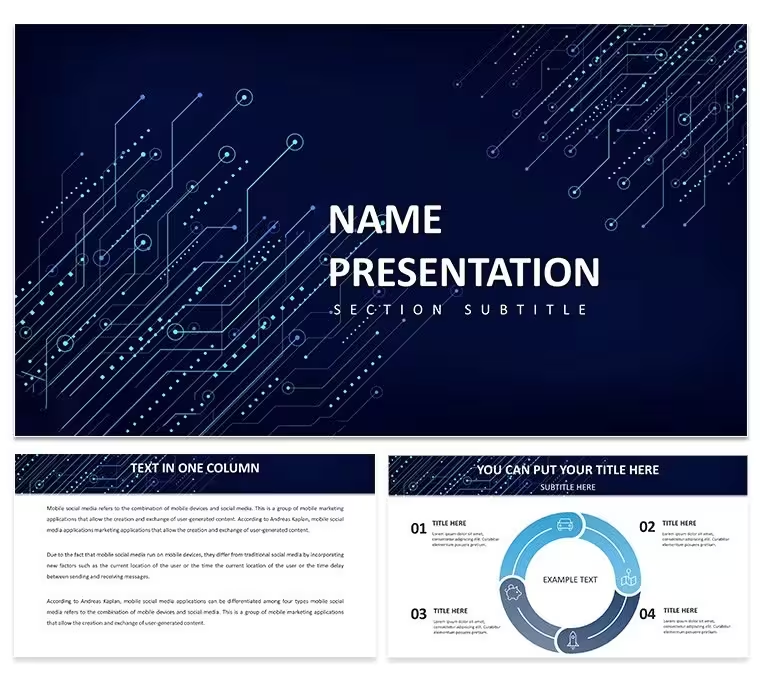
Download the Digital Transformation PowerPoint Template with 28 fully editable diagrams in 7 color schemes. Designed for CTOs and business leaders to visualize technology adoption, process change, and evolution strategies in Microsoft PowerPoint. Instant download includes PPTX, POTX, and JPG formats for immediate use.
What's Included
The Digital Transformation PowerPoint Template contains 28 professional diagrams built for technology evolution and change management topics. Files supplied are the PPTX working file, POTX theme file, and JPG previews. The set is ready for immediate download and use.
Seven color schemes are included to accommodate any branding or presentation environment. All diagrams open natively in Microsoft PowerPoint without extra software.
File Format Breakdown
PPTX holds the editable diagrams, POTX applies the master theme, and JPGs provide quick previews. This organization supports fast assembly of transformation strategy decks.
Key Features
The template offers 28 diagrams focused on digital change processes and tech adoption visuals. The 7 color schemes enable instant appearance changes. Vector construction keeps every element editable and scalable.
Editable Components
Text placeholders, process arrows, and milestone icons respond to direct edits. Color fills switch across schemes automatically. These tools allow precise alignment with company transformation metrics.
FeatureThis TemplateBuilding From ScratchDiagrams Included280Color Schemes71File FormatsPPTX, POTX, JPGNoneVector EditingYesManual creationCompatibilityPowerPoint 2010+Time intensiveTheme ApplicationPOTX readyCustom buildProfessional Use Cases
Executive Strategy Briefings
A CTO at a retail corporation used the diagrams from this Digital Transformation PowerPoint Template to present cloud migration phases to the leadership team. The process flow visuals clarified timelines and resource needs, accelerating executive buy-in and project start date.
Change Management Workshops
A business transformation manager at a logistics company integrated the 28 diagrams into employee training sessions. Staff understood new digital workflows faster through the illustrated steps, resulting in smoother adoption and fewer operational disruptions.
How to Customize
Step-by-Step Workflow
Download the package and open the PPTX file in Microsoft PowerPoint. Select any of the 7 color schemes to suit your branding. Replace placeholder text with your transformation KPIs or timeline data. Adjust process arrows or milestone icons as needed. Save the file and export or present directly.
The ready diagrams shorten preparation so transformation leaders concentrate on strategic messaging rather than graphic design.
Why Choose This Template
This Digital Transformation PowerPoint Template differs from related cryptocurrency or digital assets templates listed on the site by focusing on broad business change and technology evolution diagrams. The seven color schemes deliver more styling choices than the single-scheme alternatives in related sections.
Designing 28 transformation diagrams manually demands significant time and skill; this set provides immediate professional consistency and frees users to focus on content delivery.
Is the Digital Transformation PowerPoint Template compatible with older versions of PowerPoint?Yes, the 28 diagrams open and edit correctly in Microsoft PowerPoint 2010 and every subsequent version on both Windows and Mac systems. The vector shapes and color schemes remain intact without conversion errors. You can apply the POTX theme to legacy files for consistent styling across mixed-version environments. This compatibility ensures that teams with varying software setups can still use the full set of diagrams for strategy briefings or change management sessions without technical barriers.
How do I edit the diagrams and apply different color schemes?The diagrams contain fully selectable text placeholders, process arrows, and milestone icons that you modify directly in PowerPoint. To change color schemes, simply switch the variant slide or apply the built-in theme from the 7 options. No external plugins are required. This level of control allows CTOs to customize adoption metrics or workflow visuals precisely while keeping the overall layout professional and consistent for any presentation length.
What licensing is included with this Digital Transformation PowerPoint Template?The download grants standard commercial and personal use rights for presentations, reports, and training materials. You may incorporate the 28 diagrams into client deliverables or internal company decks without additional fees. Attribution is not required. This license covers the exact use cases of CTOs and transformation managers who present tech evolution strategies to stakeholders or teams.
Can I use the diagrams in both digital and printed formats?Yes, the vector-based diagrams retain sharpness at any size for screen projections, PDF exports, or printed handouts. The 7 color schemes adapt to both light and dark printing conditions without loss of detail. Transformation teams frequently print the diagrams as reference posters or include them in roadmap documents where high-resolution output is mandatory.
What happens after I complete the download?You receive an immediate link to the zip package containing all PPTX, POTX, and JPG files. Unzip and open the main file to begin editing the 28 diagrams right away. No account or additional steps are needed. This instant access lets business leaders prepare last-minute strategy briefings or workshops without delay.
Good for
- Project roadmaps and sprint plans
- Product launch timelines
- Quarterly or annual review decks
- Company history and milestone summaries
Licence
reviews
Used the SWOT analysis infographic for a strategic overview and my professor said it was the clearest slide in the deck.
The Gantt chart on slide 22 let me adjust timelines on the fly which was helpful because our project dates kept changing.
The stacked bars comparing projected versus actual spends worked perfectly for a budgeting breakdown in my finance class.
Had to present a commerce roadmap for a group project and the planning flow diagrams with milestone highlights made me look prepared.
Good for students but the $22 price tag is a bit steep for a one-time school project so I'll probably just use the free samples next time.
FAQ
Will it work in Google Slides?
Are fonts embedded?
Can I use this for client work?
What's the refund policy?
Do you update the template after purchase?
Similar templates
See all PowerPoint Templates →


All 1 slides