 Click to zoom
Growing Tomatoes PowerPoint Template - Agriculture & Botany Presentation | Fully Editable | Instant Download | ImagineLayout
| Format | .pptx |
| Slides | 3 unique layouts |
| Aspect ratio | 16:9 |
| Compatibility | PowerPoint |
| Animated | No |
| Language | English |
| License | Commercial |
| File size | — |
| Version | v1.0 |
| Last updated | March 2026 |
What's inside
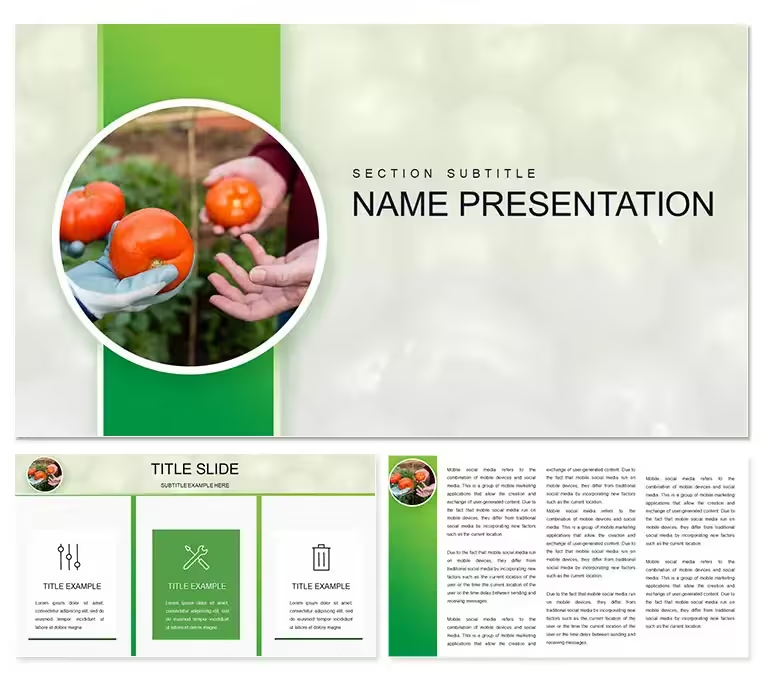
Create focused agriculture presentations with the Growing Tomatoes PowerPoint Template featuring 3 slides and 28 editable diagrams in 7 color schemes. Includes botany plant science ecology and gardening visuals perfect for farming education and eco-friendly content. Fully compatible with PowerPoint instant download.
What's Included
The Growing Tomatoes PowerPoint template includes exactly 3 slides delivered in POT POTX and JPG supporting formats. It also provides 28 fully editable diagrams available across 7 distinct color schemes. Visible tags and keywords on the page confirm inclusion of agriculture animals botany plant science ecology biology eco friendly and gardening. These components deliver a cohesive package focused solely on tomato growth and plant cultivation visuals without any unrelated elements. The file is ready for immediate opening in PowerPoint allowing users to begin work right after download. This specific combination of 3 main slides and the 28 diagrams sets a complete foundation tailored to agriculture topics.
Core Files and Assets
Users receive the primary presentation file containing the 3 slides plus supporting format options. All diagrams are built as editable vector or shape objects supporting color fills text updates and layer adjustments. The plant science icon set drawn from page tags integrates directly into the diagrams enabling quick assembly of botany focused content. No additional assets or third-party fonts are required.
Key Features
This template stands out through its dedicated 28 diagrams presented in 7 color schemes that directly support the Growing Tomatoes agriculture theme. The 3-slide structure keeps presentations concise while the diagrams provide depth for growth stage visualization. All botany elements listed in the page tags are pre-placed and fully modifiable. The layout style maintains clean modern lines suited to professional farming and education presentations. Unlike related templates on the site such as general Growing Plants or Eco Friendly Plants this one delivers a crop-specific tomato growth narrative making it uniquely targeted.
Feature Comparison Table
FeatureThis TemplateMain Slides3Editable Diagrams28 in 7 color schemesFile FormatsPOT / POTX / JPGBotany FocusGrowing Tomatoes specificTheme ElementsAgriculture ecology visualsCustomization DepthFull shape editingProfessional Use Cases
A botany instructor at a community college used the Growing Tomatoes diagrams to deliver a semester module on plant development stages to undergraduate students resulting in higher engagement scores and improved exam performance on cultivation topics. A greenhouse operations manager at a commercial farm employed the agriculture visuals across the 3 slides to train seasonal staff on tomato growth cycles leading to reduced crop loss through better understanding. An environmental educator at a nonprofit organization incorporated the ecology and gardening tags elements into a public workshop presentation securing additional funding for community garden programs. These scenarios highlight how the specific tomato-focused diagrams deliver measurable outcomes in agriculture and education settings.
How to Customize
Begin by downloading the POT or POTX file and opening it directly in PowerPoint. Navigate to any of the 28 diagrams and edit text change fills from the 7 color schemes or modify plant science shapes. Update the 3 main slides with your specific data points or images. The workflow takes under 25 minutes for most users allowing rapid preparation of an agriculture presentation. Export as PDF or PPTX once complete. This process leverages the pre-built botany visuals so you focus exclusively on content delivery.
Why Choose This Template
Compared to building an equivalent agriculture presentation from scratch users save significant time because the Growing Tomatoes template already contains 28 professionally designed diagrams and the complete set of botany elements pulled from the page tags. Creating matching tomato growth stage visuals manually would require hours of illustration work plus color harmonization across 7 schemes. This template ensures visual consistency and modern layout quality that communicates plant science credibility instantly. The 3-slide structure prevents overload while the diagrams provide necessary depth for educational topics. Related templates such as general Flora Sprout or Plant Ecology lack the crop-specific tomato narrative this one provides making it the superior choice for targeted agriculture storytelling.
Is this Growing Tomatoes PowerPoint Template compatible with the latest PowerPoint versions?The template is built for full compatibility with current PowerPoint releases on Windows and Mac. Open the POT or POTX file and all 28 diagrams plus 7 color schemes load without issues. No conversion steps are needed and all agriculture and botany elements remain fully editable. This ensures users can start customizing the growing tomatoes visuals immediately.
How do I customize the diagrams for my agriculture topic?Customization is straightforward in PowerPoint. Select any diagram from the 28 available then edit text change fills from the 7 color schemes or adjust plant shapes drawn from the page tags. All objects remain crisp and master slide updates apply to the 3 slides. This allows precise tailoring to tomato cultivation or broader botany data while keeping the eco-friendly gardening aesthetic.
What exactly is included in the download for this template?The download package contains the main presentation file with 3 slides supporting POT POTX and JPG formats plus the full set of 28 diagrams. All agriculture botany and growing tomatoes elements visible in the page tags are embedded. No extra purchases are necessary.
Can this template be used for commercial farming training?Yes the Growing Tomatoes template supports commercial use in agriculture training and client presentations. The editable diagrams work across the 3 slides for professional delivery. Users can modify content for paid workshops or internal farm programs while respecting standard usage terms.
How quickly can I prepare an agriculture presentation using this template?Most users finish customization in 15-30 minutes. Download open in PowerPoint update the 28 diagrams with your data adjust colors and refine the 3 slides. Pre-built botany visuals remove design time allowing focus on tomato growth messaging for fast professional results.
Good for
- Project roadmaps and sprint plans
- Product launch timelines
- Quarterly or annual review decks
- Company history and milestone summaries
Licence
reviews
Used the tomato growth stage lifecycle diagrams for an agriculture science fair, the seedling development timelines were very detailed.
The pest identification matrices were helpful, but the fertilizer NPK ratio charts were missing micronutrient data.
Just needed a quick slide for a gardening club handout, the tomato vector graphics were high-res.
The greenhouse climate control flowcharts were a lifesaver for the hydroponics workshop, the pH balance tracking graphs were accurate.
Okay for a botany class, but the heirloom variety comparison wheels are missing flavor profiles.
FAQ
Will it work in Google Slides?
Are fonts embedded?
Can I use this for client work?
What's the refund policy?
Do you update the template after purchase?
Similar templates
See all PowerPoint Templates →


All 1 slides