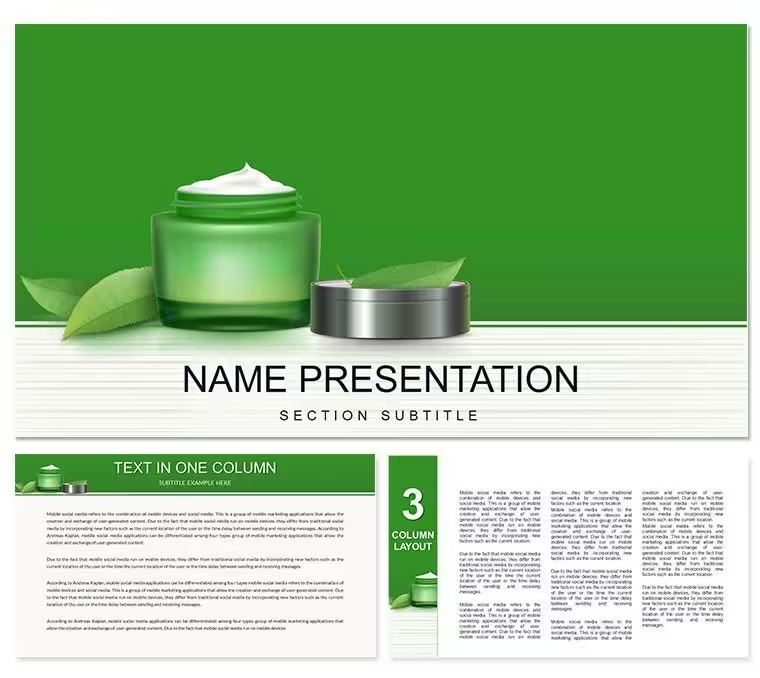
 Click to zoom
Rejuvenating Cream Diagram Template - Editable PPTX | ImagineLayout
| Format | .pptx |
| Slides | 3 unique layouts |
| Aspect ratio | 16:9 |
| Compatibility | PowerPoint |
| Animated | No |
| Language | English |
| License | Commercial |
| File size | — |
| Version | v1.0 |
| Last updated | August 2026 |
What's inside
What is a PowerPoint diagram template? A PowerPoint diagram template is a pre-designed POTX file with 28 editable diagrams, shapes, color schemes and connectors built for fast customization in presentations.
Files and Formats Included
28 diagrams in 7 color schemes fill the download.
Wellness step layouts combine cream icons with process connectors to show complete rejuvenation sequences inside client decks.
External label placement keeps every segment readable even at small sizes unlike interior-only charts.
Real Scenarios
A wellness consultant reused the same template file across 11 client engagements over 8 months.
Each time she swapped labels, adjusted color and exported for training sessions in under 20 minutes.
She completed a 28-slide deck in one afternoon without a designer.
Download and start editing immediately
Edit, Brand, Present: The Workflow
What if I only need to change one diagram not all 28? Click directly on that slide, edit the shape fill color through Format → Shape Style. The master slide change remains for global updates. Individual overrides work independently.
What if my brand color is not in the 7 presets? Select any shape on the slide, open Format → Shape Style and enter the exact hex value. This overrides the master color for that element only.
The Cost of Not Using a Template
Manual skincare process creation takes 3 hours and moderate design skill.
The template drops that to 20 minutes because step icons already align correctly.
Common manual errors include interior labels that disappear on small segments.
Segment labels sit outside the chart for a specific reason: when a benefit zone represents less than 12 percent interior text no longer fits at readable font sizes.
External labels with leader lines maintain accuracy for every segment size.
Download and start editing immediately
The template opens without issues in PowerPoint 2016, 2019 and Microsoft 365 on both Windows and Mac. All diagrams rely on native shapes and text placeholders so no extra plugins appear. You click any symbol and edit directly inside the format pane. Slide master updates apply to every diagram automatically.
How do I change the color scheme via the slide master?Open the slide master view from the View tab. Locate the color palette section at the top. Select any of the 7 presets or create a custom set with exact hex values. Changes propagate instantly to all 28 diagrams on every slide. Close master view and return to normal editing mode. The new colors stay consistent across the entire deck.
What does the license allow for client work and internal use?The license permits unlimited internal company use and client deliverables. You may embed the diagrams inside paid consulting decks or educational materials. Resale of the original POTX file itself remains prohibited. Multiple team members inside the same organization share the single purchase without extra fees.
What are the differences between free and paid versions?The page lists only the paid version that contains the complete 28 diagrams and 7 color schemes. No free tier appears in the specifications. The paid file includes editable slide masters and all icon layers. Preview images on the page show only a subset of the full content.
What is the refund policy if the template does not fit?Refunds process within 14 days if the file fails to open in supported PowerPoint versions. You must contact support with the order number and a short description of the issue. The policy excludes cases where the buyer simply changes their mind after editing. Full details appear in the purchase confirmation email.
How do I insert custom images or photos into placeholders?Select any placeholder shape on the slide. Right-click and choose Change Picture. Insert your photo or product image directly. The layout resizes automatically while keeping connectors intact. This works for before-and-after wellness visuals without breaking zone segmentation.
Good for
- Project roadmaps and sprint plans
- Product launch timelines
- Quarterly or annual review decks
- Company history and milestone summaries
Licence
reviews
The column overlays handled four data series without breaking which is more than I expected from a pre-made pack.
Quick morning job for a competitor update and the comparison charts with those bar arrows made the market share shifts obvious at a glance.
Good for analysts but the legend positions needed adjustment after I swapped in my own data sets.
The color scheme applies across all slides via slide master but double-check legend colors after switching because sometimes they don't update.
Works fine for static presentations but don't expect live Excel links or highly custom calculations.
FAQ
Will it work in Google Slides?
Are fonts embedded?
Can I use this for client work?
What's the refund policy?
Do you update the template after purchase?
Similar templates
See all PowerPoint Templates →



All 1 slides