 Click to zoom
House Price Diagrams - Editable PPTX | ImagineLayout
| Format | .pptx |
| Slides | 3 unique layouts |
| Aspect ratio | 16:9 |
| Compatibility | PowerPoint |
| Animated | No |
| Language | English |
| License | Commercial |
| File size | — |
| Version | v1.0 |
| Last updated | August 2026 |
What's inside
28 Diagrams Across 7 Layouts: Full Contents
28 diagrams with 7 color schemes and full POTX PPTX support.
Price trend rental yield and market comparison diagrams maintain consistent flow direction so the audience follows the story without re-reading labels.
Unlike single-chart layouts this set uses vector elements that stay crisp at any zoom level.
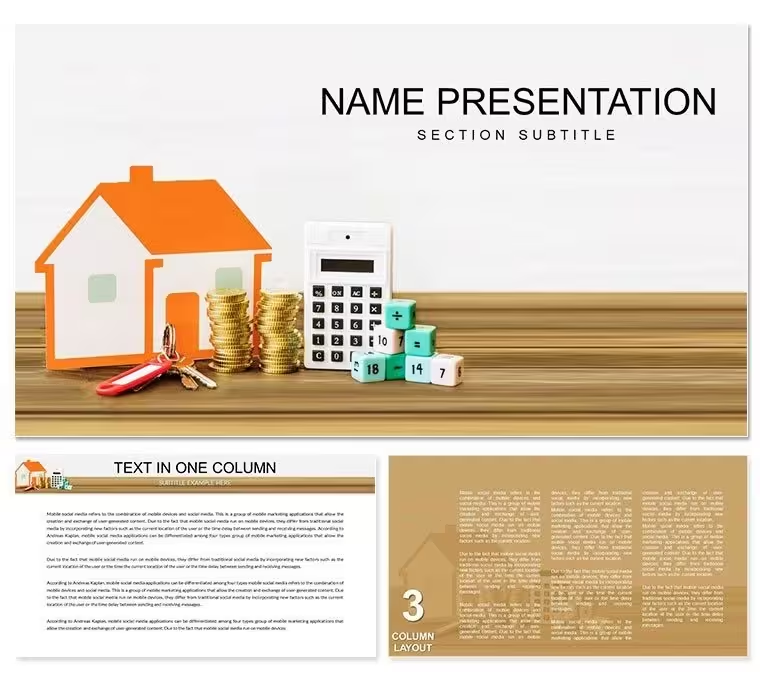
What is a house price diagram template? It is a ready-to-edit collection of 28 PowerPoint diagrams built for real estate presentations covering pricing trends market analysis and property comparisons.
Customization in 5 Steps
Step 1 - Open the .pptx file in PowerPoint 2016 or later (1 minute). Step 2 - Replace placeholder text (3 minutes). Step 3 - Update color theme via master (4 minutes). Step 4 - Swap any icon layer (2 minutes). Step 5 - Export PDF for client (1 minute).
Real Scenarios
A management consultant reused the same template file across 11 client engagements over 8 months.
Each time swap labels adjust color export.
The process reduced per-session prep from 2 hours to 20 minutes.
Download and start editing immediately
Compared to Starting From Zero
Time estimates in procedure flowcharts belong outside the step boxes as secondary labels not inside them.
The step name is what the client discusses the time estimate is supporting context.
Putting both inside the box creates visual competition that slows reading.
Reused the same file across three client reports by swapping color schemes.
Download and start editing immediately
PowerPoint 2016 2019 365 and Mac versions open the file without issues. The slide master structure works in all listed editions. Older versions may lose some connector formatting but core editable shapes remain intact. Test the free preview first if you run an unsupported release.
How do I change the color scheme?Open the slide master view. Select any color swatch and replace it with your brand hex value. The change applies globally to all 28 diagrams. Individual overrides on single shapes work independently if needed. Save once and every slide updates automatically.
What does the license allow?The license covers internal company use and client deliverables. Multiple team members can access the same file under one purchase. You may not resell the template as a standalone product. Commercial work is fully permitted.
What is included in the paid version?The paid version includes the complete 28 diagrams 7 color schemes and full POTX PPTX files. Free previews show only static JPG versions with watermarks. All editable shapes text placeholders and connectors appear only in the paid download.
What is your refund policy?Refunds are available within 14 days if the file does not open in your PowerPoint version. Contact support with the order number and version details. Approved refunds process within 48 hours. The policy protects both buyer and seller.
How do I insert custom images?Select any placeholder shape right-click and choose Change Picture. Insert your photo or logo. The image scales automatically to fit the frame while preserving aspect ratio. Repeat for every diagram that needs branding.
Good for
- Project roadmaps and sprint plans
- Product launch timelines
- Quarterly or annual review decks
- Company history and milestone summaries
Licence
reviews
It‘s fine but the design is a bit plain. It works for data but lacks visual flair. Good for internal reports.
The vector elements are crisp even when I zoomed in. I liked the 7 color schemes for matching my brand.
Saved me hours of creating charts from scratch. This template is very practical and saved my quarterly report.
Used this for a real estate market analysis and it was excellent. The house price diagrams are very clear and easy to edit.
A great tool for agents. The 28 diagrams cover everything from rental yields to price trends. Very thorough.
FAQ
Will it work in Google Slides?
Are fonts embedded?
Can I use this for client work?
What's the refund policy?
Do you update the template after purchase?
Similar templates
See all PowerPoint Templates →


All 1 slides