 Click to zoom
Financial Services Diagrams - Editable PPTX | ImagineLayout
| Format | .pptx |
| Slides | 3 unique layouts |
| Aspect ratio | 16:9 |
| Compatibility | PowerPoint |
| Animated | No |
| Language | English |
| License | Commercial |
| File size | — |
| Version | v1.0 |
| Last updated | August 2026 |
What's inside
28 Diagrams, 7 Color Schemes: What You Get
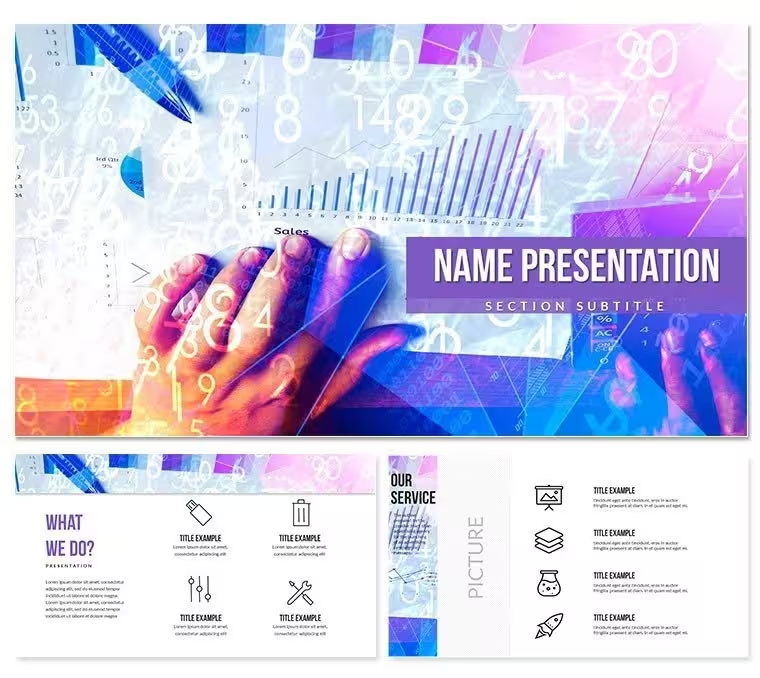
28 diagrams arrive with 7 color schemes ready for finance and accounting presentations.
Currency icons and service comparison columns integrate for clear investor deck visuals.
What is a PowerPoint diagram template? A PowerPoint diagram template is a pre-designed set of editable shapes, flowcharts and layouts that allow users to quickly visualize data and processes in business presentations.
Unlike generic balance sheet packs this set emphasizes service comparison columns with consistent icon sizing for quarterly reviews.
- Currency symbols maintain balance
- Comparison columns align automatically
- Color schemes switch globally
Edit, Brand, Present: The Workflow
Editing difficulty: Moderate.
Open the file and spend the first two minutes orienting to the master slide structure - this is where all color changes happen globally.
The most common mistake is editing individual slide colors directly; going through the master saves 15 minutes of repeated work.
Once content is in place the export step depends on the destination audience.
Business Scenarios
A management consultant reused the same template file across 11 client engagements over 8 months.
Each time only labels and color schemes changed while layout stayed consistent.
The result completed a 28-slide deck in one afternoon without a designer.
Download and start editing immediately
Compared to Starting From Zero
Building financial services diagrams manually takes 3 hours per slide and requires advanced icon alignment skills.
Typical errors include unbalanced currency symbols across comparison columns.
Financial service icons in the diagrams use consistent line thickness for currency symbols to maintain balance across comparison columns.
Download and start editing immediately
Which PowerPoint versions support this template?PowerPoint 2016, 2019, 365 and Mac versions open the files without issues. The POTX master slide loads correctly in all listed editions. Older versions may lose some connector formatting so update if possible. Test the file immediately after download to confirm full compatibility.
How do I change the color scheme?Open the slide master via View → Slide Master. Select the color palette at the top and choose one of the 7 built-in schemes. All diagrams update automatically across the 28 layouts. Individual overrides remain possible on any slide without breaking the master. Save the file once changes are complete.
What is the license for client work?The paid license permits use in paid client work and internal company presentations. Redistribution or resale of the original files is not allowed. Multiple team members can access the same purchased file under one license. Contact support for enterprise licensing questions.
What are the differences between free and paid versions?The page does not specify a free tier. The paid version supplies the complete editable files with all 28 diagrams and 7 color schemes. Free preview images appear on the product page only. Full editing access requires the paid download.
What is the refund policy?Refunds are available within 14 days if the file does not open in your PowerPoint version or if the diagrams fail to load as described. Contact support with the order number and a short description of the issue. Approved refunds process within 3 business days. The policy protects buyers while preventing repeated downloads.
How do I apply the template to an existing presentation?Open your existing deck then insert the downloaded POTX as a new slide master via Design → Slide Master. Copy and paste your content into the placeholder layouts. The color theme and diagram styles transfer automatically. Save as a new file to preserve the original.
Can multiple team members use the same license?Yes the single-user license allows sharing within the same organization for internal projects. Each user must avoid redistributing the original files. Enterprise licensing covers larger teams with dedicated support. Check the order confirmation for exact terms.
Good for
- Project roadmaps and sprint plans
- Product launch timelines
- Quarterly or annual review decks
- Company history and milestone summaries
Licence
reviews
The service comparison columns in this set were perfect for my quarterly investor deck, saved me a ton of alignment headaches.
I like that the currency symbols are balanced, but I wish the icons were a little more modern.
Used the 7 color schemes to quickly mock up a few different versions for a client presentation, very efficient.
It's a useful tool for an analyst like me, but you definitely need to spend a few minutes understanding the master slide to use it right.
Decent for internal reports, the connectors between the diagrams are adjustable which was a nice plus.
FAQ
Will it work in Google Slides?
Are fonts embedded?
Can I use this for client work?
What's the refund policy?
Do you update the template after purchase?
Similar templates
See all PowerPoint Templates →



All 1 slides