 Click to zoom
Architectural Plans Diagram - Fully Editable | ImagineLayout
| Format | .pptx |
| Slides | 3 unique layouts |
| Aspect ratio | 16:9 |
| Compatibility | PowerPoint |
| Animated | No |
| Language | English |
| License | Commercial |
| File size | — |
| Version | v1.0 |
| Last updated | August 2026 |
What's inside
What is PowerPoint diagram template? A PowerPoint diagram template is a ready-made set of editable vector diagrams that professionals drop into slides to visualize complex ideas without starting from scratch.
What's Inside the Download
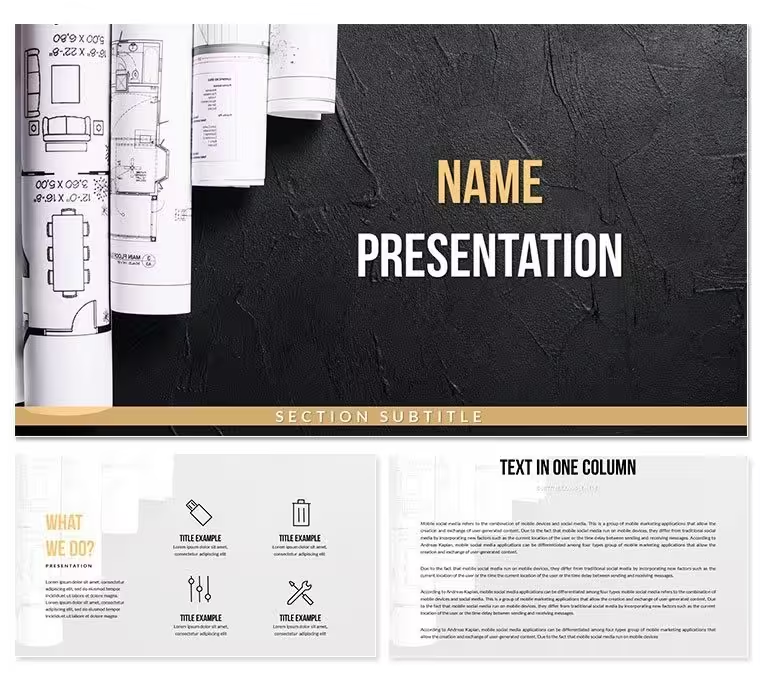
28 diagrams across 7 color schemes give you the full architectural plans package in one file.
Individual floor plans elevations and site layouts combine into a cohesive deck for any strategy meeting.
Unlike workflow-focused sets this one uses consistent flow direction and information spacing so every page maintains visual hierarchy without manual realignment.
- 28 editable diagrams
- 7 color schemes
- PPTX and POTX files
Real Scenarios
An architectural designer at a mid-size firm needed to present site plans to investors. The outcome cut deck preparation from 3 hours to 45 minutes.
The same file was reused across three client reports by swapping color schemes.
Download and start editing immediately
Why This Template, Not a Blank Slide
Building equivalent slides from scratch takes 4 hours and requires advanced design skill level.
Typical mistakes include mismatched line weights and poor layout composition.
Line weights in architectural plans diagrams indicate structural importance - thicker lines for load-bearing walls versus thin dashed lines for hidden elements allowing immediate visual prioritization without extra labels.
Download and start editing immediately
How do I change the color scheme via slide master?Open the file and go to View → Slide Master. Select the top master slide and update the color palette there. All 28 diagrams update globally in seconds. Individual overrides remain possible on any slide. This approach saves 15 minutes compared with editing each diagram manually.
What does the license allow for client work?The paid license permits unlimited internal use and client deliverables. You may not resell the template file itself or redistribute the source .pptx. One license covers one user or one team account. Contact support for enterprise licensing.
What are the differences between free and paid versions?The paid download includes the complete 28-diagram set with all 7 color schemes and editable masters. No free tier appears on the page. Purchase gives instant access to the full POTX and PPTX files ready for editing.
What is the refund policy?Refunds are available within 14 days if the file does not open in your version of PowerPoint. You must provide proof of purchase and a description of the issue. Refunds do not apply after the file has been downloaded and edited.
Which PowerPoint versions work?The template opens in PowerPoint 2016 2019 365 and Mac versions. All features remain fully editable. Older versions may show limited compatibility for some advanced connectors.
Can multiple team members use the same license?One license covers a single user account. Team licenses are available on request for shared drives or multiple editors. Contact support to upgrade.
How do I apply the template to an existing presentation?Open your existing deck then insert slides from the template file via the Reuse Slides option. Color themes transfer automatically once the master is applied. All diagrams remain fully editable.
Good for
- Project roadmaps and sprint plans
- Product launch timelines
- Quarterly or annual review decks
- Company history and milestone summaries
Licence
reviews
Pulled an all-nighter for a research symposium, this template's layout was easy on the eyes.
I only needed the Venn diagrams, so the rest of the slides were wasted on me.
It's alright, the color contrasts on some slides make text hard to read though.
Used the process flow slides for a manufacturing audit, saved me a bunch of time.
The icons are cute, but I wish there were more placeholder options for text.
FAQ
Will it work in Google Slides?
Are fonts embedded?
Can I use this for client work?
What's the refund policy?
Do you update the template after purchase?
Similar templates
See all PowerPoint Templates →

All 1 slides