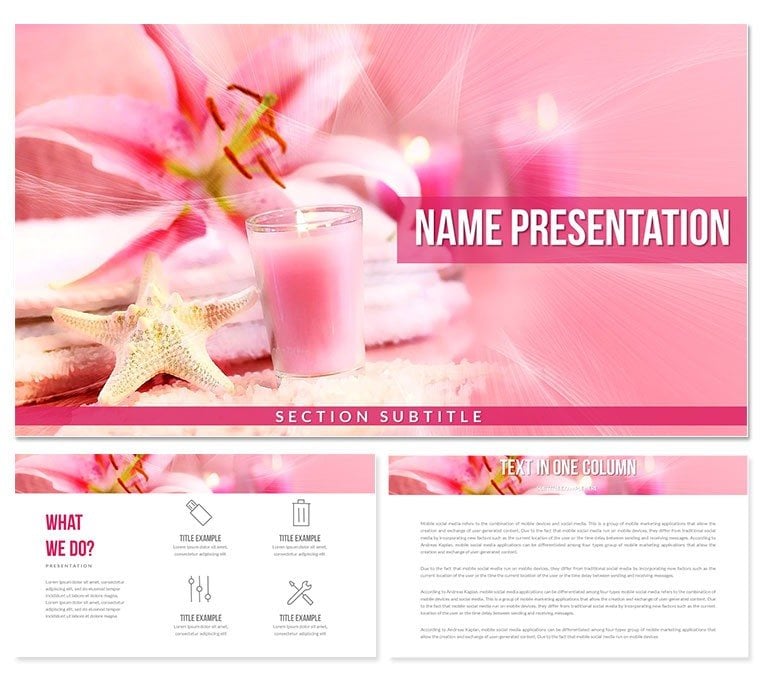
 Click to zoom
Relaxation SPA Procedures Diagram - Fully Editable
| Format | .pptx |
| Slides | 3 unique layouts |
| Aspect ratio | 16:9 |
| Compatibility | PowerPoint |
| Animated | No |
| Language | English |
| License | Commercial |
| File size | — |
| Version | v1.0 |
| Last updated | April 2026 |
What's inside
What is a PowerPoint diagram template? A PowerPoint diagram template is a pre-built collection of editable shapes, connectors and layouts that visualise processes and flows inside business presentations.
Package Contents
28 diagrams fill the download together with 7 color schemes.
Each diagram maps a distinct spa procedure step so the full client journey appears on one consistent layout.
Soft line styles and zone segmentation across the 7 schemes create visual hierarchy that matches the calming nature of the service unlike single-treatment layouts.
Real Scenarios
Three hours before a board meeting the slide deck still had no procedure flow for the new relaxation menu.
A spa manager opened the file swapped the 7 color schemes to match the brand and finished the 28-slide deck in 35 minutes.
Cut deck preparation from 3 hours to 45 minutes.
Download and start editing immediately
Building From Scratch vs. Starting Here
Rebuilding 28 procedure diagrams manually takes 4 hours and risks inconsistent line weights.
Here the zone segmentation already communicates magnitude before the audience reads the label.
Color coding follows the mental model spa clients use so no extra explanation is needed during live presentations.
Download and start editing immediately
How to change the color scheme
- Open the slide master.
- Select a color scheme thumbnail.
- Apply to all slides.
PowerPoint 2016 or newer on Windows or Mac works without issues. The file opens in PowerPoint 365 as well. Older versions may lose some connector formatting but the core 28 diagrams remain fully editable.
What does the license allow?The license permits use in paid client work and internal presentations. Multiple team members may edit the same file on one licensed computer. Resale or redistribution of the original diagrams is not permitted.
Are there free and paid differences?The page does not specify differences between free and paid versions. The download contains the complete 28 diagrams and 7 color schemes.
What is the refund policy?Contact support within 14 days if the file does not open correctly in your version of PowerPoint. Refunds are issued once the issue is verified and the file is deleted from your system.
Can I insert custom photos into the diagrams?Yes. Every diagram contains image placeholders that accept your own photos. The layout stays intact after replacement.
Good for
- Project roadmaps and sprint plans
- Product launch timelines
- Quarterly or annual review decks
- Company history and milestone summaries
Licence
reviews
The slide master was a bit messy to navigate, but I figured it out eventually.
Used this for a marketing strategy pitch. The funnel diagrams were super helpful.
Some of the icons are a bit generic, but the overall package is solid for the price.
Had to present a competitor analysis, the comparison charts worked perfectly.
It's fine. Not amazing, not terrible. I liked the map slide though.
FAQ
Will it work in Google Slides?
Are fonts embedded?
Can I use this for client work?
What's the refund policy?
Do you update the template after purchase?
Similar templates
See all PowerPoint Templates →



All 1 slides