 Click to zoom
Square Tunnel Abstract PowerPoint Template - Fully Editable | ImagineLayout
| Format | .pptx |
| Slides | 3 unique layouts |
| Aspect ratio | 16:9 |
| Compatibility | PowerPoint |
| Animated | No |
| Language | English |
| License | Commercial |
| File size | — |
| Version | v1.0 |
| Last updated | August 2026 |
What's inside
Package Contents
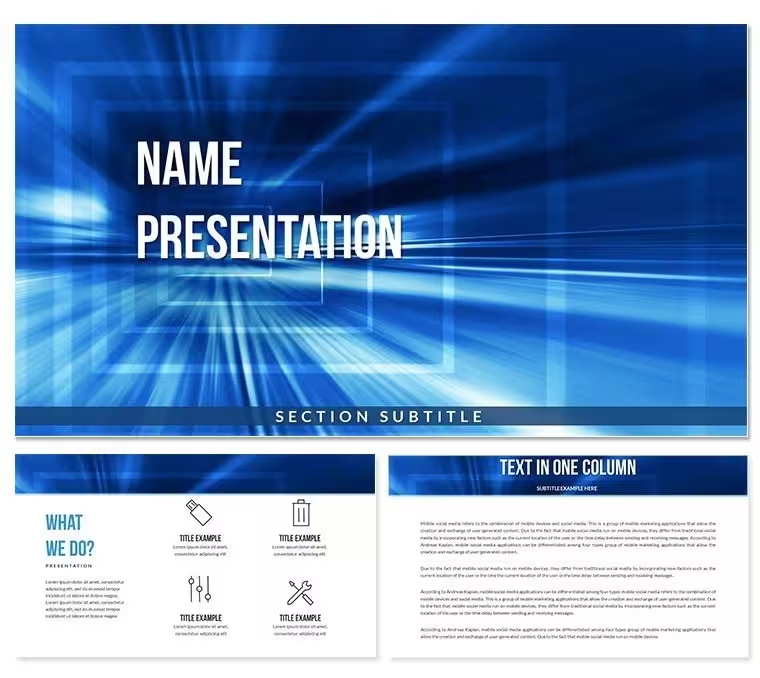
The paid download contains 28 diagrams built around a square tunnel perspective motif - a geometric design where concentric square frames recede toward a central vanishing point, creating strong visual depth on flat slide surfaces. Seven color scheme presets are included, ranging from dark moody backgrounds to lighter neutral tones. Three slide masters and three background layouts ship in both the free ($8.00) and paid ($15.00) tiers; the paid version adds the 28 diagrams and all 7 color variants.
The 28 diagram layouts serve a broad range of content needs: title and section-break slides that use the tunnel motif as a full-bleed background element, text-forward layouts where the tunnel appears as a left-panel accent, data presentation slides with clean content zones, and agenda or process slides with step-label placeholders. The visual consistency across all 28 layouts comes from the shared geometric structure - the square tunnel element scales and repositions across slide types rather than being replaced with a different background graphic.
Compared to abstract sets organized around fluid wave or organic paint textures, this package applies a strict geometric logic: right angles, consistent perspective lines, and a central focal point. That structured geometry makes it a more controlled backdrop for text-heavy business slides, where fluid backgrounds create visual competition with body copy. The tunnel motif draws the eye inward toward the content area rather than across the slide surface.
What is a Square Tunnel PowerPoint template? A Square Tunnel PowerPoint template is a pre-built presentation file featuring a receding geometric square frame motif as the primary visual background, available in multiple color schemes and editable in Microsoft PowerPoint 2016 or later.
Edit, Brand, Present: The Workflow
What if I need to change only the text on one slide, not the entire color scheme? Click directly on the text placeholder on that slide - do not open Slide Master. The placeholder is independent from the tunnel background layers, so editing it does not affect any other element. Type the replacement text and click outside the box to deselect.
What if my brand color is not among the 7 presets? Select any shape element on the slide, go to Format - Shape Style - Shape Fill - More Fill Colors, and enter the hex value for your brand color. For background layers, right-click the slide in the panel - Format Background - Solid Fill or Gradient Fill and apply your hex value. The master slide approach (View - Slide Master - Colors) is faster when the same color needs to apply across all 28 slides.
What if the tunnel layers need to be resized or repositioned? Right-click the background graphic and select Edit Group. The individual square ring layers become selectable independently. Resize from the corner handles to maintain proportion, or move the group as a unit by clicking the outermost bounding box before editing.
What if I only need 10 of the 28 slides? Delete unused slides from the left panel by right-clicking and selecting Delete Slide. There is no dependency between slides - removing any slide does not affect the remaining layouts. Editing difficulty overall: Beginner for text and color; Moderate for tunnel layer adjustments.
Download and start editing immediately
Compared to Starting From Zero
Three hours before a keynote session at a regional sales conference, the presenting consultant realized the slide deck still had no unifying visual structure - each section used a different background treatment, and the slides looked assembled rather than designed. Sourcing an abstract geometric template, customizing colors to the event brand, and replacing all text took 35 minutes. The tunnel motif provided a consistent visual anchor across all 28 slides without requiring per-slide design decisions.
Constructing a square tunnel perspective background from scratch in PowerPoint requires building a nested set of square outline shapes, manually adjusting each frame's size ratio, aligning all frames to a common center point, and setting consistent stroke weights and opacity levels across 6-10 concentric layers. That process takes an experienced PowerPoint user approximately 45-60 minutes for one background variation - before any content slides are built. This template provides that resolved structure across 28 layouts and 7 color presets.
In geometric abstract slide design, the vanishing point placement of a tunnel motif determines whether the graphic supports or competes with body text. A tunnel centered on the horizontal midline of the slide pulls the viewer's attention to the center of the content area - which is functionally correct for title slides and section breaks. On body-copy slides, the tunnel shifts to a corner or edge position, keeping the central reading zone clear. That positional logic, maintained consistently across all 28 layouts, is the design decision that requires manual judgment when building from blank slides - and defaults to inconsistency under time pressure.
Download and start editing immediately
Frequently Asked Questions
Which versions of PowerPoint support this template?The .pptx and .potx files are fully compatible with Microsoft PowerPoint 2016, 2019, and Microsoft 365 on both Windows and Mac. Geometric layered backgrounds may not display identically in PowerPoint 2013 or older due to limited gradient and transparency support. Google Slides accepts .pptx imports but may simplify grouped shape layers in the tunnel graphic. For the most accurate rendering, use PowerPoint 2016 or a more recent version.
How do I apply my brand colors across all 28 slides at once?Go to View - Slide Master in PowerPoint and select the top-level master slide. From the Slide Master tab, click Colors - Customize Colors. Enter your brand hex values for the primary, secondary, and accent color fields, then save the custom theme. Closing the master applies the color update globally. Tunnel layer fills tied to the theme color update automatically; any elements using direct hex fills require individual adjustment via Format - Shape Style.
What does the paid version include that the $8.00 entry tier does not?The $8.00 entry tier provides 3 slide masters and 3 background layouts - the visual framework without content slide structures. The $15.00 full package adds 28 diagrams and all 7 color schemes for those diagrams. The diagram set includes the title, content, process, and section-break slides that make up a complete presentation deck. The entry tier is suitable for those who need only a branded background to apply to an existing presentation; the full package is for building a deck from the template directly.
What license applies - can I use this for client presentations?The standard license permits use in business presentations delivered to clients, including agency-produced decks where the template is embedded in the final file. Reselling the template file as a standalone product, including it in design asset bundles offered to third parties, or distributing the .pptx or .potx file outside the purchasing organization is not permitted. For recurring use across multiple client engagements, confirm the license scope with ImagineLayout before distributing editable files externally.
What is the refund policy?Refunds apply when the downloaded file cannot be opened in the specified software version or does not match the product description. Requests must be made before significant edits are applied to the file and submitted through ImagineLayout's support contact. Digital products are generally non-refundable after download, but verified technical issues with the file itself are eligible for review. The full policy is available on the Refund Policy page of the ImagineLayout website.
How do I apply this template to an existing presentation I've already built?Open your existing .pptx file in PowerPoint, then go to View - Slide Master - Themes - Browse for Themes and locate the .potx file from this download. Applying the theme imports the slide master structure, fonts, and color scheme into your existing deck. Individual slide layouts may require manual reassignment via right-click - Layout on each slide if the original deck used non-standard layout names. For selective use, copying specific diagram slides from this template file into your existing deck via the Outline or Slide panel is the most controlled approach.
Good for
- Project roadmaps and sprint plans
- Product launch timelines
- Quarterly or annual review decks
- Company history and milestone summaries
Licence
reviews
Used this for a marketing strategy pitch. The funnel diagrams were super helpful.
Some of the icons are a bit generic, but the overall package is solid for the price.
Had to present a competitor analysis, the comparison charts worked perfectly.
It's fine. Not amazing, not terrible. I liked the map slide though.
The slide master was a bit messy to navigate, but I figured it out eventually.
FAQ
Will it work in Google Slides?
Are fonts embedded?
Can I use this for client work?
What's the refund policy?
Do you update the template after purchase?
Similar templates
See all PowerPoint Templates →



All 1 slides