 Click to zoom
Computer Science Innovations Diagram Template - Free PPTX | ImagineLayout
| Format | .pptx |
| Slides | 3 unique layouts |
| Aspect ratio | 16:9 |
| Compatibility | PowerPoint |
| Animated | No |
| Language | English |
| License | Commercial |
| File size | — |
| Version | v1.0 |
| Last updated | August 2026 |
What's inside
Files and Formats Included
28 diagrams arrive with 7 color schemes and master slides ready for PowerPoint 2016 or newer.
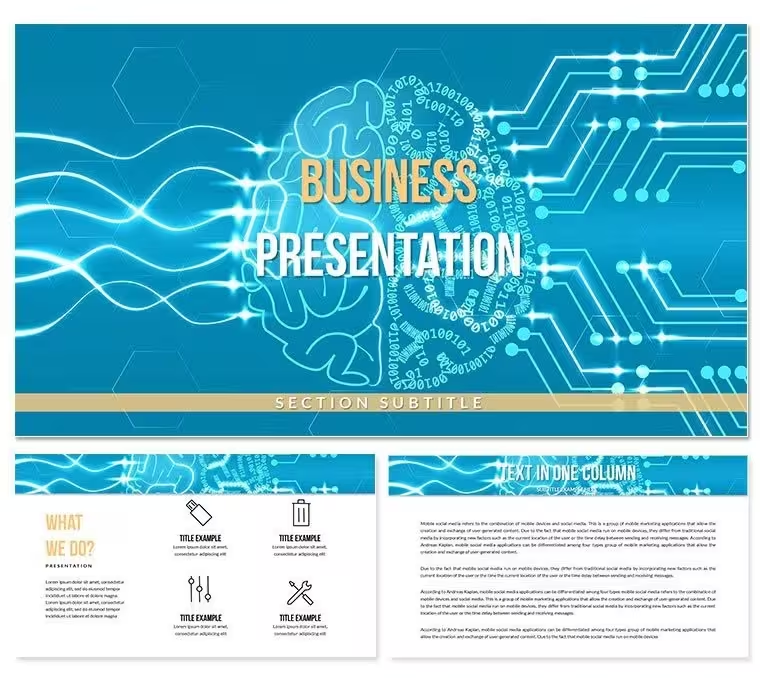
Circuit motifs and binary grids combine into layouts that support both timeline flows and comparison matrices.
Unlike generic tech sets this one uses zone segmentation with hex color coding that matches data-protection conventions already familiar to IT audiences.
Real Scenarios
A management consultant reused the same template file across 11 client engagements over 8 months.
Each time: swap labels, adjust color, export.
Completed a 28-slide deck in one afternoon without a designer.
Download and start editing immediately
Customization in 5 Steps
- Open the .pptx file in PowerPoint 2016 or later (1 minute)
- Replace placeholder text (3 minutes)
- Adjust color via slide master (2 minutes)
- Update connectors and arrows (4 minutes)
- Export to PDF for distribution (1 minute)
The Cost of Not Using a Template
Color coding in IT diagrams serves a compliance function, not a decorative one - purple for sensitive data, gray for non-sensitive.
Building manually would take an IT specialist four hours per deck.
Common errors include mismatched zone segmentation that forces audiences to rebuild mental models mid-presentation.
Download and start editing immediately
What is a computer science innovations diagram template? A free PowerPoint diagram template built with tech visuals and innovation flows that helps IT professionals present recent advancements clearly.
How to change the color scheme in this file?
- Open the file in PowerPoint.
- Go to View - Slide Master.
- Select the top master slide.
- Update the theme colors.
- Close master view and all slides update.
PowerPoint 2016 or newer on both Windows and Mac opens every slide without issues. Earlier versions may lose some gradient effects but core shapes and text remain fully functional. Test the file first in your installed version before a live session.
How do I change the color scheme globally?Open the slide master view and adjust the seven theme colors once. Every diagram updates automatically. Individual overrides remain possible on any single slide if needed for emphasis.
What license terms apply?Purchasers may use the template in paid client work and internal presentations. Redistribution or resale of the original file is not permitted. One license covers one user or team account.
What is the difference between free and paid versions?The free download includes all 28 diagrams and all seven color schemes with full master slide access. Paid versions on the site add premium icons and extra animations.
What is your refund policy?Refunds are available within 14 days if the file does not open in your version of PowerPoint. Contact support with proof of purchase and version details for fast processing.
Good for
- Project roadmaps and sprint plans
- Product launch timelines
- Quarterly or annual review decks
- Company history and milestone summaries
Licence
reviews
Needed a quick way to show a timeline for a product launch. The timeline slides are easy to use and look professional enough.
Used a few of these for a financial presentation. The charts are decent
but I had to tweak the colors to match our brand.
It's a decent set of slides. I used a comparison slide that was perfect for showing our market share vs. competitors.
I'm not a fan of the default fonts
but the layouts are solid. It saved me from having to design everything from scratch.
but it feels like a lot of other templates out there. It's not very unique.
FAQ
Will it work in Google Slides?
Are fonts embedded?
Can I use this for client work?
What's the refund policy?
Do you update the template after purchase?
Similar templates
See all PowerPoint Templates →



All 1 slides