 Click to zoom
Creative Children Diagram Template - Editable PPTX | ImagineLayout
| Format | .pptx |
| Slides | 3 unique layouts |
| Aspect ratio | 16:9 |
| Compatibility | PowerPoint |
| Animated | No |
| Language | English |
| License | Commercial |
| File size | — |
| Version | v1.0 |
| Last updated | August 2026 |
What's inside
Package Contents
28 diagrams arrive with 7 color schemes and master slides ready for PowerPoint 2016 or newer.
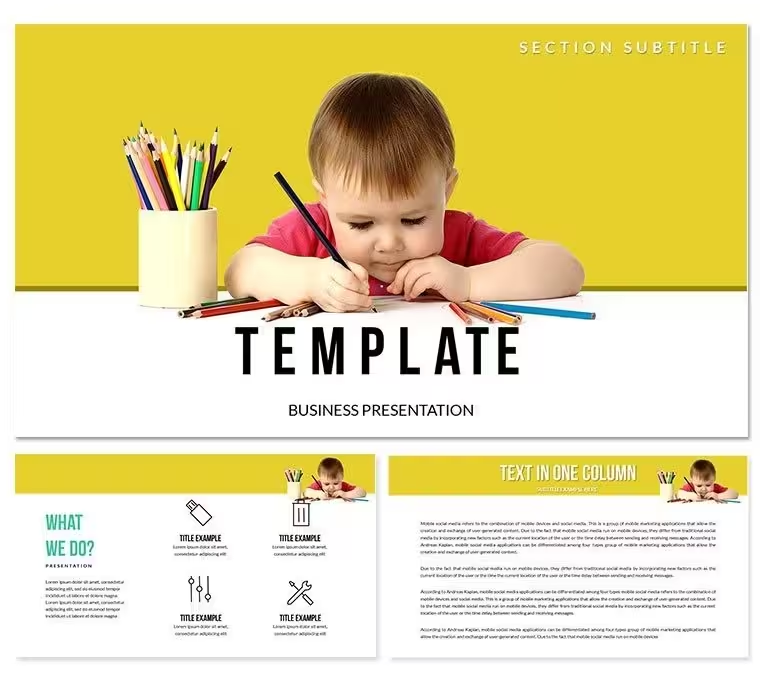
Playful pencil motifs and soft gradients combine into layouts that support both text and illustration blocks for any children-focused topic.
Unlike workflow-focused sets this one stands out with bright primary color counts and rounded line styles that keep young audiences focused.
Real Scenarios
Three hours before the parent-teacher conference the slide deck still lacked any visual hook for the lesson on seasons.
The elementary teacher opened the file, swapped the placeholder icons with leaf illustrations and updated labels in 35 minutes.
Reused the same file across three grade-level presentations by swapping color schemes only.
Download and start editing immediately
Adapting the Template to Your Brand
Open the .pptx file and spend the first two minutes orienting to the master slide structure where all color changes happen globally.
The most common mistake is editing individual slide colors directly; going through the master saves 15 minutes of repeated work.
Once content is in place the export step depends on the destination platform.
Why This Template, Not a Blank Slide
Bright color contrasts in child-themed diagrams guide young eyes to key points without overwhelming.
Primary colors for nodes and soft gradients for backgrounds maintain attention in classroom settings.
Building equivalent slides manually would take an educator with moderate design skills four hours per deck.
Common errors include inconsistent alignment and mismatched line weights that confuse children.
Download and start editing immediately
What is a creative children diagram template? A PowerPoint diagram template built with playful illustrations and bright color palettes that helps educators present concepts to young audiences.
How to change the color scheme in this file?
- Open the file in PowerPoint.
- Go to View - Slide Master.
- Select the top master slide.
- Update the theme colors.
PowerPoint 2016 or newer on both Windows and Mac opens every slide without issues. Earlier versions may lose some gradient effects but core shapes and text remain fully functional. Test the file first in your installed version before a live session.
How do I change the color scheme globally?Open the slide master view and adjust the seven theme colors once. Every diagram updates automatically. Individual overrides remain possible on any single slide if needed for emphasis.
What license terms apply?Purchasers may use the template in paid client work and internal presentations. Redistribution or resale of the original file is not permitted. One license covers one user or team account.
What is the difference between free and paid versions?The paid download includes all 28 diagrams and all seven color schemes with full master slide access. Free preview files contain only sample slides and watermarks that must be removed manually.
What is your refund policy?Refunds are available within 14 days if the file does not open in your version of PowerPoint. Contact support with proof of purchase and version details for fast processing.
Good for
- Project roadmaps and sprint plans
- Product launch timelines
- Quarterly or annual review decks
- Company history and milestone summaries
Licence
reviews
Perfect for a quick data summary. The chart templates are easy to update and look clean.
Used the roadmap slide for a strategic planning session. It's good
but I wish it had more room for notes.
It's a solid pack for business users. I used a flow chart that was really helpful for explaining a complex process.
so this was a lifesaver. I just dropped my content into the slides and it looked decent.
but it's nothing special. It'll work in a pinch
but I wouldn't go out of my way to use it again.
FAQ
Will it work in Google Slides?
Are fonts embedded?
Can I use this for client work?
What's the refund policy?
Do you update the template after purchase?
Similar templates
See all PowerPoint Templates →


All 1 slides