 Click to zoom
Christian Cross Diagram Templates - Editable PPTX | ImagineLayout
| Format | .pptx |
| Slides | 3 unique layouts |
| Aspect ratio | 16:9 |
| Compatibility | PowerPoint |
| Animated | No |
| Language | English |
| License | Commercial |
| File size | — |
| Version | v1.0 |
| Last updated | August 2026 |
What's inside
Package Contents
28 diagrams arrive inside one PPTX file together with 7 color schemes and matching POTX master.
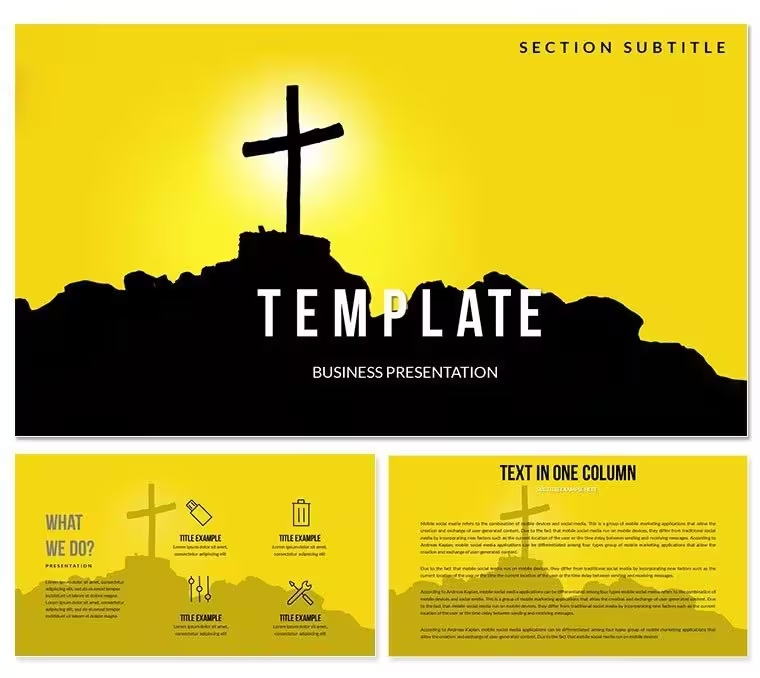
Each diagram places the cross on a hill silhouette so the visual already carries the metaphor of ascent before any label appears.
Unlike workflow-focused sets the hill background creates immediate vertical flow that matches redemption arcs while the 7 color presets keep every slide consistent across a full deck.
Key Specifications At a Glance
FeatureDetailsSlides / diagrams included28 fully editable diagrams with hill and cross elementsDiagram categoriesflow paths, hierarchy zones, timeline ascents, comparison crossesEditable elementsshapes resize and recolor independentlyAspect ratio16:9 standardPowerPoint compatibility2016, 2019, 365, Mac versionsColor schemes7 presets via slide masterIcon layerscross and hill elements replaceable without breaking layoutReal Scenarios
Three hours before the Easter service the sermon still lacked any visual for the resurrection path.
The pastor opened the file, swapped three labels on the hill-ascent diagram and finished the deck in 35 minutes.
cut deck preparation from 3 hours to 45 minutes
Download and start editing immediately
Customization in 5 Steps
- Open the .pptx file in PowerPoint 2016 or later (1 minute)
- Select any cross or hill shape and apply your brand hex via Format - Shape Fill (2 minutes)
- Update text placeholders on the master slide for global changes (3 minutes)
- Adjust connector weight and direction on flow diagrams (2 minutes)
- Export to PDF for distribution or keep PPTX for live edits (1 minute)
State editing difficulty: Moderate.
Why This Template, Not a Blank Slide
Building the same cross-on-hill layout from scratch takes most pastors 90 minutes per diagram while this file delivers 28 variations ready to drop in.
Zone fills communicate magnitude without requiring a legend.
A level-4 redemption block reads as visually heavier than a level-2 block before the audience reads the label - that pre-attentive encoding matters in live services where attention shifts between discussion and slide.
Color coding in cross diagrams serves a theological function, not a decorative one - purple for grace, gray for struggle, follows the classification logic parishioners already use mentally.
Download and start editing immediately
What is a PowerPoint diagram template? A PowerPoint diagram template is a pre-designed set of editable shapes, flowcharts, and layouts in PPTX format that allow quick assembly of business or thematic presentations.
How to change the color scheme in this file: Open the Slide Master view, select the color palette at the top, click any scheme and all 28 diagrams update globally in one click.
FAQ
Does this template work in PowerPoint 2016 or newer?Yes it opens natively in PowerPoint 2016, 2019, 365 and Mac versions. All shapes remain fully vector and editable. Older versions may lose some gradient effects but core diagrams stay intact.
How do I change the color scheme via slide master?Go to View - Slide Master, click the top master thumbnail, then Design - Colors and pick one of the 7 presets. Every diagram updates instantly across all 28 slides. Individual overrides remain possible on any single shape.
What does the license allow for client work?The license permits use in paid client presentations and internal church decks. You may not resell the original file or redistribute the source PPTX. One license covers one user or one organization.
What is the difference between free and paid version?The paid version includes the complete 28 diagrams and all 7 color schemes plus the POTX master. Free previews show only sample JPG slides with watermarks and limited diagrams.
What is the refund policy?You can request a full refund within 7 days if the file does not open or the diagrams fail to meet the listed specifications. Contact support with your order number and the issue will be resolved or refunded.
How can I apply the template to an existing presentation?Copy any diagram slide from this file then paste into your deck. The master color theme transfers automatically. Update text placeholders and the layout adapts in seconds.
Can multiple team members use the same license?No. Each license is for a single user or organization. Additional seats require separate purchases to stay compliant.
Good for
- Project roadmaps and sprint plans
- Product launch timelines
- Quarterly or annual review decks
- Company history and milestone summaries
Licence
reviews
The lab mouse and petri dish icons are specific. Used this for a pharmaceutical research update.
Good for a biology student. The genetics cross-breeding charts are standard but clean.
I used the "Control Group vs Test Group" slide for a psychology experiment methods section.
Wish the animal testing graphics were a bit more abstract. They are too realistic for sensitive audiences.
The cage layout diagram is very detailed for lab technicians.
FAQ
Will it work in Google Slides?
Are fonts embedded?
Can I use this for client work?
What's the refund policy?
Do you update the template after purchase?
Similar templates
See all PowerPoint Templates →


All 1 slides