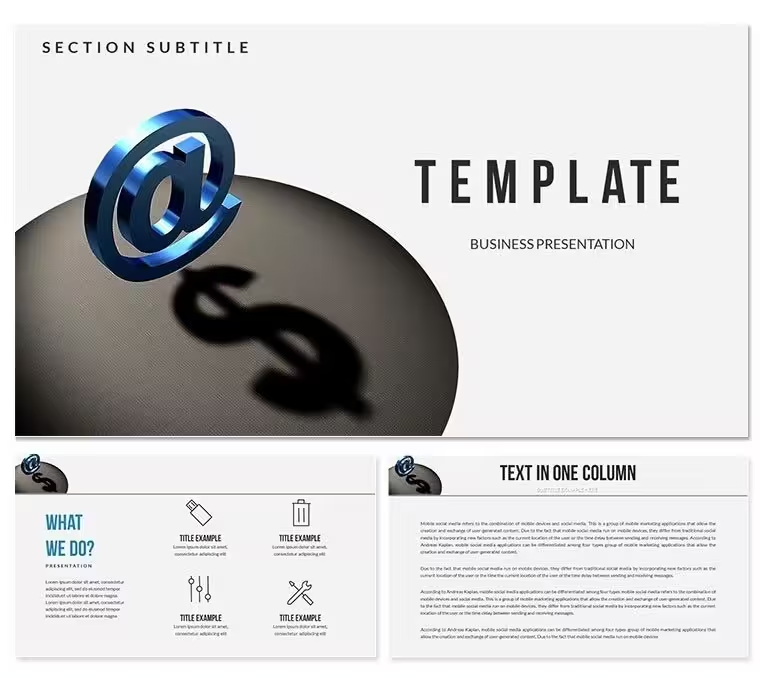
 Click to zoom
Electronic Commerce PowerPoint Template - Editable PPTX | ImagineLayout
| Format | .pptx |
| Slides | 3 unique layouts |
| Aspect ratio | 16:9 |
| Compatibility | PowerPoint |
| Animated | No |
| Language | English |
| License | Commercial |
| File size | — |
| Version | v1.0 |
| Last updated | August 2026 |
What's inside
What is an electronic commerce PowerPoint template? An electronic commerce PowerPoint template is a pre-designed slide set with editable diagrams, layout structures, and color schemes built for business presentations covering online retail, digital sales strategy, platform overviews, and e-commerce reporting.
Files and Formats Included
28 diagrams span 7 color schemes in the paid download. The color palette leans toward the clean, conversion-focused aesthetic common in digital business presentations - blues, neutrals, and accent tones that signal data credibility without visual noise. Each of the 7 schemes applies globally through the slide master, so pivoting from a dark-background investor deck to a light-background internal report takes one master selection, not 28 individual slide edits.
The diagram types cover the structural range that e-commerce presentations typically require: funnel layouts for conversion reporting, comparison blocks for platform or product analysis, timeline slides for roadmap or campaign sequence, and KPI summary structures for quarterly results briefings. A single download supports a pitch deck, a quarterly review, and a product launch presentation - three structurally different tasks - without requiring additional layout design.
Unlike sets oriented around abstract workflow diagrams or process-only layouts, this set includes diagram types built specifically for commercial data storytelling: the funnel, the comparison grid, and the milestone timeline. Those three layouts account for the majority of slides in a typical e-commerce investor or operations deck.
Editing Capabilities at a Glance
FeatureDetailsDiagrams included28 (paid); 3 masters + 3 backgrounds (free)Color schemes7 - applied globally through slide masterFile formats.pptx for direct editing, .potx as reusable branded templatePowerPoint compatibilityPowerPoint 2016, 2019, 365 (Windows and Mac)Editable shapesFunnel segments, KPI boxes, timeline markers - all resize and recolor independentlyText placeholdersMetric labels, product names, and stage descriptions update without ungroupingDiagram connectorsArrows and flow lines adjustable in direction and weightColor theme adjustmentsGlobal changes via View - Slide Master; individual overrides available per elementFree vs paid differenceFree: 3 masters and 3 backgrounds; Paid ($24.00): adds 28 diagrams and 7 color schemesMasters and backgrounds3 masters, 3 backgrounds in both tiersEdit, Brand, Present: The Workflow
Difficulty: Beginner to Moderate. No design software required beyond PowerPoint 2016 or later.
What if I only need 10 of the 28 diagrams, not all of them? In Normal view, right-click any slide thumbnail in the left panel and choose Delete Slide. Remove unused layouts before replacing text - it is faster to edit 10 slides than to scroll past 18 unused ones. The master color scheme still applies to whichever slides remain.
What if my brand uses a color not in the 7 presets? Open View - Slide Master and select the master layout. Click any colored shape, go to Format - Shape Style - Fill Color - More Colors, and enter your brand hex code. That override applies to every element sharing that color variable across all slides linked to the master.
What if the diagram text is too long for the placeholder? Click the text box, go to Format - Text Options - Text Box, and enable Shrink text on overflow. Alternatively, reduce the font size by 1-2 points - the template uses a base size that accommodates most standard business copy. For labels under 40 characters, the default sizing works without adjustment.
What is the best export format for an investor meeting? Export as PDF for a clean, non-editable version that renders identically on any screen. Save the .pptx for live delivery where you may need to navigate slides non-linearly or use Presenter View notes.
How Marketing Teams Use It
The project lead asked for a complete e-commerce platform pitch by end of week. The growth marketing manager had the data - conversion rates, cohort retention, average order value by channel - but no consistent slide format. She opened the .pptx, selected the blue color scheme from the slide master to match the company's brand guide, and mapped each data point to a pre-built diagram type: funnel for conversion, comparison grid for channel performance, timeline for the 12-month roadmap. First draft done in 3 hours. Revision round needed only content changes, not layout rebuilds.
A regional e-commerce director at a logistics company reused the same template file across six consecutive quarterly briefings. Each quarter: update the KPI numbers in the metric boxes, swap the timeline dates forward, adjust one comparison block for new product categories. Per-session prep dropped from 2.5 hours to 25 minutes by the third quarter, once the master color scheme and slide selection were locked.
Download and start editing immediately
Compared to Starting From Zero
Building a 28-slide e-commerce deck from scratch in PowerPoint means constructing each diagram layout individually - drawing funnel shapes, aligning KPI boxes, creating connector arrows between timeline nodes, and then verifying that all elements maintain consistent sizing and spacing across every slide. An experienced PowerPoint user needs 8-10 hours. A marketer or analyst without strong design habits typically doubles that time and still produces inconsistent alignment across sections.
In e-commerce presentations, funnel diagrams carry a specific visual convention: stages narrow toward the bottom, and the width ratio between stages is not decorative - it communicates relative volume. A funnel where the consideration stage is only 10% narrower than the awareness stage tells a different story than one where it is 40% narrower. Building these proportions correctly from scratch, and then keeping them consistent across a 5-slide funnel sequence, requires either design skill or significant manual effort. The diagram structure in this template preserves those proportional relationships by default.
The .potx format compounds the value over time. Once branded, it becomes the team's standard starting point - no re-importing assets, no re-checking hex codes, no rebuilding layouts that already exist.
Download and start editing immediately
Frequently Asked Questions
Which versions of PowerPoint open this template correctly?The .pptx and .potx files are tested with PowerPoint 2016, 2019, and Microsoft 365 on both Windows and Mac. PowerPoint 2013 will open the files but may not render the slide master color scheme variants reliably. If you are using Microsoft 365 on Mac, all 7 color schemes and master functions work as designed. PowerPoint 2010 and earlier are not recommended - the .potx format may trigger a compatibility warning and some grouped diagram elements, particularly the funnel segments and connector arrows, may shift position from their original design.
How do I update the chart data or metric values in the diagrams?The diagrams in this template use editable shape-based layouts, not linked Excel charts. To update a metric value, click directly on the number or label text in the diagram and type the new value. There is no data source to update - the figures are text placeholders within grouped shapes. If you need a live-data chart (one that updates from an Excel file), go to Insert - Chart, choose your chart type, and enter data in the embedded spreadsheet that appears. This creates a separate, data-linked chart element that you can position over or alongside the existing diagram structure.
What does the free version include, and what does the paid version add?The free version includes 3 slide masters and 3 backgrounds - the structural shell of the template without diagram content. The paid version at $24.00 adds 28 diagram slides covering funnel layouts, KPI summaries, comparison grids, and timeline structures, plus 7 complete color schemes switchable through the slide master. For a functional e-commerce presentation with content layouts, the paid version is the relevant tier. The free version is appropriate only if you need the template's visual style applied to a presentation you are building entirely from scratch.
Is this template licensed for client work and commercial presentations?The standard license covers internal business use, investor presentations for your own company, and internal reporting. If you are a consultant or agency preparing an e-commerce pitch deck as a paid deliverable for a client, that use falls into a commercial category - review ImagineLayout's Terms of Use for the applicable license conditions. The file may not be resold, redistributed, or included in third-party template packages. For an in-house marketing team or e-commerce manager presenting on behalf of their own organization, the standard license covers the use without restriction.
How do I export the finished presentation for different delivery formats?For an investor meeting or external review where you want a static, non-editable version, export via File - Export - Create PDF/XPS. The PDF preserves all colors and diagram layouts exactly as they appear in PowerPoint. For live delivery with Presenter View or slide navigation, keep the .pptx format and present directly from PowerPoint. For web embedding or sharing via email where file size matters, export as JPEG images (File - Export - Change File Type - JPEG) and use a presentation aggregator or embed directly into a web page. The .potx is for internal team reuse - do not send it externally, as it will prompt the recipient to create a new presentation from the template rather than open the completed deck.
What is the refund policy?Refunds are available when the downloaded file is defective - for example, the .pptx fails to open in a supported PowerPoint version, or diagram slides are absent from the paid download. Refunds are not issued once the file has been downloaded and successfully used. To request a refund, contact ImagineLayout support with your order number and a clear description of the defect. The complete refund conditions are listed at imaginelayout.com/refund-policy/.
Good for
- Project roadmaps and sprint plans
- Product launch timelines
- Quarterly or annual review decks
- Company history and milestone summaries
Licence
reviews
so I grabbed this. It has a good mix of options.
but the design is a bit plain. It'll do for internal stuff
but I'd want something nicer for a client.
Needed a quick org chart for a team meeting. This one was easy to edit and looks clean.
Used the process diagrams for a workflow presentation. They are straightforward
but I wish there were more options for branching paths.
It's a solid pack for basic diagrams. I used a Venn diagram that was perfect for a conference talk.
Couldn't find a good chart in my standard deck
FAQ
Will it work in Google Slides?
Are fonts embedded?
Can I use this for client work?
What's the refund policy?
Do you update the template after purchase?
Similar templates
See all PowerPoint Templates →



All 1 slides