 Click to zoom
Creative Funnel Charts Keynote - Fully Editable | ImagineLayout
| Format | .pptx |
| Slides | 10 unique layouts |
| Aspect ratio | 16:9 |
| Compatibility | PowerPoint |
| Animated | No |
| Language | English |
| License | Commercial |
| File size | — |
| Version | v1.0 |
| Last updated | September 2026 |
What's inside
Creative Funnel Charts Keynote Template: Visualize Your Data Journey
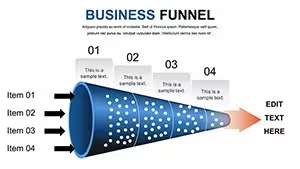
Ten funnel charts handle stacked curved and straight progressions.
When you need to show sales drop-off rates or process stages to marketing teams the linear phased layouts with editable shapes replace hours of manual drawing.
You can duplicate slides and reuse the same structure.
In most cases you only replace metrics and the vector elements stay crisp.
The paid version includes ten editable slides packed with diverse funnel designs in KEY format.
Instead of building diagrams manually the predefined funnels save time across recurring campaign reviews.
This Keynote chart template maps conversion analysis so you can pinpoint bottlenecks and adjust strategy on the spot.
Flat designs with color-coded segments make the flow obvious at a glance.
Use this when you need to keep structure readable in a single slide.
The sequential reveals prevent overcrowded layouts and clarify what the numbers actually mean.
It supports prioritization analysis and lets the viewer decide where to focus resources next.
After the deck the team leaves with clear action items on improving the funnel.
Not ideal for creative storytelling slides.
Best used when your data fits linear stages not open brainstorming.
FeatureDetailsSlides / diagrams10 funnel charts in stacked curved and straight variationsFile formatKEYSoftware versionKeynote 12+ standard for current KEY filesColor schemesAdjustable via slide master for instant palette switchEditable elementsShapes labels and segments resize and recolor independentlyAspect ratio16:9 widescreenFree vs PaidPaid version includes full 10 editable slidesMasters / BackgroundsEditable masters for quick updates across the deckSee also Business Funnel Keynote Charts or Funnel Keynote Chart.
What is the Keynote version compatibility and macOS requirement?The template works with Keynote 12 and later on macOS Ventura or newer. In practice test on your version first to ensure full compatibility with vector elements. Current installations handle the files without conversion.
How do I change colors via slide master?Open the slide master view in Keynote select the master slide and update the color palette there. This applies changes across all ten slides instantly. No need to edit each chart individually.
Does the license allow client work?Yes the license permits use in client projects once purchased. You can deliver the edited decks to clients without additional fees. Always retain the original file for your records.
What is the difference between free and paid versions?The paid version includes the complete set of 10 editable slides. Free version details are not specified on the page but the paid one provides full access to all charts and structures.
What are the refund conditions?Refunds are available within 14 days if the template does not meet your needs. Contact support with your purchase details for processing. Note that digital downloads have strict policies after opening the file.
Everything aligns automatically.
Download and start editing immediately
Good for
- Project roadmaps and sprint plans
- Product launch timelines
- Quarterly or annual review decks
- Company history and milestone summaries
Licence
reviews
Some slides could be simplified
Used it for a class presentation and the charts made data clear
Added it to an office report and the structure helped explain points
Worked fine for simple reporting
Just needed slides fast and it worked
FAQ
Will it work in Google Slides?
Are fonts embedded?
Can I use this for client work?
What's the refund policy?
Do you update the template after purchase?
Similar templates
See all Keynote Charts →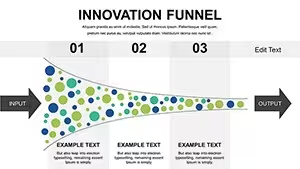


All 10 slides


