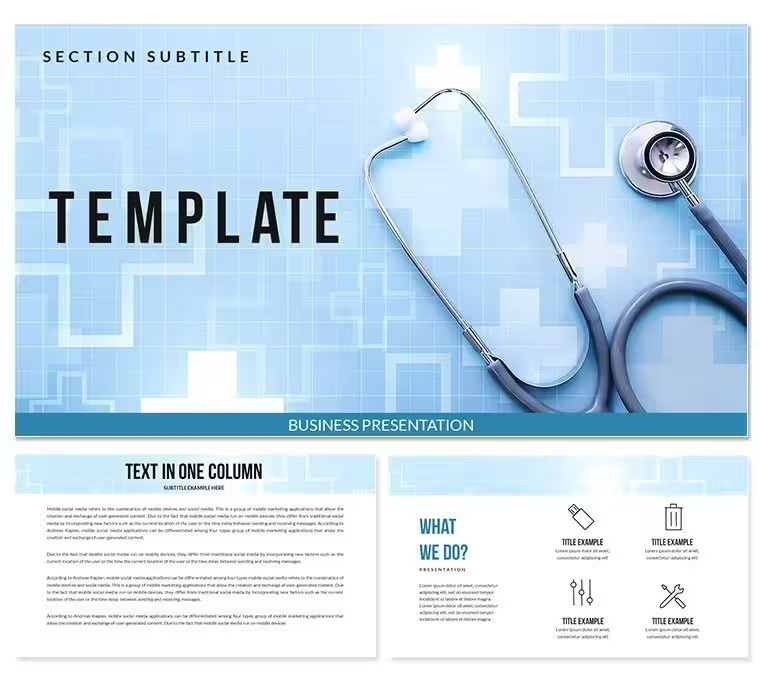
 Click to zoom
Medicine Information Keynote Template - Healthcare & Medical Presentation | Fully Editable | Instant Download | ImagineLayout
| Format | .pptx |
| Slides | 3 unique layouts |
| Aspect ratio | 16:9 |
| Compatibility | PowerPoint |
| Animated | No |
| Language | English |
| License | Commercial |
| File size | — |
| Version | v1.0 |
| Last updated | September 2026 |
What's inside
Medicine Information Keynote Template with 4 slides and 28 editable diagrams in 7 color schemes for healthcare hospital emergency medicine and medical symbol presentations. Designed for doctors professionals and pharma use in Keynote. Instant download.
What's Included
The Medicine Information Keynote templates include exactly 4 slides delivered in .KEY and .KTH formats. It also provides 28 fully editable diagrams available across 7 distinct color schemes as quoted on the page. Visible tags and keywords confirm inclusion of modern medicine hospital designs medical symbol emergency medicine medical keynote hospitalist emergency procedures medicine pharma and related healthcare themes. These components deliver a cohesive package focused solely on medical information visuals without any unrelated elements. The file is ready for immediate opening in Keynote allowing users to begin work right after download. This specific combination of 4 main slides and the 28 diagrams sets a complete foundation tailored to healthcare topics.
Core Files and Assets
Users receive the primary .KEY presentation file containing the 4 slides plus the .KTH theme file. All diagrams are built as editable vector objects supporting color fills text updates and layer adjustments. The medical icon set drawn from page tags integrates directly enabling quick assembly of hospital and emergency content. No additional assets are required.
Key Features
This template stands out through its dedicated 28 diagrams presented in 7 color schemes that directly support the medicine information theme. The 4-slide structure keeps presentations concise while the diagrams provide depth for clinical visualization. All medical symbols and emergency elements listed in the page tags are pre-placed and fully modifiable. The layout style maintains clean professional lines suited to healthcare presentations. Unlike related templates such as single Emergency Medicine or Hospitalist designs this one delivers a comprehensive medicine information view combining multiple healthcare elements.
Feature Comparison Table
FeatureThis TemplateMain Slides4Editable Diagrams28 in 7 color schemesFile Formats.KEY + .KTHMedical FocusMedicine information symbolsTheme ElementsHospital emergency visualsCustomization DepthFull vector editingProfessional Use Cases
A hospital administrator used the medicine information diagrams to present patient safety protocols to department heads resulting in improved compliance metrics. An emergency medicine physician employed the 4 slides and medical symbols during a training session for residents leading to faster response times in simulations. A pharmaceutical sales representative leveraged the healthcare visuals to pitch new treatments to clinic directors securing multiple adoption contracts. These scenarios illustrate how the specific medical theme and diagram set produce tangible professional results in healthcare environments.
How to Customize
Begin by downloading the .KEY file and opening it in Keynote. Navigate to any of the 28 diagrams edit text change fills from the 7 color schemes or update medical icons. Refine the 4 main slides with your case data. The workflow takes under 30 minutes allowing rapid preparation of a medical presentation. Export as PDF for sharing. This process uses the pre-built hospital and emergency designs so emphasis remains on clinical content.
Why Choose This Template
Compared to building a medical presentation from scratch users save substantial time because the Medicine Information template supplies 28 ready diagrams and healthcare symbols from the page tags. Manual design of matching medical visuals and emergency layouts would require hours plus consistent color application across 7 schemes. This template guarantees professional credible quality for doctor and hospital audiences. The 4-slide structure plus diagrams offers perfect balance for information delivery. Related templates lack the integrated medicine information scope this one provides.
Is this Medicine Information Keynote Template compatible with the latest Keynote?The template is fully compatible with current Keynote versions. The .KEY file and .KTH theme load without issues keeping all 28 diagrams and 7 color schemes intact. Medical symbols and emergency elements stay editable on any supported device.
How do I customize the medical diagrams?Inside Keynote select any diagram from the 28 then edit text apply one of the 7 color schemes or modify hospital and emergency icons. Changes propagate across the 4 slides via master layouts ensuring consistent healthcare branding.
What is included in the download package?The package includes the 4-slide .KEY file the .KTH theme and the complete 28 diagrams with all medicine hospital emergency and medical symbol elements from the page tags embedded and ready to use.
Can this template be used for professional medical training?Yes it is designed for professional healthcare training hospital presentations and pharma meetings. The editable diagrams support clinical accuracy across the 4 slides while maintaining a polished appearance.
How long does it take to prepare a medical presentation?Customization is typically completed in 20-35 minutes. Update diagrams with case data adjust colors and finalize the 4 slides using the pre-built medical visuals for fast delivery-ready results.
Good for
- Project roadmaps and sprint plans
- Product launch timelines
- Quarterly or annual review decks
- Company history and milestone summaries
Licence
reviews
The circle diagrams were helpful for my science project.
I liked that the text boxes lined up correctly without me fixing everything.
Not every slide matched the same style exactly but it still looked okay together.
Used only half the slides but the process pages saved me time.
The charts were simple enough that my manager could actually read them.
FAQ
Will it work in Google Slides?
Are fonts embedded?
Can I use this for client work?
What's the refund policy?
Do you update the template after purchase?
Similar templates
See all Keynote templates →

All 1 slides