 Click to zoom
Personal Finance Keynote Template - Fully Editable | Instant Download | ImagineLayout
| Format | .pptx |
| Slides | 3 unique layouts |
| Aspect ratio | 16:9 |
| Compatibility | PowerPoint |
| Animated | No |
| Language | English |
| License | Commercial |
| File size | — |
| Version | v1.0 |
| Last updated | March 2026 |
What's inside
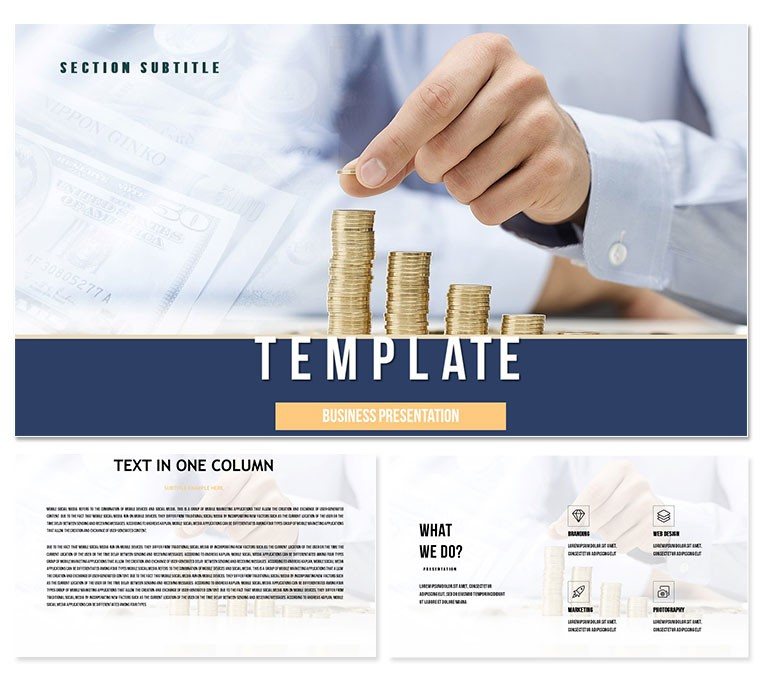
Personal Finance and Money Management Keynote Template with 28 editable diagrams in 7 color schemes. Ideal for financial advisors, educators, and individuals teaching saving, investing, and wealth building strategies in Apple Keynote. Instant download ready.
What's Included
This Personal Finance Keynote Template contains 28 fully editable diagrams offered in 7 color schemes focused on money management and saving concepts. The package includes the .key presentation file and .kth theme file for immediate use in Apple Keynote. All graphics are vector based for flawless scaling. Text placeholders let you insert specific dollar amounts or percentages quickly. The diagrams address core topics such as budgeting, compound interest, and retirement planning. The files are lightweight and open without delay on any supported device.
Diagram Coverage
You receive charts for income allocation, savings growth projections, debt reduction timelines, and investment portfolio breakdowns. Each of the 28 diagrams features multiple editable layers that you can simplify for beginners or expand for advanced audiences. The 7 color schemes include optimistic greens and trustworthy blues that reinforce positive financial messaging. Uniform design elements keep the entire presentation looking cohesive even when slides are reordered.
Key Features
The template emphasizes educational clarity for financial topics. Native objects respond to every edit command. Color schemes are pre-selected to evoke growth and stability. Placeholder charts update automatically when you change numbers. The structure supports both one-hour workshops and short social media clips. Commercial rights allow use in paid coaching programs and corporate wellness sessions.
FeatureDetails28 Editable DiagramsSaving and investing focus7 Color SchemesMotivational palettesNative .key + .kth FilesFull Keynote compatibilityVector ChartsAutomatic number updatesLayered ContentBeginner to expert viewsCommercial LicenseCoaching and workshopsProfessional Use Cases
Financial Literacy Workshop for Young Professionals
A certified financial educator used the savings growth and budgeting diagrams to teach a group of 35 recent graduates. She updated the compound interest slide with current bank rates and applied the energetic green scheme. Participants created their own one-year savings plans directly from the projected handouts. Survey results showed 92 percent felt more confident about managing money after the session. The template turned abstract concepts into visual action plans.
Retirement Planning Presentation for Corporate Employees
A benefits coordinator presented 401(k) options using the portfolio allocation and timeline diagrams. Custom numbers reflected the company match and projected balances at age 65. The clean layouts helped employees visualize the impact of increasing contributions by just 1 percent. Several participants immediately adjusted their payroll deductions following the meeting. The presentation was later converted to an on-demand video module for new hires.
How to Customize
Download the file and open in Keynote. Select any financial diagram and replace the placeholder numbers with your client's actual figures. Switch between the 7 color schemes to match the audience mood or brand guidelines. Update text to reflect current interest rates or tax laws. Add your photo or logo to the master slide for branding. Test the build animations to control information flow during live sessions. Export as PDF for take-home worksheets or video for online courses. The complete customization process uses built-in tools and typically finishes in less than 20 minutes.
Why Choose This Template
This Personal Finance Keynote Template is distinct from related money market or online business templates because it specifically addresses the educational journey of "learn, collect, and save." The 28 diagrams form a logical progression from basic budgeting to advanced investing rather than isolated charts. The 7 color schemes and consistent vector style create an encouraging atmosphere that motivates audiences to take action. Users save significant time versus creating financial visuals manually and achieve higher comprehension rates because concepts are presented visually. The focused educational structure makes it the go-to choice for advisors and educators who must explain money concepts clearly and repeatedly.
Start building better financial futures today.
Frequently Asked Questions
Is this Personal Finance template suitable for both beginners and advanced audiences?Yes, the layered diagram design allows you to hide advanced calculations for beginner sessions or reveal them for experienced groups. Simple icons and large text work well for general audiences while precise chart labels satisfy financial professionals. You can duplicate any slide and modify one version for each level within the same file. This flexibility is frequently used in mixed-level workshops and online courses.
Can I update the numbers and charts with current market data?All charts use native Keynote chart objects that update instantly when you enter new values in the chart data editor. Bar heights, line trends, and pie slices adjust automatically. You can import data from spreadsheets via copy-paste. The template's structure preserves formatting so your updates always look professional. Most advisors refresh their decks quarterly in under ten minutes.
Does the license allow use in paid financial coaching programs?The commercial license explicitly permits use in paid workshops, online courses, and one-on-one coaching. You may distribute exported PDFs or videos to clients as part of your service. The only limitation is against reselling the original .key files. This makes the template ideal for independent advisors and educational platforms that monetize financial literacy content.
Will the diagrams print clearly for client handouts?Yes, vector construction ensures crisp lines and text at any print size. Keynote's PDF export retains full resolution and color fidelity. Many users print the deck as color workbooks or one-page summaries. The high contrast in all 7 schemes guarantees readability even on standard office printers. Handouts often become client reference tools long after the presentation ends.
How does this template differ from other finance templates listed on the site?Unlike general investment or online business templates in the related section, this one follows the clear educational path of “learn, collect, and save†with a progressive 28-diagram structure. The focus on personal money management rather than corporate finance creates a more approachable tone for individual clients and students. The 7 color schemes and motivational layout distinguish it from purely data-heavy alternatives.
Good for
- Project roadmaps and sprint plans
- Product launch timelines
- Quarterly or annual review decks
- Company history and milestone summaries
Licence
reviews
Used for school the structure helped clarity
Work slides were okay after adding data
Charts were basic but useful
I needed quick presentation and it worked
Design is a bit plain overall
FAQ
Will it work in Google Slides?
Are fonts embedded?
Can I use this for client work?
What's the refund policy?
Do you update the template after purchase?
Similar templates
See all Keynote templates →


All 1 slides