 Click to zoom
Keynote Green Energy Tech Template - Editable Keynote | ImagineLayout
| Format | .pptx |
| Slides | 3 unique layouts |
| Aspect ratio | 16:9 |
| Compatibility | PowerPoint |
| Animated | No |
| Language | English |
| License | Commercial |
| File size | — |
| Version | v1.0 |
| Last updated | April 2026 |
What's inside
Open the .key file and you get 28 diagrams across 7 color schemes, built specifically for green technology presentations - solar array efficiency charts, smart grid process flows, energy storage cycle diagrams, and multi-step innovation pipeline layouts. The $10 base purchase covers 3 masters and 3 backgrounds; $20 adds the full 28-diagram set. Files are Apple Keynote native: .key for the editable presentation and .kth for applying the theme to an existing deck.
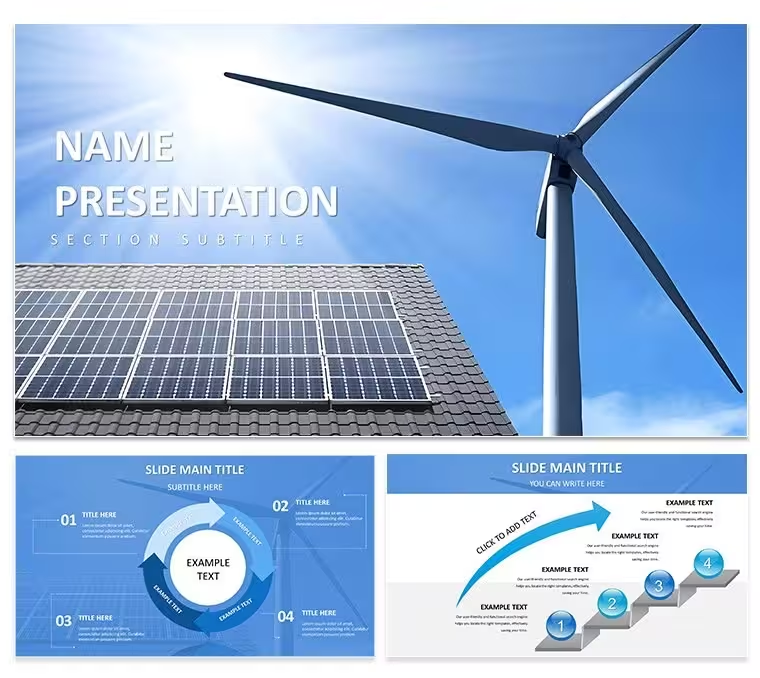
The cover slide takes a close-up photographic approach - the hero image shows a photovoltaic panel surface at an angle that emphasizes the cell grid texture, with a cool blue-grey tone across the frame. The title appears in the upper-left in a light sans-serif, leaving most of the panel texture visible. The three background variants keep to this tech-close-up logic: one features turbine blades in motion with motion-blur on the tips, another shows a backlit solar field at dusk with deep orange in the horizon, and the third uses a circuit-board macro overlay - a visual choice that signals the tech dimension of the template over a pure conservation message. This distinguishes the design clearly from the broader landscape photography used in other templates in this energy series.
Diagram slides use a white base with emerald and charcoal as the primary accent pair. Editing the master accent color in Keynote's master editor updates all 28 diagrams at once. The 7 color schemes extend from emerald into teal, cobalt, mid-grey, and three additional options, allowing the same file to be adapted for different company brand standards without rebuilding layouts.
The diagram types are weighted toward technical explanation: step-by-step process flows for technology deployment sequences, radial diagrams for mapping ecosystem relationships between energy components, comparison grids for technology benchmarking, and chart slides with editable data series for output and efficiency metrics. Icon style is flat with hairline outlines - consistent with a technical-document aesthetic rather than an infographic or editorial one.
R&D teams presenting technology roadmaps, cleantech startup founders building investor decks, and engineers explaining system architecture to non-technical stakeholders will find the diagram mix closest to what technical energy presentations actually require. The .kth theme file makes it straightforward to apply the visual system to a slide deck already in progress.
Download and start editing immediately
Frequently Asked Questions
Does this template work on Keynote for Mac and iOS?Both .key and .kth files open natively in Apple Keynote with no conversion required. The .key file is the full editable presentation; the .kth file is a Keynote Theme you can apply to a deck you are already building. On macOS you have access to the complete master editor, where color scheme changes and background modifications happen. The Keynote app on iOS and iPadOS supports content-level editing - replacing text, swapping images, adjusting individual elements - but does not expose the master editor, so global color changes should be made on a Mac first.
How do I change the color scheme across all slides at once?In Keynote on Mac, go to View → Edit Master Slides. The emerald accent color controls diagram fills, icon outlines, chart bars, and heading highlights across all 28 slides. Click that color swatch and enter your replacement hex code or select a color from the picker, then close the master editor. The change propagates to every slide that uses that master - no individual slide editing needed. To switch between the 7 built-in color schemes, apply the corresponding master set rather than modifying colors directly; each scheme is a pre-configured master group.
Can I use this template for client projects and paid work?The standard license covers use in presentations prepared for and delivered to clients - investor decks, technology briefings, internal corporate communications, and academic presentations all fall within scope. The final slides may appear in billed client deliverables. What is not permitted under the standard license: distributing the source .key or .kth files to other users, including team members outside a single-user purchase, and incorporating the template into a product resold as a template. Contact ImagineLayout for multi-seat or redistribution licensing.
What is the difference between the $10 and $20 versions?The $10 version includes 3 master slides and 3 photo backgrounds, giving you the visual system - typography scale, layout grid, background imagery - without pre-built content slides. The $20 version adds 28 diagram slides built across 7 color schemes: process flows, radial relationship maps, comparison grids, and chart templates with editable data. If your use case is presenting technical processes and benchmarking data with ready-made slide layouts, the $20 version provides those directly. If you are building every layout yourself and just need the design framework, $10 covers that.
What is the refund policy?ImagineLayout offers refunds when delivered files are technically defective - unable to open, corrupted, or inconsistent with the product page description. Because these are digital download products, preference-based refund requests after the file has been downloaded and accessed are not honored. Before purchasing, verify that the file format (.key, .kth) is compatible with your Keynote version and that the slide count and diagram types shown in the previews match your requirements. Technical problems should be submitted through the Contact page.
Good for
- Project roadmaps and sprint plans
- Product launch timelines
- Quarterly or annual review decks
- Company history and milestone summaries
Licence
reviews
The slide layouts are very practical. Used this for a financial review and the tables were already formatted. The color system updates from the master which saved me time.
Not the most creative template but it is functional. The charts are easy to edit and the flow is logical. Worked fine for a stakeholder update.
The free version gave me a good preview. Ended up buying the paid one for the extra diagram variety. The master slide controls are easy to use once you find them.
The icon style is minimal and consistent. Used this for an operations update and the process flows worked well. The file opened without any issues on my Mac.
The diagram variety is decent. Used it for a quarterly report and the timeline slides were particularly useful. The color schemes are easy to switch in the master.
FAQ
Will it work in Google Slides?
Are fonts embedded?
Can I use this for client work?
What's the refund policy?
Do you update the template after purchase?
Similar templates
See all Keynote templates →


All 1 slides