 Click to zoom
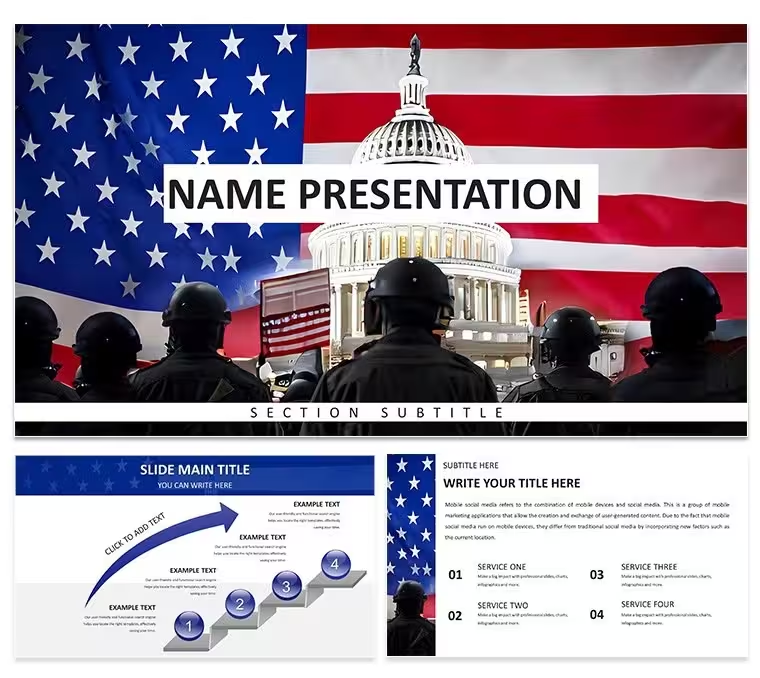
Government Politics Keynote Diagrams - Editable Keynote | ImagineLayout
| Format | .pptx |
| Slides | 3 unique layouts |
| Aspect ratio | 16:9 |
| Compatibility | PowerPoint |
| Animated | No |
| Language | English |
| License | Commercial |
| File size | — |
| Version | v1.0 |
| Last updated | April 2026 |
What's inside
28 diagrams, 7 color schemes, three masters - delivered in .key, .kth, and .jpg at $10 for the base theme and $20 for the full diagram set. That is the complete inventory of this Keynote diagram template for government and policy content.
The diagram set splits into two structural categories. Fourteen slides use process-flow and vertical timeline layouts, suited to presenting legislative sequences or budget approval chains. The remaining fourteen cover hierarchy and side-by-side comparison structures - useful for org charts, departmental breakdowns, or policy option matrices. All icons are vector-based with 1pt stroke weight, so scaling to any screen size produces no raster artifacts.
File formats are .key, .kth, and .jpg. The .key file opens directly in Keynote 12+, which requires macOS 13 Ventura or later. The .kth theme file is the faster option when applying the palette to an existing deck: open it once, select it from the theme chooser, and the entire color scheme propagates across all 28 slides. Editing color via the slide master is the standard method - go to View > Master Slides, select the scheme thumbnail, swap to any of the seven included palettes, and every diagram updates in one step.
The free tier includes 3 masters and 3 backgrounds only. No diagrams ship with the base download. The $20 paid version adds all 28 diagrams and all 7 color variants. Policy analysts and government communications officers who need to reuse the same file across multiple departments will find the master-based palette switching the most time-saving feature: one color swap updates the entire deck without touching individual slides.
Every text box and icon group resizes independently. Dragging a diagram into a different slide in the same file preserves the active palette without manual adjustment. The design uses document and seal icon motifs in a vertically stacked grid, keeping slide density low enough for projected environments.
Download and start editing immediately
Frequently Asked Questions
Which Keynote version and macOS release does this template require?The template is built for Keynote 12 and later versions. It requires macOS 13 Ventura or newer for full compatibility. Keynote on older macOS releases may open the file but could display certain vector effects differently or omit some master formatting.
How do I change colors across all 28 diagrams at once?Color changes apply through the slide master, not slide-by-slide. Open View > Master Slides in Keynote, then click the color scheme thumbnail you want to replace. Select one of the seven included palette options and confirm. All 28 diagrams update immediately - no individual slide edits required. This is the same method used when reusing the file across multiple departments or reports with different brand colors.
Does the license cover presentations delivered to clients?The license permits use in presentations delivered to external clients. You may build decks for client projects and hand off the finished Keynote file. What the license does not allow is reselling the template itself or redistributing the source files as your own design product.
What does the free version include versus the paid version?The free version contains 3 masters and 3 backgrounds - no diagram slides are included at that tier. The paid version at $20 delivers the complete 28-diagram set across all 7 color schemes in the editable .key and .kth files. If the diagrams themselves are the primary need, the paid version is the only option that includes them.
What are the refund conditions for this template?A refund is available if the file does not open correctly in a compatible version of Keynote. Contact ImagineLayout support with proof of purchase and a description of the issue. Refunds are processed after the technical problem is verified against the stated software requirements.
Good for
- Project roadmaps and sprint plans
- Product launch timelines
- Quarterly or annual review decks
- Company history and milestone summaries
Licence
reviews
The icon set is consistent throughout the deck. Used this for a consulting presentation and the client liked the clean look. The color schemes are easy to switch.
The paid version includes all the diagrams which saved me a lot of time. The flowcharts are well-structured and the spacing is good. The .kth format imported into my existing presentation without any problems.
Honestly the free download was enough to get started. The 3 masters and 3 backgrounds gave me a solid base. Ended up upgrading because I needed more diagram variety.
The outline-based icons keep the slides uncluttered. Used this for a product roadmap and the hierarchical tree structures worked well. The master slide color controls are straightforward.
The lightbulb-tree motif is a nice visual anchor. Used this for a clean-tech presentation and the diagrams covered everything I needed. The paid tier at $20 is worth it for the full library.
FAQ
Will it work in Google Slides?
Are fonts embedded?
Can I use this for client work?
What's the refund policy?
Do you update the template after purchase?
Similar templates
See all Keynote templates →



All 1 slides