 Click to zoom
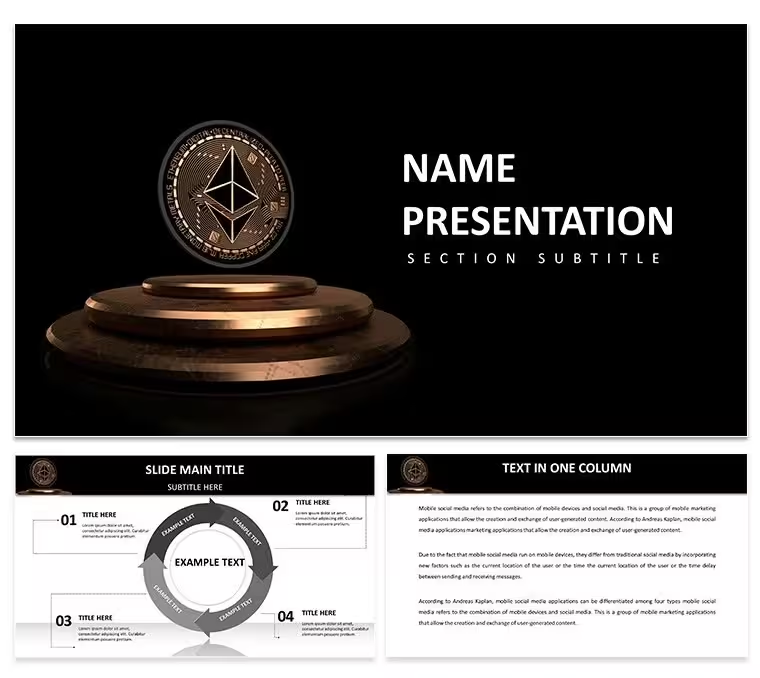
Keynote Diagrams for Ethereum Blockchain - Editable | ImagineLayout
| Format | .pptx |
| Slides | 3 unique layouts |
| Aspect ratio | 16:9 |
| Compatibility | PowerPoint |
| Animated | No |
| Language | English |
| License | Commercial |
| File size | — |
| Version | v1.0 |
| Last updated | April 2026 |
What's inside
Ethereum Cryptocurrency and Blockchain Keynote Template: Decode the Future
28 diagrams and 7 color schemes come packed in this Keynote template for board presentations on Ethereum cryptocurrency.
You decode blockchain strategies fast.
For board presentations where cryptocurrency adoption curves and blockchain metrics must appear without rebuilding slides each meeting the diagrams solve the problem of turning complex market data into instantly readable visuals that speed strategic decisions in practice.
Horizontal layout direction with minimalist icon style keeps every flow crisp on screen.
Investment directors rely on it.
The KEY and KTH files follow standard formats compatible with current Keynote installations on macOS.
Color changes apply globally via the slide master so the entire deck updates in seconds which proves useful when reusing the same file across multiple board reports.
This template is not ideal for non-financial decks lacking any market visualization.
In most cases the vector elements resize independently while maintaining alignment.
Download and start editing immediately
The template files are KEY and KTH formats that work with Keynote 10 and later. They run on macOS Ventura or newer in most cases. Open the file in your version to confirm full compatibility.
How do I change colors via slide master?Open Keynote and go to View then Slide Master. Select the master and adjust the color scheme there. This applies the change to all 28 diagrams automatically which saves time in practice.
Does the license allow client work?The license allows you to use the template for client work. You can deliver presentations to clients but cannot resell the template files themselves. One license is for one user or team account under the terms.
What is the free vs paid difference?The page does not specify separate free and paid versions. You get the full set of 28 diagrams and 7 color schemes in the downloaded package. This includes all editable elements without additional purchases.
What are the refund conditions?Refunds are available if the template does not meet your needs within the standard policy period. Contact support with your order details for processing. This applies as long as the files have not been modified or distributed.
Good for
- Project roadmaps and sprint plans
- Product launch timelines
- Quarterly or annual review decks
- Company history and milestone summaries
Licence
reviews
Used it for a workshop I facilitated at work. Participants stayed engaged and the visual aids supported my talking points without overwhelming them.
Color scheme is versatile and the icon library covers common business topics well. Layouts prevent overcrowding even when adding detailed text.
The template met most expectations although a couple of diagram slides required extra adjustments to fit my data. Still a solid choice for time-pressed professionals.
Everything aligned nicely after minor tweaks. The result looked more expensive than the price suggested.
FAQ
Will it work in Google Slides?
Are fonts embedded?
Can I use this for client work?
What's the refund policy?
Do you update the template after purchase?
Similar templates
See all Keynote templates →


All 1 slides