 Click to zoom
DJ Keynote Template - Fully Editable | Instant Download | ImagineLayout
| Format | .pptx |
| Slides | 3 unique layouts |
| Aspect ratio | 16:9 |
| Compatibility | PowerPoint |
| Animated | No |
| Language | English |
| License | Commercial |
| File size | — |
| Version | v1.0 |
| Last updated | September 2026 |
What's inside
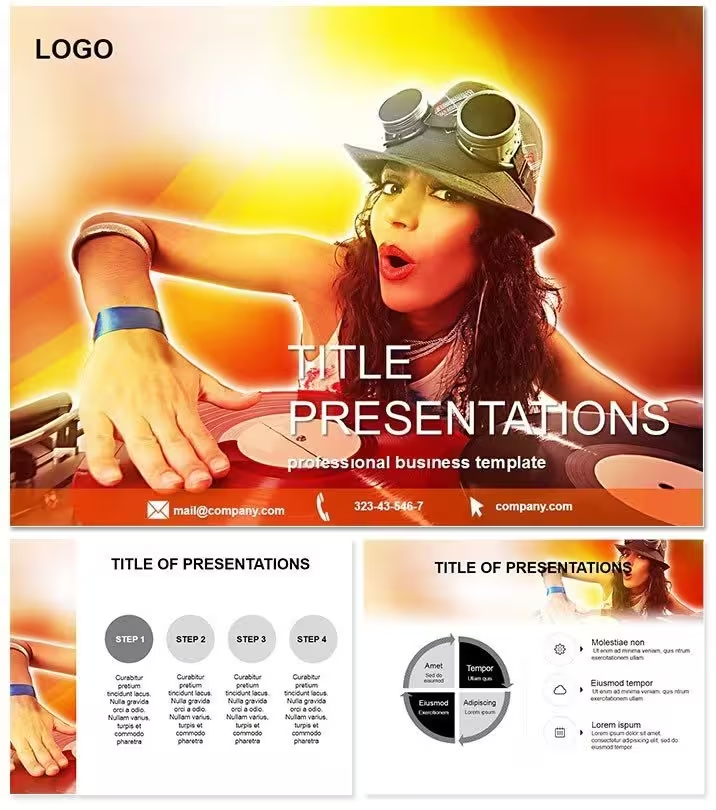
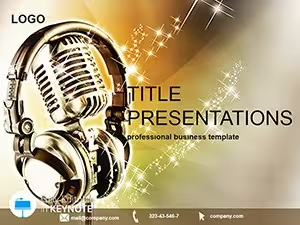
Energize your music presentations with this DJ Keynote template containing 28 diagrams in 7 color schemes. Perfect for DJs, producers and event planners who need vibrant slides for set lists, equipment showcases and gig proposals. 2-slide structure, KEY format, instant download.
What's Included
The DJ Music Keynote Template: Rhythm Up Slides provides 2 main slides and a library of 28 music-themed diagrams in 7 vibrant color schemes. Files are delivered as KEY and KTH plus JPG previews. All graphics are vector-based for crisp editing inside Keynote. The package is ready for immediate use on any Apple device running Keynote.
Grouped elements and pre-set layouts accelerate customization. The 503 ratings show consistent success for entertainment professionals. Template ID 1227 marks this exact DJ Music version.
The minimal 2-slide core keeps the focus on energy while the 28 diagrams add depth for technical or creative content.
This compact yet rich design is ideal for fast-paced music industry needs where time is limited but impact must be high.
Users typically finish a customized deck in 15-20 minutes.
Key Features
Twenty-eight diagrams depict mixing consoles, waveforms, set lists, crowd energy and equipment layouts using native Keynote shapes. Seven color schemes deliver neon, dark-mode and vibrant options that match club or festival aesthetics. The 2-slide foundation covers introduction and detailed content layouts common in DJ pitches. KEY and KTH files guarantee full compatibility. Ratings of 503 confirm the template performs in real gig and proposal situations.
FeatureDetailsMain Slides2Diagrams28Color Schemes7File FormatsKEY, KTHCategoryKeynote TemplatesUser Ratings503Theme FocusDJ MusicThese features produce high-energy decks that match the dynamic nature of the DJ profession.
Professional Use Cases
A professional DJ preparing a corporate event proposal replaced placeholder track lists with the client-preferred playlist and used equipment diagrams to show setup requirements. The vibrant result secured the booking within 48 hours.
A music producer used the waveform and set-list diagrams to present a new album concept to a label. The rhythmic visual style helped the executives visualize the project and green-light production.
Event planners customize the same template for festival line-up presentations by updating artist icons and timings, maintaining brand consistency across multiple events.
These cases highlight how the 2-slide core paired with 28 diagrams meets the fast, visual demands of the music and entertainment industry.
How to Customize
Download the KEY file, open in Keynote, update text in the diagrams with your track list or equipment specs and pick any of the 7 color schemes to match the gig vibe. Insert artist photos or logos with simple drag-and-drop. Export to PDF for promoter sharing or keep native for live walkthroughs. The process uses standard Keynote tools and requires no design experience.
Building a comparable music deck from scratch usually takes several hours for sourcing graphics and alignment; this template cuts that effort dramatically while delivering club-ready energy.
Mid-content note: DJs and producers who complete this quick customization routinely report stronger client responses and faster confirmations.
Why Choose This Template
This DJ Music template stands apart from related Music Mixing Software, Vibrant Disco or Sound Recording Studio decks because it centers on general DJ performance visuals rather than software-specific or studio-only content. The 28 diagrams offer broader creative options than narrower music templates while the 2-slide format keeps pitches short and punchy. Layouts emphasize rhythm and movement through dynamic shapes. Color schemes were chosen to evoke club lighting and festival excitement. Users gain an advantage over generic entertainment templates or the more specialized options listed in related products.
Download the DJ Keynote Template today and let your next presentation drop with the same energy as your sets.
Frequently Asked Questions
Is the DJ Keynote Template compatible with current Keynote versions?Yes, the files are fully compatible with the latest Keynote releases on macOS and iOS. All 28 diagrams and 7 color schemes function without issues. The template works on iPad for on-the-go edits between gigs. KTH theme support adds extra flexibility. This allows DJs to prepare proposals anywhere.
How can I update the diagrams for my own set or equipment?Select a diagram, replace text with your track titles or gear details and apply any of the 7 color schemes or manual fills. Vector objects remain crisp after resizing. Changes are non-destructive and take seconds. The workflow matches everyday Keynote use.
What licensing is provided for commercial DJ use?Personal and commercial use is allowed for gig proposals, client presentations and promotional material. Template resale is prohibited. The license fits freelance DJs, production companies and event agencies. The 503 ratings prove the terms support real-world music industry work.
Can the slides be printed or used only on screen?Vector diagrams print sharply for posters or rider documents while looking vibrant when projected. PDF export retains full quality. Color schemes work in both dark club lighting and bright daytime print. Many DJs print equipment lists while projecting the full deck for promoters.
What refund process applies if the template is not right for me?ImagineLayout offers a refund if the DJ Keynote template does not meet expectations. Support can help with any questions first. The strong rating count shows most users keep the file, but the policy removes risk for those testing music presentation styles.
Good for
- Project roadmaps and sprint plans
- Product launch timelines
- Quarterly or annual review decks
- Company history and milestone summaries
Licence
reviews
Used the mixing console and waveform diagrams for a dj equipment gig proposal, the 7 color schemes matched the club's vibe.
The set-list diagrams helped me present an album concept to a label, the rhythmic visual style green-lit the project.
The crowd energy and equipment layout slides were perfect for a festival line-up presentation to sponsors.
The 2-slide core with 28 diagrams kept my pitch short and punchy, I finished the deck in 20 minutes.
It's a good pack for djs, but the neon and dark-mode options were a bit too specific for my general music class.
FAQ
Will it work in Google Slides?
Are fonts embedded?
Can I use this for client work?
What's the refund policy?
Do you update the template after purchase?
Similar templates
See all Keynote templates →
All 1 slides