 Click to zoom
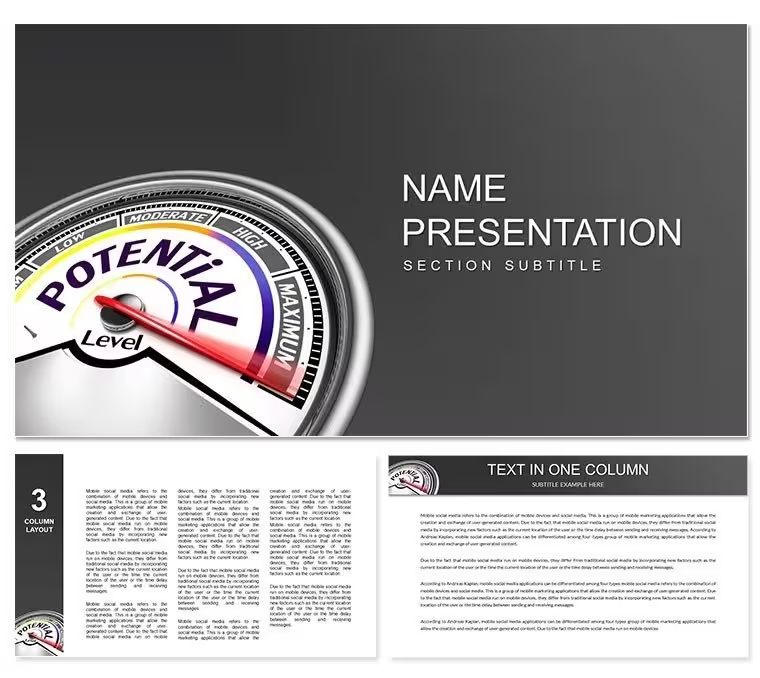
Development Level Diagram Keynote Template - Fully Editable | ImagineLayout
| Format | .pptx |
| Slides | 3 unique layouts |
| Aspect ratio | 16:9 |
| Compatibility | PowerPoint |
| Animated | No |
| Language | English |
| License | Commercial |
| File size | — |
| Version | v1.0 |
| Last updated | September 2026 |
What's inside
What is a Keynote diagram template for development level presentations? A Keynote diagram template for development level presentations is a .key file containing pre-built diagrams structured to visualize economic growth stages, organizational maturity levels, and strategic development phases - edited directly in Apple Keynote without starting from a blank canvas.
Package Contents
28 diagrams and 7 color schemes form the core of the paid download. Files ship as .key and .kth formats - the .key file is the editable presentation, while the .kth applies the visual theme to any existing Keynote deck. Three master slides and three background options complete the package, giving consultants and analysts a consistent framework that scales from a single slide to a full briefing.
The diagram types address the structural needs of development and growth presentations: maturity level ladders showing progression from initial to optimized stages, economic cycle charts tracking expansion and contraction phases, comparative zone layouts for benchmarking organizations against industry standards, and phased roadmap timelines for planning sequences. The 7 color schemes shift the visual tone from conservative navy-and-gray palettes suited for board reporting to warmer amber-and-teal combinations that suit workshop environments.
Where single-diagram layouts focus on one chart type, this set spans the full analytical range a consultant needs across a multi-hour engagement - opening slides with high-level maturity overviews, mid-deck benchmark comparisons, and closing roadmap diagrams. That structural range means a single download covers an entire consulting engagement rather than requiring separate templates per section.
Three Situations Where This Pays Off
A management consultant at a mid-tier firm has a 3-day strategy engagement with a regional infrastructure client. Day one covers current-state maturity assessment. Instead of building a capability maturity diagram from scratch - a 90-minute task - the consultant opens this template, drops in the client's scoring data, adjusts colors to match the client's brand guide, and has a presentation-ready maturity map in 15 minutes. The same file serves all three days: maturity assessment on day one, roadmap diagram on day two, benchmark comparison on day three.
A regional economic development director uses the economic cycle diagrams for quarterly briefings to a municipal council. Updating the same diagram across 4 quarters takes under 10 minutes each time - change the data labels, shift one color accent to reflect the current phase, export as PDF. That consistency builds credibility with the council over time: the visual language stays recognizable while the content updates accurately.
A business school lecturer running an MBA strategy module adapts the development ladder diagrams for case study workshops. Students map their assigned company against the maturity framework visually - replacing the consultant's role in the diagram with the company name - and the result is a structured visual argument rather than a text-heavy slide. Prep time for the instructor dropped from 2 hours per session to 20 minutes after switching to pre-built diagram layouts.
Download and start editing immediately.
Adapting the Template to Your Brand
Editing difficulty: Beginner to Moderate. Replacing content and switching color schemes requires no design experience. Adding custom connector logic or new diagram elements is moderate.
How do I customize this development level template for a specific client? Open the .key file, navigate to the maturity or roadmap diagram matching your engagement type, replace stage labels with client-specific terminology, apply the color scheme closest to the client's brand palette through the master slide panel, then export.
- Step 1 - Open the .key file in Keynote 12 or later (1 minute)
- Step 2 - Identify the diagram type needed: maturity ladder, economic cycle chart, or phased roadmap (1 minute)
- Step 3 - Replace text placeholders: stage names, benchmark labels, phase titles (4 minutes)
- Step 4 - Apply the nearest color scheme via View - Master Slides; fine-tune individual shape fills if needed (3 minutes)
- Step 5 - Export as .key for client collaboration or PDF for board distribution (1 minute)
Why This Template, Not a Blank Slide
Building a 5-level maturity diagram from scratch in Keynote means drawing each tier shape, ensuring equal spacing, connecting bracket labels with leader lines, aligning text boxes consistently, and applying color logic that distinguishes levels without creating visual clutter. For one diagram, that takes 60 to 90 minutes. Across 28 diagrams, the time cost is prohibitive for anyone without dedicated design support.
A notable layout decision in these diagrams: level indicators use filled zone blocks rather than simple numbered badges. Zone fills communicate magnitude - a level 4 block looks visually "heavier" than a level 2 block - without requiring the audience to read a legend. That immediate visual encoding is particularly effective in live board presentations where audience attention shifts quickly between discussion and slide.
Download and start editing immediately.
Which Keynote versions are compatible with this file?The .key file opens in Keynote 12 and all later versions on macOS, covering Keynote released with macOS Big Sur through macOS Sequoia. Keynote 2019 and 2021 also open the file without compatibility warnings. The .kth theme applies to any deck within the same version range. Keynote for iOS and Keynote for iCloud support presentation and basic editing; complex master slide modifications are best performed on macOS. If you're using an older macOS and Keynote version, confirm your Keynote number matches 12 or higher before purchasing.
What does the base version include versus the full version?The base version at $12.00 includes 3 master slide layouts and 3 background variants - the structural theme without the diagram content. The full version at $20.00 adds all 28 development-level diagrams and 7 color schemes. For consultants and analysts who need pre-built maturity charts, roadmap diagrams, and benchmark comparison layouts, the full version is the practical choice. The base version suits buyers who want the theme style for decks they build entirely from custom slides.
Is the template licensed for client-facing consulting deliverables?The license covers use in presentations delivered to clients, including strategy workshops, board briefings, and quarterly review sessions. Consultants may reuse the template across multiple client engagements - changing content and adapting the visual style each time - without purchasing additional licenses. The license does not permit distributing the .key or .kth files directly to clients or third parties as design assets. Reselling or sublicensing the template is not permitted. Internal organizational use and client-facing deliverables are both covered.
How do I switch color schemes across all 28 slides?Open the .key file, go to View - Master Slides, and select the master set corresponding to the color scheme you want. Applying it through the Slide Layout panel updates all 28 diagram slides simultaneously - no per-slide editing needed. Each of the 7 color schemes is calibrated so level indicators, background tones, and text contrast all shift together coherently. For a custom brand color not matching any preset, edit individual shape fills directly through Format - Shape Style on the relevant slide.
What is the refund policy for digital downloads?Refunds are available when a downloaded file fails to open in the stated Keynote version or contains a technical defect preventing use. Digital files cannot be returned after download, so refunds are not issued based on visual preference after purchase. The preview thumbnails and slide gallery on the product page show the full diagram set before purchase - reviewing those carefully is the recommended step before buying. The complete refund terms are at imaginelayout.com/refund-policy/.
Can I add animations to the development level diagrams?The diagrams ship as static layouts without pre-built animation sequences, which keeps file size compact and prevents unwanted effects from carrying over into client decks. Every shape element is compatible with Keynote's native Animate panel. A practical approach for maturity ladder diagrams is applying a "Wipe" build to each tier block so levels appear progressively - this supports a reveal-and-discuss presentation style without requiring the audience to process all levels simultaneously. Animations are added through the Animate panel on the right side of the Keynote interface and don't require modifying the base diagram structure.
Good for
- Project roadmaps and sprint plans
- Product launch timelines
- Quarterly or annual review decks
- Company history and milestone summaries
Licence
reviews
This Keynote set looks beautiful on Mac. The charts are crisp and colors vibrant. Easy to customize for my needs.
Used for client presentation and they were impressed with the modern design. Data edits went smoothly without issues.
The templates have nice flow and integrate well with my existing Keynote files. One chart needed slight adjustment but overall great.
Really helped during tight deadline. The professional look boosted my confidence. Good variety of styles included.
These made my data slides engaging. Usability is intuitive for Keynote users. Minor learning for best results but worth it.
FAQ
Will it work in Google Slides?
Are fonts embedded?
Can I use this for client work?
What's the refund policy?
Do you update the template after purchase?
Similar templates
See all Keynote templates →



All 1 slides