 Click to zoom
Data Protection Keynote Template - Fully Editable | Instant Download | ImagineLayout
| Format | .pptx |
| Slides | 3 unique layouts |
| Aspect ratio | 16:9 |
| Compatibility | PowerPoint |
| Animated | No |
| Language | English |
| License | Commercial |
| File size | — |
| Version | v1.0 |
| Last updated | September 2026 |
What's inside
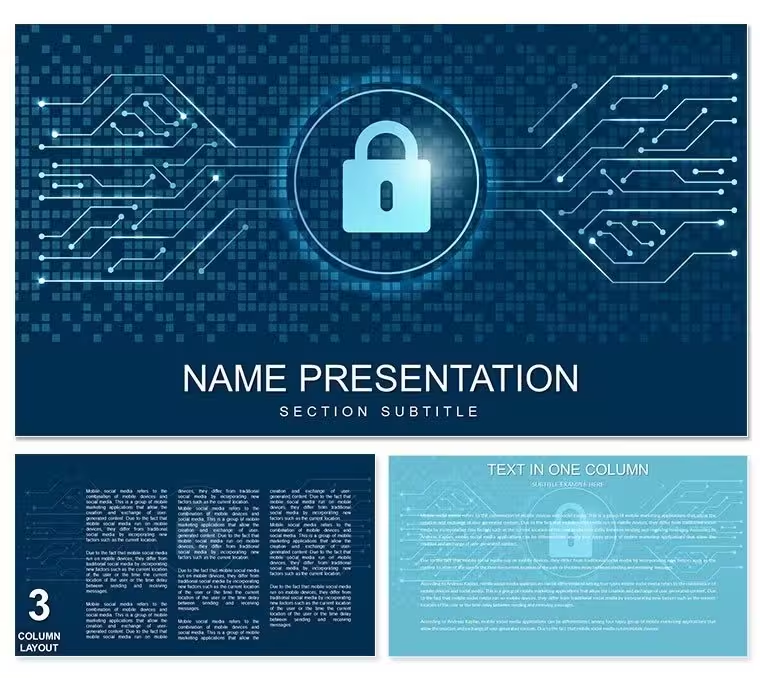
Data Protection and Privacy Keynote Template for E-Commerce with 28 editable diagrams in 7 color schemes. Perfect for compliance officers, IT teams, and online retailers explaining GDPR, data security, and privacy policies. Instant Keynote download.
What's Included
This Data Protection Keynote Template supplies 28 fully editable diagrams in 7 professional color schemes designed for privacy and security presentations. The download package contains the .key file and .kth theme file ready for Apple Keynote. All graphics use vector construction for perfect scaling on any display. Text placeholders and color groups allow rapid updates to reflect the latest compliance language. The set addresses e-commerce specific concerns such as customer data flows and breach response protocols. Files open instantly and require no additional assets.
Diagram Coverage
Diagrams cover data lifecycle stages, encryption methods, consent management, and regulatory compliance frameworks. Each of the 28 slides offers layered elements that you can show or hide depending on audience technical level. The 7 color schemes include trustworthy blues and secure greens that reinforce the privacy message. Typography remains consistent across the deck so your brand voice stays clear whether presenting to executives or technical staff.
Key Features
The template prioritizes clarity for complex compliance topics. Native Keynote objects respond instantly to edits. Pre-built color schemes meet accessibility contrast standards required for regulatory materials. Icons are grouped for quick replacement with your company security badges. The file remains compact for email distribution to remote teams. Full commercial rights support use in client audits and internal training programs.
FeatureDetails28 Editable DiagramsPrivacy and security focused7 Color SchemesTrust-building palettesNative .key + .kth FilesApple Keynote readyVector ConstructionPerfect on any screenLayered ElementsAudience-level controlCommercial LicenseAudit and training useProfessional Use Cases
GDPR Compliance Training for E-Commerce Teams
A compliance manager at an online retailer used the data flow and consent diagrams to train 120 customer service staff. She highlighted the relevant regulatory icons and updated the text with the company’s specific policies. The layered slides allowed her to reveal information progressively so the audience stayed engaged. Post-training audit scores improved significantly because employees could visualize their role in data protection. The presentation was delivered both in-person and via recorded video for remote workers.
Security Audit Presentation to Board of Directors
The Chief Information Security Officer presented annual privacy metrics using the breach response and encryption overview diagrams. Custom colors matched the corporate palette and key statistics were inserted into text placeholders. Board members followed the risk mitigation steps without requesting clarification because each process was illustrated clearly. The meeting concluded with budget approval for additional security tools. The template turned technical details into accessible executive summaries.
How to Customize
Download the .key file and open in Keynote. Locate the diagram that matches your topic and select any shape or text box. Update wording to reflect current policies or add your company name. Switch color schemes with one click or fine-tune individual elements. Insert your logo on the master layout for automatic repetition. Test animations to ensure smooth delivery during virtual audits. Export options include PDF for printed compliance binders or video for asynchronous training. The workflow uses only native tools and typically requires under 25 minutes for a full deck.
Why Choose This Template
This Data Protection Keynote Template differs from related bridge or finance templates because it focuses exclusively on e-commerce privacy and security workflows. The 28 diagrams address the exact visuals needed for GDPR, CCPA, and customer trust presentations rather than generic charts. The 7 color schemes convey security and professionalism that generic templates require extensive editing to achieve. Professionals save hours versus building compliance slides from scratch while maintaining regulatory accuracy through clear visual language. The result is higher stakeholder confidence and faster approval of security initiatives.
Strengthen your next compliance presentation immediately.
Frequently Asked Questions
Does this Data Protection template support the latest privacy regulations?The diagrams are structured around universal privacy concepts that apply to GDPR, CCPA, and similar frameworks. You simply update the text placeholders with your organization’s current policies. The layered design lets you hide or reveal specific regulation references depending on the audience. Regular users report that the template structure remains relevant across annual updates because core data flow and consent visuals do not change. This flexibility keeps the deck compliant without annual redesign.
Are the icons and diagrams suitable for technical and non-technical audiences?Yes, each diagram includes optional detail layers that you can hide for executive summaries or reveal for IT deep dives. Icons use universally recognized security symbols such as locks and shields that require no explanation. Text size and contrast meet accessibility guidelines for both printed and projected use. Presenters frequently duplicate slides—one version for overview and one for technical detail—within the same file.
Can multiple team members collaborate on the same file?Keynote supports real-time collaboration through iCloud when the file is stored there. Compliance, legal, and marketing teams can edit different sections simultaneously. Version history lets you revert changes if needed. The .kth theme ensures consistent styling even when multiple editors contribute. This feature is particularly valuable during cross-departmental privacy policy updates.
Is the template suitable for external client audits?The clean professional design and commercial license fully support client-facing audit presentations. You can remove internal references and add client-specific data in minutes. Exported PDFs serve as official documentation that auditors accept. Many users print the deck as bound handouts for in-person review sessions. The vector quality ensures legibility when documents are scanned or shared electronically.
How does this template compare to other privacy templates on the site?Unlike broader security or finance templates in the related section, this one targets e-commerce data protection with diagrams specifically illustrating customer consent, third-party sharing, and breach notification flows. The 28-diagram set and 7 color schemes create a unified privacy narrative that mixed collections cannot match without additional design work.
Good for
- Project roadmaps and sprint plans
- Product launch timelines
- Quarterly or annual review decks
- Company history and milestone summaries
Licence
reviews
These templates are quite effective. Modern style and easy data handling. Positive experience.
The selection covers common needs. Some tweaks needed but results professional.
This improved my Keynote workflow. Charts integrate nicely with themes.
Customization straightforward. Audience found visuals helpful and clear.
Handy pack that adds polish. Good value and consistent quality throughout.
FAQ
Will it work in Google Slides?
Are fonts embedded?
Can I use this for client work?
What's the refund policy?
Do you update the template after purchase?
Similar templates
See all Keynote templates →


All 1 slides