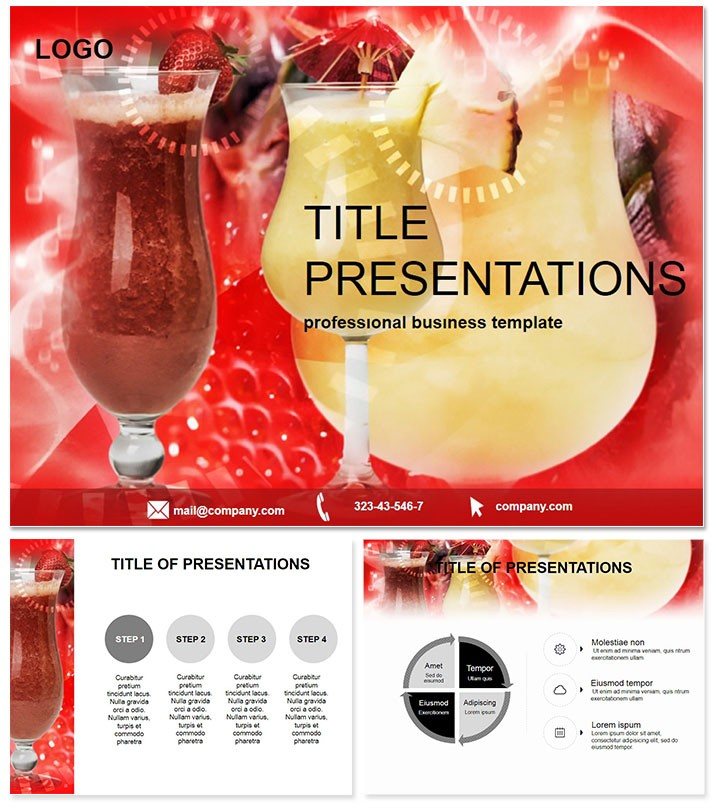
 Click to zoom
Healthy Cocktail Keynote Template - Instant Download | ImagineLayout
| Format | .pptx |
| Slides | 3 unique layouts |
| Aspect ratio | 16:9 |
| Compatibility | PowerPoint |
| Animated | No |
| Language | English |
| License | Commercial |
| File size | — |
| Version | v1.0 |
| Last updated | March 2026 |
What's inside
Files and Formats Included
What is a Healthy Cocktail Keynote template? A Healthy Cocktail Keynote template is an Apple Keynote file (.key / .kth) built around drink, beverage, and food-service presentation design - with diagram slides, color palettes, and visual elements suited to pitching menus, educating audiences, or presenting nutrition content in hospitality and wellness contexts.
28 diagram slides and 7 color schemes ship in the paid version. The visual palette spans fresh citrus tones, aqua and teal gradients, and earthy herb-green neutrals - organized so each scheme works as a standalone thematic choice rather than a variation of the same base color. Three slide masters handle structural layout: an introduction format, a content-heavy diagram format, and a closing or call-to-action format. Three background variations give control over texture and depth - useful when printing materials or projecting in rooms with bright ambient lighting.
The diagram types in this set address what food and beverage presenters actually build: ingredient breakdown pyramids that show nutritional composition tier by tier, mixing sequence flowcharts for step-by-step drink preparation, side-by-side comparison layouts for healthy vs. classic cocktail alternatives, and data-light infographic slides for menu highlights. Unlike general business diagram collections, these layouts are scaled for hospitality contexts - broader label zones, icon placeholders sized for food and drink imagery, and a visual information density appropriate for audiences who are browsing, not analyzing.
The .jpg format is also included, providing static image exports of the slide designs for use in print materials, social media content, or web mockups without opening Keynote at all.
Who Reaches for This Template
A mixologist at an urban wellness bar used the ingredient pyramid diagrams to build a 12-slide pitch for a new low-alcohol cocktail menu. Laying out each drink's nutritional and botanical ingredient layers visually took 20 minutes per slide from scratch. Using the pre-built pyramids, the same content fit into an adapted slide in under 8 minutes - including custom icon swaps for each primary ingredient.
A hospitality marketing consultant preparing a seasonal campaign pitch for a resort spa used the comparison layout slides to show guests the caloric difference between the existing menu and a proposed superfood-infused drink line. The side-by-side zone structure in this set accommodates two parallel columns of labeled data without the visual clutter that occurs when the same comparison is built in a standard two-column text layout. The consultant reused the file across three consecutive quarterly proposals by swapping color schemes - the citrus palette for summer, the aqua scheme for a spa rebrand, the earthy green for an autumn harvest menu launch.
Nutrition educators running corporate wellness sessions rely on sets that separate data clearly from decorative elements. The diagram connectors here link labeled icons to descriptive text zones outside the shape boundaries - keeping the data legible at projection distance.
Download and start editing immediately.
From Download to Final Deck
How do I adapt this Keynote template to my brand colors? Open the .key file in Keynote 2016 or later, go to View - Edit Master Slides, select the master, and change the palette accent colors. All 28 diagram slides reflect the change without individual slide editing.
- Step 1 - Open the .key file in Keynote 2016 or later (1 minute)
- Step 2 - Replace placeholder text in title slides and diagram labels with menu names, ingredient names, or nutritional data (4 minutes)
- Step 3 - Switch to the color scheme that fits the season or brand - apply via master slide palette (2 minutes)
- Step 4 - Swap icon placeholders with custom drink or ingredient images using Keynote's Format - Image menu (3-5 minutes)
- Step 5 - Export as .key for collaborative editing or PDF for print and digital distribution (1 minute)
Editing difficulty: Beginner. No design background needed for text replacement, color switching, and image swaps. The .jpg files require no editing at all - download and use directly in web or print contexts.
What You'd Need to Replicate This Yourself
Building a 28-slide food-and-beverage presentation from scratch in Keynote means sourcing or drawing food-appropriate icons, designing a consistent color system across palettes (7 coherent schemes is not a weekend project), constructing each pyramid and flowchart diagram from Keynote's shape primitives, and maintaining visual consistency across all slide types. A designer with Keynote fluency would spend 15-25 hours on a comparable set.
The ingredient pyramid design in this template places tier labels outside the pyramid segments on the left and right margins, connected by light lines. Placing labels inside the segments is the default approach - it works on a laptop but collapses on a projected screen where pyramid segments become too narrow for readable text. External labels preserve presentation-room legibility without requiring any workaround from the presenter.
Download and start editing immediately.
Which version of Keynote is required?Keynote 2016 or later on macOS is required for full editing access, including master slide palette control, grouped diagram editing, and icon placeholder replacement. The .key file may open in earlier Keynote versions but master slide compatibility is not guaranteed. The .jpg files included in the download require no software - they open in any image viewer or web browser and can be placed directly into other design tools such as Canva or Adobe InDesign.
Can I use this for commercial projects such as a client pitch or bar menu presentation?Yes. The license permits single-user commercial use, including client-facing presentations, investor pitches, bar menu reveals, and corporate wellness event materials. The template files themselves - the .key and .kth - cannot be redistributed, resold, or shared with additional users. Each team member who needs to edit the file independently should purchase their own license. Using the .jpg exports in social media campaigns for a client is permitted under the commercial use license.
What does the free version include compared to the paid version?The free tier ($10) covers 3 slide masters and 3 background variations - structural layout files without diagram content. The paid version ($20) includes all 28 diagrams across 7 color schemes, which are the core value of the set. For any presentation that uses ingredient pyramids, comparison layouts, or data visualization slides, the paid version is the functional purchase. The free tier suits teams that need the theme aesthetic and master formatting but will build their own slide content from scratch.
Does this template work for non-cocktail beverage content, such as smoothies or mocktails?Yes. The diagram structures - pyramids, flowcharts, comparison layouts, and data slides - are format-neutral. The placeholder icons and text labels replace to accommodate any beverage category: smoothie ingredient breakdowns, mocktail mixing steps, coffee menu comparisons, or herbal tea nutritional content. The color schemes, especially the aqua and green palettes, translate naturally to non-alcoholic wellness drink branding without visual conflict.
What file formats are included?Three formats are included: .key is the editable Keynote presentation file, .kth is the installable Keynote theme for reuse across new presentations, and .jpg provides static image exports of the slide designs. The .jpg files are production-ready at standard web and print resolutions and do not require Keynote to use. No PowerPoint or Google Slides version is included - this template is Apple Keynote only.
What is the refund policy?Refunds on digital downloads at ImagineLayout are handled case by case. A refund is typically approved when the file is technically defective - for example, the .key file cannot be opened in a compatible Keynote version. Refunds are not issued for change-of-mind decisions after a file has been downloaded. Review the full refund policy on the ImagineLayout website prior to purchase for the current specific conditions.
Good for
- Project roadmaps and sprint plans
- Product launch timelines
- Quarterly or annual review decks
- Company history and milestone summaries
Licence
reviews
It worked fine but I found the icon placeholders a bit small for food photography.
Saved me hours of work on a pitch for a healthy drink line, the side-by-side comparison layouts are genius.
Put together a menu proposal for a new juice bar and the ingredient pyramid diagrams were perfect.
Those aqua and teal gradients look super fresh on a projector, got a lot of compliments from the client.
Used the mixing sequence flowcharts for a cocktail workshop and people followed along easily.
FAQ
Will it work in Google Slides?
Are fonts embedded?
Can I use this for client work?
What's the refund policy?
Do you update the template after purchase?
Similar templates
See all Keynote templates →


All 1 slides