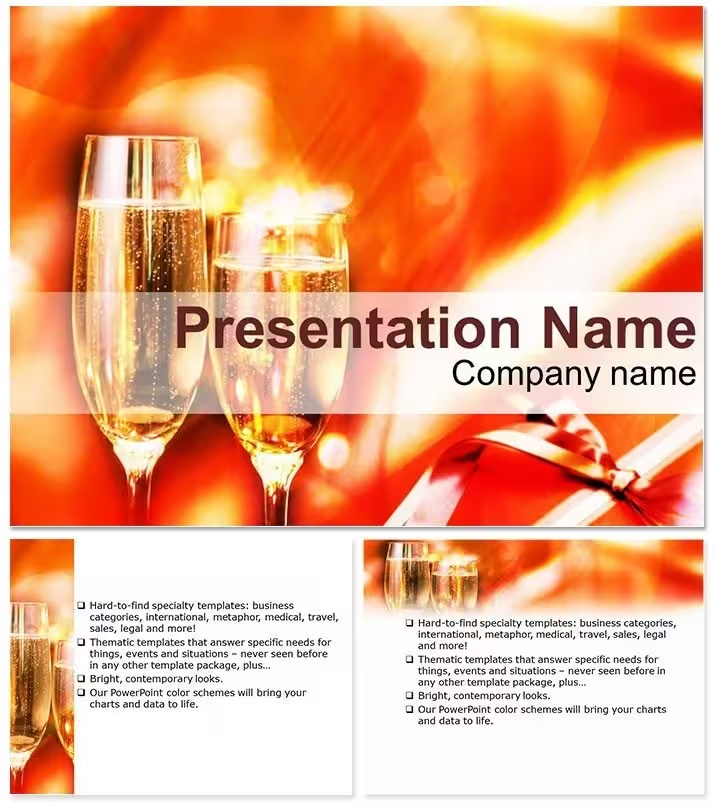
 Click to zoom
Holiday Celebration Keynote Template - Ready to Present
| Format | .pptx |
| Slides | 3 unique layouts |
| Aspect ratio | 16:9 |
| Compatibility | PowerPoint |
| Animated | No |
| Language | English |
| License | Commercial |
| File size | — |
| Version | v1.0 |
| Last updated | September 2026 |
What's inside
What is a Keynote template for celebration and holiday presentations? A celebration Keynote template is a pre-built .key file with editable slides themed around seasonal events, ceremonies, and toasts - including timeline diagrams, reflection radars, and event-flow layouts designed for weddings, holidays, anniversaries, and corporate year-end gatherings.
28 Slides, 7 Color Schemes: What You Get
For event planners, corporate hosts, and anyone preparing a structured speech or toast presentation, 28 diagrams cover the full arc of a celebration deck. The layout set includes sparkling title openers with clinking-glass iconography, bubble charts for holiday statistics and tradition comparisons, multi-stop process timelines for sequencing speeches or event segments, polar diagrams for mapping guest interactions, stacked bar charts for year-in-review memory lanes, reflection radar charts for group achievement summaries, and wish-list or goal slides for the closing segment. Seven color schemes run from reds and golds through silvers, greens, and midnight blues - the full range needed to cover Christmas, New Year, wedding receptions, anniversary dinners, and corporate end-of-year events from a single file.
Three master frameworks organize the deck's structure: an opening master for toast introductions and speaker greetings, a storytelling master for sharing traditions and milestones, and a closing master for reflections, acknowledgments, and collective wishes. Three background designs - snowflake swirls, warm candle-glow gradients, and confetti-burst patterns - provide the seasonal visual identity without requiring any custom imagery from the presenter. The download includes .key, .kth, and .jpg files, giving both an editable deck and a static visual reference for all 28 slides.
Unlike single-purpose wedding or birthday templates that offer primarily photo-frame layouts with minimal diagram content, this file combines a full diagram library with the celebration aesthetic. A corporate HR director preparing a year-in-review toast presentation needs more than a themed slide background - the polar diagrams and radar charts in this set support structured storytelling about team milestones and organizational achievements, not just decorative slide dressing.
Adapting the Template to Your Brand
What if I only need to change the color scheme, not the diagrams?
Go directly to View - Edit Master Slides. The 7 color variants are stored as separate master sets. Select the scheme closest to your event colors, click any accent shape to enter Format - Shape Style, enter your hex value, and apply globally. All 28 slides update. Individual slides can override the master by selecting specific shapes and assigning a different fill - this is useful when one slide needs a different accent, such as a highlight slide for the main speaker or honoree.
What if the event is not a winter holiday - for example, a summer anniversary dinner?
Switch to the champagne-neutral or warm-white color scheme to remove the winter associations. Replace the snowflake background with the candle-glow version, which reads as ambient warmth rather than seasonal cold. Update the bubble chart labels from holiday statistics to anniversary milestones - years together, significant dates, locations. The diagram structure is the same; the context is entirely in the text and color, both of which change in under 10 minutes.
What if I need to add a custom guest name or honoree photo?
Click any text placeholder to replace it. For photo insertion, click the image icon in any photo-placeholder shape, select your file from Finder, and Keynote scales it to fit the frame automatically. Editing difficulty: Beginner for text and color. Moderate for photo placement and custom icon swaps.
Real Scenarios
The events coordinator at a regional hospitality group used the same template file across 11 corporate year-end events over two consecutive seasons. Each time: swap the company name in the title opener, adjust the year-in-review bar chart with updated team metrics, switch the color scheme to match the client's brand palette, and export to PDF for the AV team. The reflection radar slide became a standard fixture in every event debrief presentation - the same chart type, different labels. Per-event preparation time averaged 25 minutes after the first use.
A secondary use case: a wedding toastmaster used the process-flow timeline slides to sequence the evening's speeches across 6 speakers, assigning each a labeled segment on the timeline with duration estimates. Guests received a printed version derived from the .jpg exports. The visual clarity of the timeline reduced coordination confusion during the reception - speakers knew exactly when to approach the microphone without repeated verbal reminders from the toastmaster.
Download and start editing immediately
The Cost of Not Using a Template
Building a polar diagram - the kind used in the guest-interaction or team-participation slides - requires constructing a circular shape grid, placing segment labels at correct angular positions, and then scaling each wedge to represent a proportion of the whole. In Keynote, that means working with rotated shapes, manual positioning, and repeated alignment adjustments. A clean 8-segment polar diagram takes approximately 45-60 minutes to build accurately from scratch, and even then the label positioning often requires a second pass after viewing on a projected screen.
Polar diagram labels must sit outside the circular shape at a consistent radial distance, not inside it. When labels are placed inside segments - which is the default instinct when building manually - segments representing less than 10% of the total lose readability entirely because the text no longer fits the shape area at a legible font size. Externally anchored labels with short connector lines maintain readability for every segment regardless of size. That placement convention is already encoded in the pre-built polar diagrams in this file, requiring no manual adjustment.
What typically goes wrong when building celebration diagrams manually: font inconsistency between the decorative title slide and the analytical chart slides, icon sizes that don't scale with the slide grid, and timeline segment widths that don't proportionally represent event durations. Each of those errors is individually small but collectively produces a presentation that reads as improvised rather than structured - a significant issue for a professional event or corporate ceremony context.
Download and start editing immediately
Which version of Keynote is required, and does it work on a Mac purchased in the last 3 years?The file requires Keynote 2016 or later, corresponding to Keynote version 7.0. Any Mac purchased in the last 3 years runs macOS Monterey, Ventura, or Sonoma - all of which support the current version of Keynote available through the Mac App Store. As long as Keynote is installed and up to date, the .key file will open cleanly. The .kth file is importable via Keynote's theme chooser for applying the visual style to an existing presentation. If you are preparing the event deck on an iPad, Keynote for iPadOS version 2.6 and later also supports .key files, though editing polar diagram shapes is more precise on a Mac with a mouse or trackpad.
Can I adapt this for a non-holiday event like a birthday or anniversary?The diagram structures - timelines, polar charts, reflection radars, process flows - are entirely event-neutral. The celebration identity comes from the color scheme and background choice, both of which are editable within minutes. For a birthday, the warm-gold color scheme and candle-glow background remove winter associations while maintaining the celebratory visual tone. For an anniversary dinner, the champagne-neutral scheme paired with the bubble-chart layout for milestone years produces a refined, non-seasonal look. Tags on the product page confirm it covers birthday, anniversary, wedding, ceremony, and fiesta use cases - the 28 diagram types support each of those contexts with appropriate structural changes to labels and text, not to the diagrams themselves.
How do I change the color scheme to match my event's palette?Open View - Edit Master Slides in Keynote. The 7 color variants appear as separate master slide sets in the left panel. Select the master that most closely matches your event colors, click any accent shape within that master, open Format - Shape Style, and enter your event's hex color value. The change applies globally across all diagrams that inherit from that master. For a single-slide override - such as making the honoree's featured slide a different accent color - select the specific shapes on that slide and apply the override directly through Format - Shape Style without touching the master. This individual override does not affect the global scheme.
What is the license - can I use it for a paid corporate event or client project?The standard license covers personal celebrations and professional use in presentations prepared for or delivered to clients as part of a service - including corporate event planning, toastmaster services, and HR-managed year-end presentations. The license does not permit distributing the .key or .kth template files to other event planners or team members as standalone downloads; each user requires a separate license. It also does not permit repackaging or reselling the template as part of a design service product. If an events team needs shared access across multiple coordinators, each coordinator requires their own purchased license. Contact ImagineLayout for information on multi-user arrangements.
What is included in the free version vs. the paid version?The free tier at $8 includes the 3 master slide frameworks and 3 background designs. These establish the visual identity - snowflake swirls, candle glow, and confetti burst - but do not include the 28 diagrams or the 7 color scheme variations. The paid tier at $16 adds all 28 diagram slides and access to all 7 color schemes. For a simple toast or single-speaker event where only a title slide and a closing slide are needed, the free version provides adequate structure. For a multi-segment event with speech timelines, guest-participation tracking, year-in-review charts, or team reflection diagrams, the paid version is the practical choice - those diagrams are not available in the free tier.
What is the refund policy?ImagineLayout's refund policy applies when a purchased product does not match the specifications described on the product page. If the file does not open in Keynote 2016 or later, or if the slide count, file formats, or diagram types differ materially from what is listed, submit a refund request through the Contact page with your order number and a description of the discrepancy. Requests are reviewed against the product description. Downloading and reviewing the free version ($8) before purchasing the full paid version ($16) is the most effective way to confirm compatibility and visual fit before the full purchase - particularly for verifying that the color schemes match your event's requirements.
Good for
- Project roadmaps and sprint plans
- Product launch timelines
- Quarterly or annual review decks
- Company history and milestone summaries
Licence
reviews
Used this for a year-end all-hands meeting and the sparkly title openers set a fun mood.
The reflection radar charts were great for recapping team achievements without being too cheesy.
My corporate event deck looked really polished with the champagne neutral scheme.
A bit too many bubble charts for my liking but the confetti backgrounds are nice.
Had to do a last-minute wedding toast presentation and the wish-list slides saved the day.
FAQ
Will it work in Google Slides?
Are fonts embedded?
Can I use this for client work?
What's the refund policy?
Do you update the template after purchase?
Similar templates
See all Keynote templates →

All 1 slides