 Click to zoom
Abstract Spiral Wave Diagram Keynote Template - Editable KEY
| Format | .pptx |
| Slides | 3 unique layouts |
| Aspect ratio | 16:9 |
| Compatibility | PowerPoint |
| Animated | No |
| Language | English |
| License | Commercial |
| File size | — |
| Version | v1.0 |
| Last updated | March 2026 |
What's inside
What is a Keynote diagram template with abstract wave backgrounds? It is an Apple Keynote file built around fluid spiral and wave motion graphics as the visual foundation, combined with 28 editable diagram and infographic slides - suited for presentations where the visual tone matters as much as the data structure.
What's Inside the Download
28 diagrams and 7 color schemes form the core of the paid version ($15.00). The download includes .key and .kth formats - the .key file for active editing in Keynote 12+, the .kth for applying the wave-patterned masters to a deck already in progress. Three master layouts and three backgrounds are in both the base ($5.00) and paid tiers; the diagram library is paid-only.
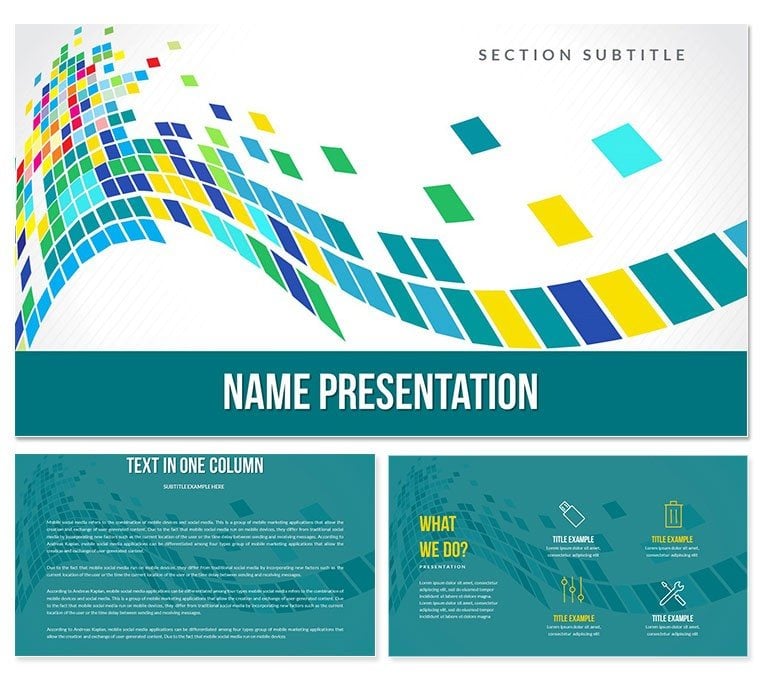
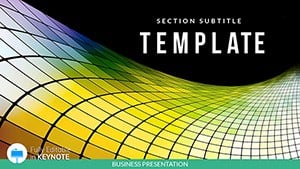
The 28 diagrams are built on the spiral-wave aesthetic: flowing curved backdrops underpin each layout, giving infographic elements - progress indicators, data comparison blocks, process flows - a sense of movement that static geometric backgrounds do not provide. A financial analyst presenting economic trend data, for example, benefits from a visual metaphor that echoes the non-linear nature of market cycles. The wave motif is not decorative padding; it reinforces the underlying message of change and trend.
Where single-pattern abstract sets use one fixed color on every slide, this collection offers 7 independent color schemes - from neutral greys and cool blues to warmer accent palettes - allowing the same deck to shift visual temperature between an opening overview and a detailed data section. That tonal control is not available in presentation sets built around photographic backgrounds or single-hue abstract fills.
Typical Use Cases by Role
A marketing director at a fintech startup uses the wave-background diagrams for quarterly investor briefings. The abstract spiral aesthetic works for financial data precisely because it avoids the corporate-grey flatness of standard chart decks. She reused the same file across three consecutive briefings by switching color schemes between quarters - one neutral grey for Q2, a cooler blue for Q3 - cutting deck preparation from two hours to under 40 minutes each cycle.
A senior consultant at a management consultancy uses the template for strategy workshop facilitation. The flowing wave backgrounds reduce the visual monotony of a 3-hour workshop deck without introducing thematic visual noise. Process flow diagrams placed on a wave backdrop give participants a visual anchor without competing with the content. He adapted the same diagram set for five consecutive client workshops by swapping text labels only.
Download the Abstract Spiral Wave Keynote template and start editing immediately.
From Download to Final Deck
How do I adapt the Abstract Spiral Wave Keynote template to my brand? Open the .key file, select your color scheme, replace text content, and export. Detailed steps below.
- Step 1 - Open the .key file in Keynote 12 or later (1 minute)
- Step 2 - Choose a color scheme from the 7 available - select based on your brand's primary palette or the tone of the presentation (2 minutes)
- Step 3 - Replace text in infographic placeholders - data labels, percentage indicators, and section headers are independent text boxes (4-5 minutes per slide)
- Step 4 - Adjust background intensity if needed - the spiral wave graphic is on a locked background layer; it can be dimmed or hidden without affecting diagram elements (2 minutes)
- Step 5 - Export as .key or PDF - use PDF for distribution to clients who do not have Keynote (1 minute)
Editing difficulty: Beginner. The spiral wave background is pre-rendered and requires no adjustment for most use cases. Content editing involves text replacement and color scheme selection only.
The Cost of Not Using a Template
Building a spiral-wave visual background in Keynote from scratch requires either vector design software (Sketch, Illustrator) to render the wave graphic, or a stock asset purchase. A single high-quality abstract background renders at approximately 30-60 minutes in design software per variant. Across 3 backgrounds - the number included here - that is 90-180 minutes before a single content slide is started.
A relevant design observation: abstract wave backgrounds that use low-contrast fills between the wave graphic and the text layer create readability problems during projection. The backgrounds in this set are calibrated so text placed on them at standard Keynote font sizes (24pt body, 36pt heading) maintains a contrast ratio suitable for projected environments. High-contrast abstract fills that look clean on a laptop screen often wash out against projector output - the spiral motif here uses mid-range saturation specifically to avoid that failure mode.
- Time to create 3 custom wave backgrounds: 90-180 minutes in design software
- Time to begin editing this template: immediate after download
- Stock abstract background cost: $8-$25 per asset, without diagram integration
- Diagram integration when sourcing backgrounds separately: requires manual alignment on every slide
The 7 color scheme variants eliminate the need to source separately for different tonal presentations. One purchase covers neutral, cool, and warm visual registers - applicable across multiple presentation contexts without additional cost.
Download the Abstract Spiral Wave Keynote template and start editing immediately.
Frequently Asked Questions
Which Keynote version opens this template correctly?Keynote 12 or later is required for full functionality, including the color scheme panel and master layout editing. Keynote 12 ships with macOS Monterey; verify your macOS version before purchasing if you are on an older system. The .kth file can be imported as a theme in earlier Keynote versions via the Change Theme option, but the 7 color scheme variants for diagrams require Keynote 12+. Keynote for iPad opens .key files, though editing the spiral wave background layer and adjusting diagram connectors is more reliable on a Mac.
What is included in the base $5.00 version?The base version at $5.00 includes the 3 master slide layouts and 3 spiral-wave backgrounds - no diagrams. It is the lowest-cost entry point if you only need the wave aesthetic as a frame for your own content. The paid version at $15.00 adds all 28 diagrams and the 7 color schemes. For any presentation requiring structured data visualization, comparison layouts, or infographic slides, the paid version is the complete solution. The base tier alone does not contain diagram content.
Can I use this template for commercial client presentations?Yes. The license permits use in business presentations, client-facing decks, and internal strategy sessions. Adapting diagrams for paid client work is allowed under the standard license terms. Resale of the template files as a standalone product, sublicensing to other designers, or redistribution through other marketplaces is not permitted. For any edge-case commercial use not covered by a standard presentation context, review the full Terms of Use on ImagineLayout.com before proceeding.
How do I switch between the 7 color schemes?Each of the 28 diagrams has 7 pre-built color variants accessible from the slide master panel in Keynote 12+. Open the .key file, select the target diagram slide, and navigate to the master slide options - 7 color variants are listed for each layout. Selecting a variant recolors all diagram elements simultaneously: background fill, shape colors, connector tints, and text contrast adjustments. To use brand-specific colors not in the 7 presets, select individual elements and apply custom hex values via the Format sidebar. Global master palette changes propagate across all slides using that master.
Does the spiral wave background affect text readability during projection?The spiral wave backgrounds are designed with mid-range saturation to maintain text contrast at standard presentation font sizes. At 24pt body text and 36pt headings - the Keynote defaults - text placed on these backgrounds passes standard readability thresholds for projected environments. The wave elements sit on a separate locked layer, so you can reduce the background opacity in the Format sidebar if your projector environment is particularly bright or if your brand requires a flatter background. That adjustment takes under 30 seconds per slide and does not affect any diagram elements above the background layer.
What is the refund policy?ImagineLayout maintains a refund policy for template purchases. The current terms and submission process are on the Refund Policy page at ImagineLayout.com. Eligibility is typically evaluated against whether the downloaded files match the product page description. To open a request, contact ImagineLayout through the Contact page with your order number. Keep downloaded files accessible until a decision is communicated.
Good for
- Project roadmaps and sprint plans
- Product launch timelines
- Quarterly or annual review decks
- Company history and milestone summaries
Licence
reviews
Used the icon slides for a business case study in college.
Some layouts are almost identical but I guess that keeps consistency.
I appreciated that the graphs didn’t look overly complicated.
Not bad if you just need decent looking slides quickly.
The darker colors actually looked nice during our conference room presentation.
FAQ
Will it work in Google Slides?
Are fonts embedded?
Can I use this for client work?
What's the refund policy?
Do you update the template after purchase?
Similar templates
See all Keynote templates →

All 1 slides