 Click to zoom
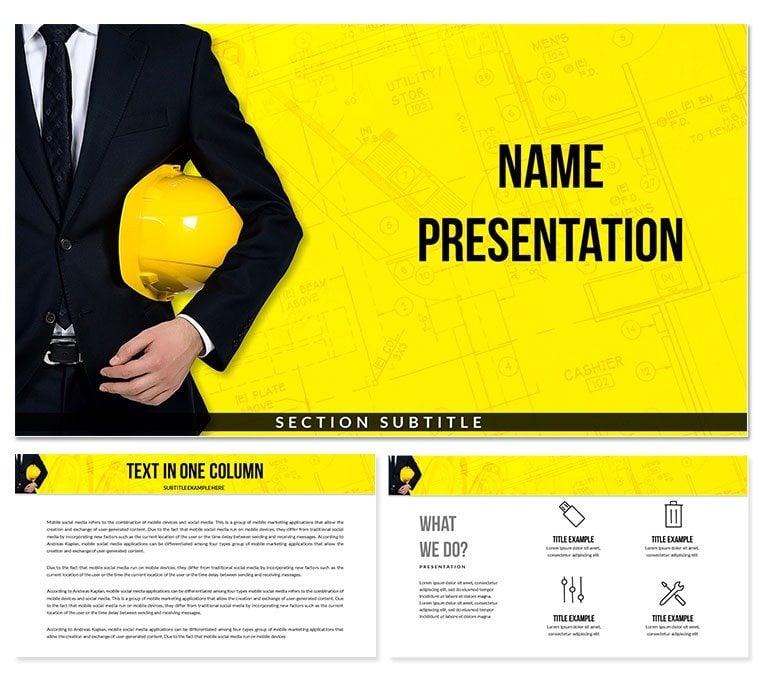
Architect Designer Diagram Keynote Template - Editable KEY
| Format | .pptx |
| Slides | 3 unique layouts |
| Aspect ratio | 16:9 |
| Compatibility | PowerPoint |
| Animated | No |
| Language | English |
| License | Commercial |
| File size | — |
| Version | v1.0 |
| Last updated | March 2026 |
What's inside
What is a Keynote diagram template for architecture presentations? It is a pre-structured Apple Keynote file with 28 editable diagrams covering architectural design, planning, and construction workflows - built so architects and design professionals can present projects without starting from a blank canvas.
28 Diagrams Across 7 Layouts: Full Contents
28 diagrams, 7 color schemes, 3 master layouts, and 3 slide backgrounds - that is the complete contents of the paid download ($25.00). The .key file opens directly in Keynote 12+ for full editing; the .kth file applies the master theme to existing decks. The base tier ($12.00) provides the 3 masters and 3 backgrounds without the diagram library.
The diagrams span the typical arc of an architectural project presentation: from initial concept and site planning layouts through structural modeling views, material specification comparisons, and phased construction timelines. A principal architect can open this set and assign diagrams by project stage - concept diagrams for the client kickoff meeting, construction phase timelines for the contractor briefing, and materials comparison layouts for the specification review - all from a single download.
What separates this set from thematically adjacent business planning sets is the domain vocabulary built into the layouts. Grid-based planning diagrams, elevation-style comparison frames, and blueprint-referencing color palettes are specific to the architectural design and construction context. A generic project planning set requires rebuilding those visual cues from scratch; this one ships with them pre-structured.
Three Situations Where This Pays Off
A senior architect at a mid-size residential design firm prepares a client presentation for a new mixed-use development proposal. The deck needs to move from site analysis to concept massing to phased delivery - three distinct visual modes in a single presentation. Using the planning and modeling diagrams from this set, she assembled a 14-slide deck in 90 minutes instead of the usual half-day, and reused the same file with adjusted labels and color scheme for a second client site the following week.
An interior design consultant regularly pitches material and finish specifications to property developers. Comparison layouts that place two or three material options side by side - with dimensions, finish notes, and cost indicators - are more persuasive than a text list. The spec comparison diagrams in this set gave her a reusable structure she adapted for five consecutive quarterly client proposals by swapping scheme colors to match each client's brand palette.
A construction project manager at a regional contractor uses architecture-context diagrams for internal team briefings. Phase timeline layouts that visually sequence site preparation, structural work, and fit-out stages reduced briefing misunderstandings at handoff meetings - a concrete improvement over slide-based bullet point schedules.
Download the Architect Designer Keynote template and begin editing immediately.
Adapting the Template to Your Brand
- Step 1 - Open the .key file in Keynote 12 or later (1 minute)
- Step 2 - Open the Master Slide panel and replace default palette colors with your firm's brand colors - change applies across all 3 masters at once (3 minutes)
- Step 3 - Select your working diagrams - choose the 5-10 diagrams that match your project stage and delete the rest to reduce file size (2 minutes)
- Step 4 - Replace text placeholders - project name, phase labels, site dimensions, and spec fields are all independent text boxes (5-8 minutes per slide)
- Step 5 - Export as .key for client collaboration or PDF for formal submission (1 minute)
Editing difficulty: Beginner. Architects unfamiliar with Keynote can adapt color and labels without any design training. The grid structure in planning diagrams locks element positions, preventing accidental misalignment.
Why This Template, Not a Blank Slide
Constructing an architecture presentation from scratch in Keynote requires sourcing or drawing planning grid elements, building elevation-style comparison frames, manually creating phase timeline bars, and aligning everything across 10 or more slides. That process typically takes a working architect 5-8 hours - time better spent on the project itself rather than on slide production.
A design observation specific to architectural presentations: planning diagrams that use thin-line grid overlays on a light background replicate the visual grammar that clients already associate with technical drawings. When a presentation mimics that aesthetic rather than defaulting to corporate chart styles, clients process the content as authoritative rather than approximated. The grid-based layouts in this set use exactly that convention: light construction-line overlays, label connectors in thin strokes, and section indicators that echo standard architectural notation.
- Time to build a 10-slide architecture deck from scratch: 5-8 hours
- Time to adapt this template to 10 slides: 60-90 minutes
- Sourcing planning grid graphics separately: 30-45 minutes per diagram type
- Built into this set: immediate access, no sourcing required
Architecture presentations that rely on generic corporate diagram styles - filled bars, saturated pie charts, heavy icon sets - create a visual mismatch with the precision-oriented expectations of planning and construction audiences. Domain-matched diagram language reduces that friction.
Download the Architect Designer Keynote template and begin editing immediately.
Frequently Asked Questions
Which Keynote version is required to open this template?Keynote 12 or later is required, which runs on macOS Monterey and newer. Opening the .key file in Keynote 11 or earlier may cause layout inconsistencies in the master slides and color scheme panels. The .kth theme file can be imported into compatible Keynote versions through the Change Theme menu. If you are unsure of your current version, check the Keynote listing in the App Store - updates are free. Keynote on iPadOS also opens .key files, though multi-layer diagram editing is significantly more practical on macOS.
What does the paid version include that the base version does not?The base version ($12.00) contains the 3 master slide layouts and 3 backgrounds - useful for building a branded presentation framework. The paid version ($25.00) adds all 28 architectural diagrams and 7 color schemes. Without the diagrams, the base tier is a blank branded frame; the paid tier is a complete diagram library for architectural, planning, and construction presentations. For professionals who need to present project concepts, phased timelines, or specification comparisons, the paid tier is the only functionally complete option.
Can I use this in client-facing proposals or commercial presentations?Yes. The standard license covers use in client presentations, project proposals, and contractor briefings. Architects, interior designers, and construction firms can customize and present the diagrams as part of paid professional deliverables. Redistributing or reselling the template files themselves as standalone products is not permitted. For any use case outside direct client presentation - such as including template screenshots in published case studies or media - review the full Terms of Use on ImagineLayout.com.
How do I apply my firm's brand colors to the template?Open the .key file in Keynote 12+, then go to View > Edit Master Slides. Select a master layout and open the Format sidebar. Replace the default palette colors with your firm's brand hex values using the color picker. Changes made in the master propagate automatically to all slides using that master. For the 7 diagram color schemes, individual scheme colors are adjusted directly on each diagram slide via the Format sidebar - select a colored shape and replace its fill. Full rebrand of all 3 masters and a single diagram color scheme takes approximately 10-15 minutes.
Does the template support animation for construction phase reveals?No animations are pre-applied - all diagrams are static on delivery. Animations are easy to add in Keynote via the Animate panel: select a phase bar or planning grid element, apply a build-in such as Wipe or Move In, and set the order. A common technique for construction phase timelines is to apply a sequential Wipe from left to right on each phase bar, which visually simulates project progression during a live presentation. Removing pre-applied animations from a slide is done in the same Animate panel by selecting and deleting the build entries.
What is the refund policy for this template?ImagineLayout maintains a refund policy for template purchases. Visit the Refund Policy page on ImagineLayout.com for the current terms, conditions, and process. Refund eligibility is generally assessed against whether the delivered files match the product description. To initiate a request, contact ImagineLayout support through the Contact page with your order number and a description of the issue. Do not discard downloaded files before a refund decision is made.
Good for
- Project roadmaps and sprint plans
- Product launch timelines
- Quarterly or annual review decks
- Company history and milestone summaries
Licence
reviews
I used it for a class presentation and it helped me finish faster.
The charts were already built in which was convenient.
Some layouts felt a bit cramped.
It’s fine but not very exciting.
Worked as expected for basic use.
FAQ
Will it work in Google Slides?
Are fonts embedded?
Can I use this for client work?
What's the refund policy?
Do you update the template after purchase?
Similar templates
See all Keynote templates →


All 1 slides